

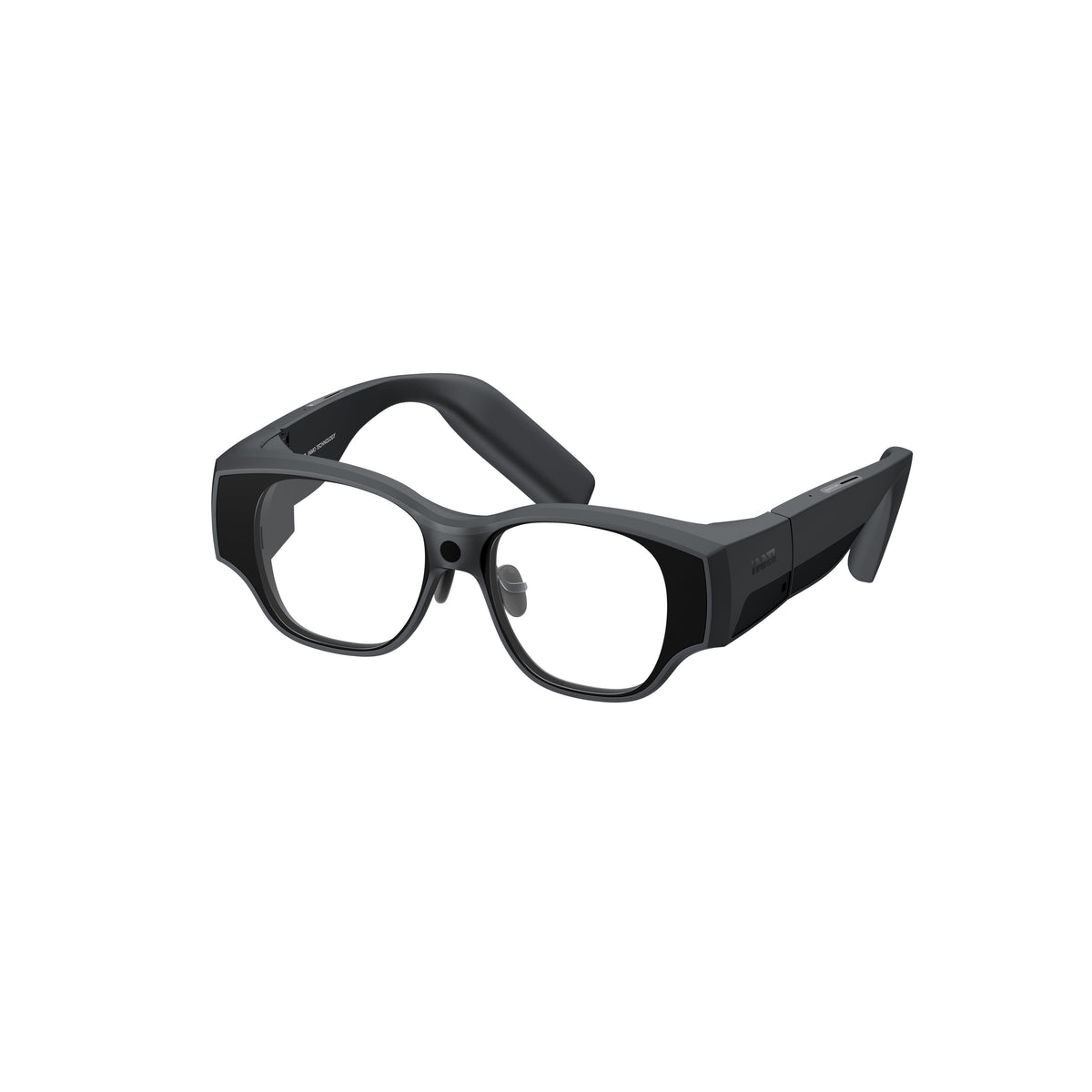
The remedy for the INMO AIR3 overheating recall is a free online system update to version V3.16. Owners of affected glasses are instructed to stop using them immediately, contact INMO with purchase details, and install the update with support guidance. Because system software on AIR3 governs how the glasses run, an online update provides a direct way to modify device operation on units already in use.
The left temple of affected INMO AIR3 glasses can overheat during extended use, creating a burn hazard. Until V3.16 is successfully installed, affected glasses should remain out of use.
What the AIR3 overheating recall covers
The recall was announced on September 24, 2026, under CPSC Recall No. 26-797. Conducted as a voluntary product safety improvement program for INMO AIR3 in cooperation with the CPSC, the initiative responds to ten reports of the glasses overheating, including reports of burning sensations experienced on the face and left ear.
The notice covers approximately 1,643 units in the United States and about 120 units in Canada. Affected units are black, with “AIR3” and “INMO” printed on a label on the inside of the right temple. They were sold between December 2025 and August 2026 on Amazon.com, Kickstarter.com, and inmoxr.com. Checking the inner label and matching it with original purchase records allows owners to identify whether a specific pair is part of the recall.

The official remedy, item by item
The recall program specifies clear requirements for owners and provides an online path to resolution. The table below outlines the key details established in the official notices.
| Item | What the official notice states |
|---|---|
| Program | Voluntary product safety improvement program for INMO AIR3, in cooperation with the CPSC |
| Hazard | The left temple can overheat during extended use, posing a burn hazard |
| First step | Stop using the recalled glasses immediately and contact INMO |
| Remedy | Free online system update to version V3.16 |
| Required details | A photo of the affected AIR3, the order number if available, and the purchase channel |
| Email contact | support.usa@inmoxr.com |
| Phone contact | 1-888-212-9620 |
Specifying the exact version number, V3.16, gives owners a clear reference point to check in device settings once the installation is complete.
How system software relates to device operation
System software on smart glasses manages how the hardware operates during daily use. Because device behavior is directed by this underlying software, an online system update allows a manufacturer to modify device operation.
Under the recall program, version V3.16 serves as the official remedy to address the overheating issue. The update delivers the revised system build directly over Wi-Fi so that affected units can be updated before regular use resumes.
Getting V3.16 onto your AIR3
To initiate the update process, email support.usa@inmoxr.com with a photograph of the affected AIR3, the order number if available, and the store or platform where the glasses were purchased. Owners in North America can also call 1-888-212-9620. Having these details prepared in advance allows support to verify the unit and coordinate the online update.
The update installs directly from the glasses. From the AIR3 home screen, open Settings to access system information and update controls.
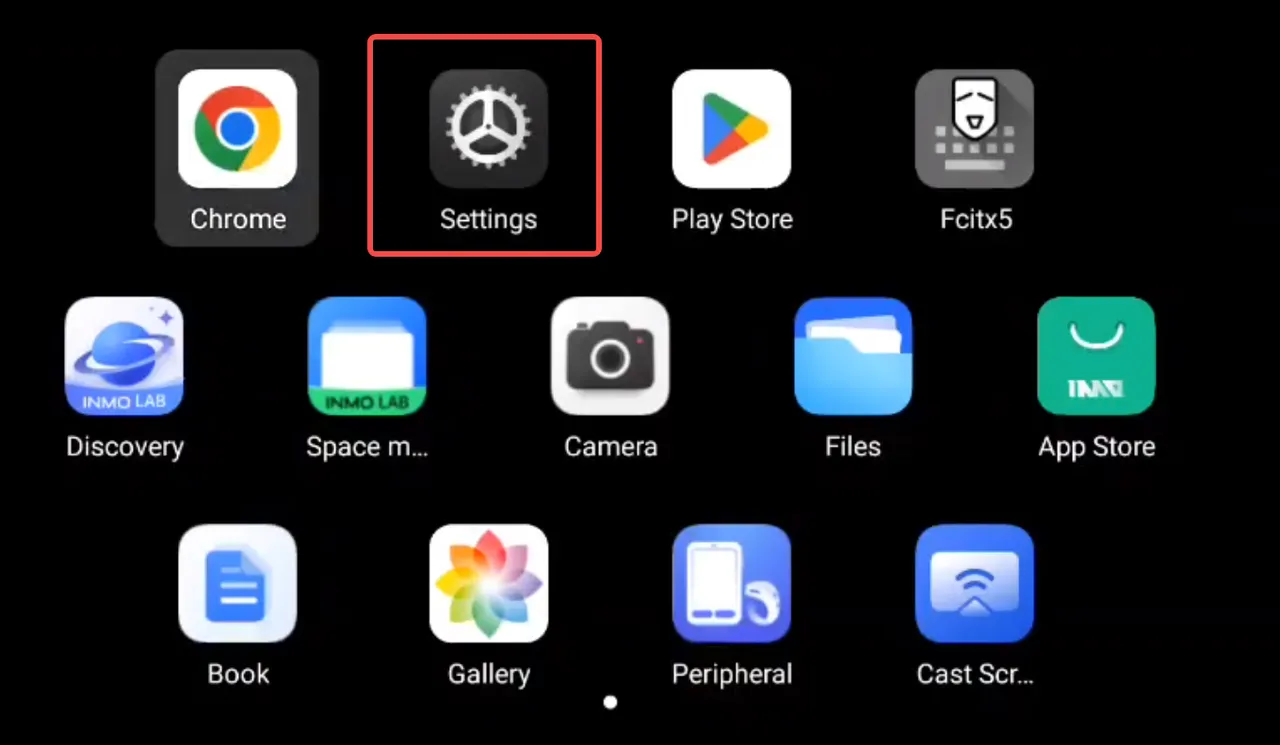
Following the standard update sequence from the AIR3 firmware update guide:
- Connect AIR3 to Wi-Fi, confirm that at least 1GB of free storage space is available, and charge the battery above 80%, which is the recommended level for updates.
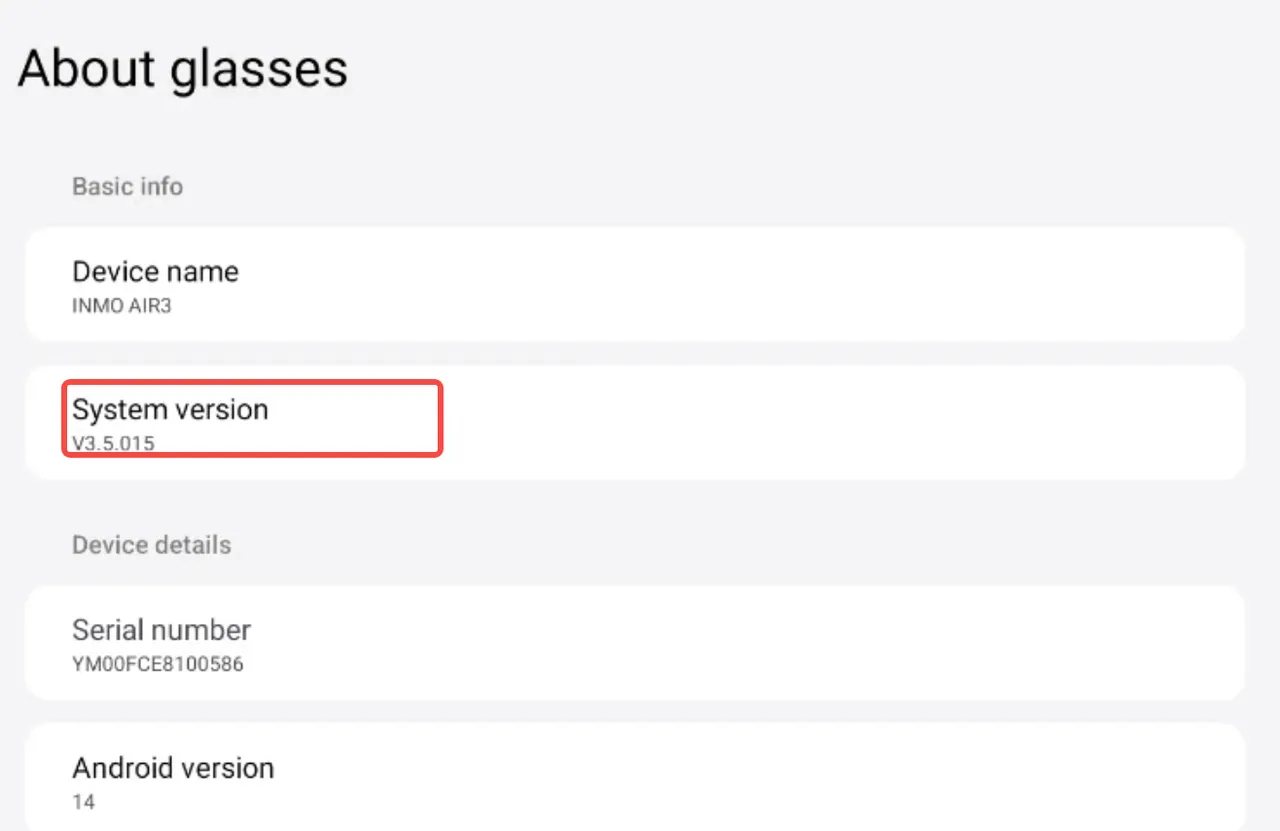
- In Settings, select About the Smart Glasses and tap System Version.
- When the new system build is detected, select Update Now to download the update package.
- After the download completes, select Update Now again to start the installation.
- Leave the glasses untouched while the update installs. Do not operate, power off, or restart the device; the glasses restart automatically once installation finishes.
After the glasses restart, navigate back to Settings, open About the Smart Glasses, and select System Version to confirm that the display shows V3.16 before wearing the glasses again. Additional maintenance instructions are available in the AIR3 support section.
Frequently asked questions
Can I keep using my AIR3 while waiting to hear from support?
Affected glasses should remain set aside until the V3.16 update is installed. The recall instruction to stop using the glasses immediately applies to all activities, meaning they should not be worn or turned on for brief sessions while waiting for update assistance.
Does the recall apply to AIR3 glasses bought outside the US or Canada?
The unit counts in the CPSC notice specifically cover glasses sold in the United States and Canada. Owners who purchased an AIR3 in other regions, including the UK, can contact support.usa@inmoxr.com or visit the INMO Support center with their device details to receive guidance on applying the system update to their glasses.
Can adjusting performance or battery settings replace the V3.16 update?
Adjusting everyday device settings cannot replace the recall remedy. Settings on the glasses manage preferences such as brightness and responsiveness during ordinary use, but the recall program specifically designates the V3.16 system update as the corrective solution. Installing V3.16 remains the necessary step before wearing or using the glasses again.
Share:
Translation Glasses With Live Subtitles and a Conversation History You Can Review
INMO AIR3 Recall: Do You Need to Send Your Glasses Back?