


Voices at a roundtable reach you from several directions, while a one-to-one conversation sends almost all of its speech from the person straight ahead. Translation glasses for group conversations have to follow that spread, and INMO GO3 is a strong fit for a small multilingual roundtable: its Dialogue Translation switches between directional pickup for the person in front of you and omnidirectional pickup for the voices around you.
Remarks from the other participants appear as translated subtitles on the GO3 lenses, so you can keep facing whoever has the floor. Your own words are translated as well, shown on your phone for a neighbor to read or played aloud for the people around you.
Which Translation Glasses Suit a Small Roundtable Better Than a One-to-One Setup?
In a typical one-to-one meeting the other person sits facing you, the talk stays in one language pair, and your reply has a single listener, the arrangement behind this look at translation glasses for overseas client meetings. At a roundtable of four to six people, remarks arrive from the seats on your left and right as well as across the table. Two or three languages may share the session, often a common working language plus a participant who moves into their own language for a detailed point, and your answers go to several listeners.
Translation glasses suited to that setting let you widen the pickup beyond the person opposite, change the language pair between segments and get your answers to more than one listener. On INMO GO3 all three sit inside Dialogue Translation, with the pickup direction set on the glasses and the language pair chosen in the INMO Global app. Pickup comes first in the planning, because it depends on where you sit.
Where You Sit and Which Pickup Setting to Use
An omnidirectional microphone responds about evenly to sound from every side, while a directional one favors sound arriving from the front. Distance works separately from direction: a closer voice reaches the microphone with more direct sound relative to room echo and background noise.
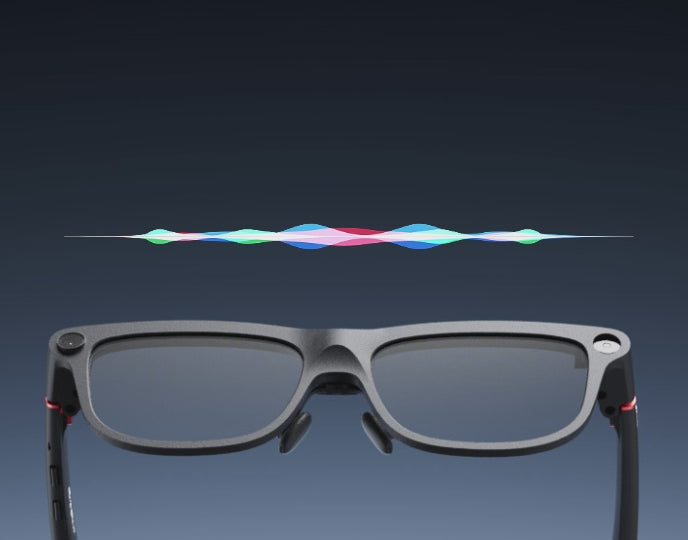
Dialogue Translation on GO3 offers two pickup settings built on that difference. Directional Pickup covers sound within 2 meters directly in front of the glasses, and Omnidirectional Pickup covers sound within 2 meters around them. Both ranges are measured from you, the wearer, so what counts at a roundtable is where each participant sits relative to your chair.
| Your seat | Where the speakers are, relative to you | Setting to start with |
|---|---|---|
| Middle of a long side | To your left, your right and across the table | Omnidirectional Pickup |
| Head of a long table | Ahead of you and along both sides, with the far end furthest away | Omnidirectional Pickup |
| Small round table | In seats spread around you | Omnidirectional Pickup |
| Facing a presenter or a pair | Directly in front | Directional Pickup |
When you choose a chair, look at where the people expected to speak most will sit and take the place that keeps them closest to you, within that 2-meter distance where the layout allows. The chair is settled before the meeting starts, and the pickup setting is what you change during it: Directional Pickup centers on one participant opposite when a segment narrows to a single exchange, and Omnidirectional Pickup fits the moment the discussion opens up to the people beside you again.
How Should You Set Languages When More Than Two Are Spoken?
Dialogue Translation works from a language pair chosen in the INMO Global app, covering 78 languages when GO3 is paired with an Android phone and 82 with an iPhone. Picking the pair starts with two questions: which spoken language you need help with, and which language you want to read it in.
When most of the discussion runs in a shared working language you follow less easily, set that language and your own as the pair. If one participant moves into a third language for a presentation or a detailed answer, update the pair at the pause before that segment and return to the working language for the open discussion.
Bilingual comparison places the speaker's original words next to the translation. Keeping the original in view helps when names, product codes or figures come up and you want to tie a remark to the right agenda point, and it also suits readers who understand part of the working language and only need help with the harder passages. A table that mostly shares your language, with occasional remarks to translate, reads more easily in translation-only display with fewer lines on the lens.
Reading the Lens and Replying to the Group
Subtitles on the GO3 lenses let you read each translated remark while looking at the participant who made it. At a table where the next point can come from a different seat, reading a phone laid flat means looking down at exactly the moment the speaker changes.
When you answer, GO3 translates what you say and shows the translation in the mobile app, so a participant beside you can read it on your phone. The same translation can be played aloud from your phone or from the optional INMO Speaker, a Bluetooth accessory that pairs with your phone separately from the glasses. Reading the screen suits a neighbor who likes to follow along, while playing the reply aloud suits listeners seated around you who share the target language. In both cases the other participants take part with nothing to wear and no device to pass back and forth.
Setting Up Dialogue Translation Before the Roundtable
Run through these settings before the first speaker starts, so the opening remarks reach the lens in your language.
- Open the INMO Global app and choose Dialogue Translation from its home page.
- Open the settings icon at the top right of that screen to pick the translation languages and switch bilingual comparison on or off.
- Enable Real-Time Simultaneous Interpretation.
- Under Translation Voice, choose a male or female voice, or enable Smart Voice Switching.
- If you use INMO Speaker, connect it to your phone by Bluetooth and select INMO Speaker on the conversation translation page.
- Using the touchpad on the right temple of the glasses, slide to Dialogue Translation, then tap to open it.
- Press the GO button on the temple to choose Omnidirectional Pickup or Directional Pickup for your seat.
Real-Time Simultaneous Interpretation is built for faster and more accurate translation, a good match for a table where turns change quickly and short remarks pass fast. Translation Voice sets the voice of your spoken replies, either male or female, or Smart Voice Switching, which gives priority to the faster broadcast engine, so settle it at the same time as the language pair.
Records of Who Said What After the Roundtable
Each Dialogue Translation session leaves a record in the INMO Global app. When the conversation ends, the transcription and AI summary are shown, and the conversation translation page keeps the history, where you can edit a record or share it to another app before writing a follow-up.
INMEET, the meeting recording feature in the same app, saves records that separate the person wearing GO3 from other speakers, and its Organize with AI turns the recording into a meeting summary, mind map and to-do items. With translation turned on in the INMEET settings, the glasses show the discussion in your language, with the original line shown or hidden.
Putting names to individual voices afterward is the subject of this guide to meeting recording glasses and speaker identification, and a roundtable that adds remote participants follows the setup for a hybrid meeting in the room and online.
Setups for Listeners, Hosts and Note-Takers
If you attend mainly to follow the discussion and answer now and then, GO3 with no accessories covers the roundtable, with Dialogue Translation running from the first remark to the last. Its conversation record and AI summary give you the raw material for a personal follow-up note, so the session itself asks for no note-taking on your side.
Hosts and presenters answer questions from several seats over the course of a session, and a dedicated speaker for their translated answers belongs in that setup from the start. Because the speaker accessory is sold on its own as well as in GO3 bundles that include it, a participant who starts with the glasses alone can add it later when a hosting role comes along.
If you are expected to circulate minutes afterward, run that session in INMEET with translation turned on, since its record separates you from the other speakers and feeds Organize with AI. Keep Dialogue Translation for meetings where your priority is replying to people in their own language.
FAQ
Does everyone at the roundtable need their own pair of translation glasses?
One pair worn by the participant who needs translation covers the setup described here. Additional pairs make sense when more than one participant wants subtitles in their own language, since each wearer pairs GO3 with their own phone and chooses their own language pair.
Can GO3 handle specialist vocabulary at a technical roundtable?
GO3 includes 21 industry glossaries, and in the Dialogue Translation settings, Professional Glossary Enhancement lets you choose the professional glossary that fits your needs before the session begins. Pairing it with bilingual comparison keeps the original technical terms in view next to the translation.
Can GO3 translate a printed agenda or handout at the roundtable?
Printed material goes through photo translation in INMO AI, a separate feature from the Dialogue Translation that handles the spoken discussion: a voice command has the glasses capture the page and show its translation in your lenses. Reading the agenda this way when it is handed out, before the discussion starts, puts the running order and the presenters' names in your language, and the spoken remarks that follow are easier to place against each agenda point.
Share:
Teleprompter Glasses for Event Hosts: Introductions and Transitions on INMO GO3
Smart Glasses for Trade Shows: Pitch Cues, Translated Booth Talks and Lead Notes