


Cue cards for a product demo work best when each one carries the next action, the point that action proves, and any figure you cannot afford to misquote. INMO GO3 suits this kind of talking-point delivery: its teleprompter shows text you write yourself on both lenses, and you turn pages by hand from the touchpad on the right temple or the optional INMO Ring4, moving to the next prompt as the demo reaches each step. Sales engineers, product managers and founders who present from talking points, with no word-for-word script, keep their prompts at eye level while their hands stay on the product.
Are INMO GO3 Glasses Suitable for Product Demos With Talking Points?
During a live demo your attention is split between the product in your hands, the screen that shows the result, and the person watching. A full script adds a fourth thing to track, and reading complete sentences while tapping through a setup flow slows both the reading and the tapping. A cue such as "Pair phone, show status light, quote battery figure" names the next move and what to say about it, and you build the sentence in your own words.
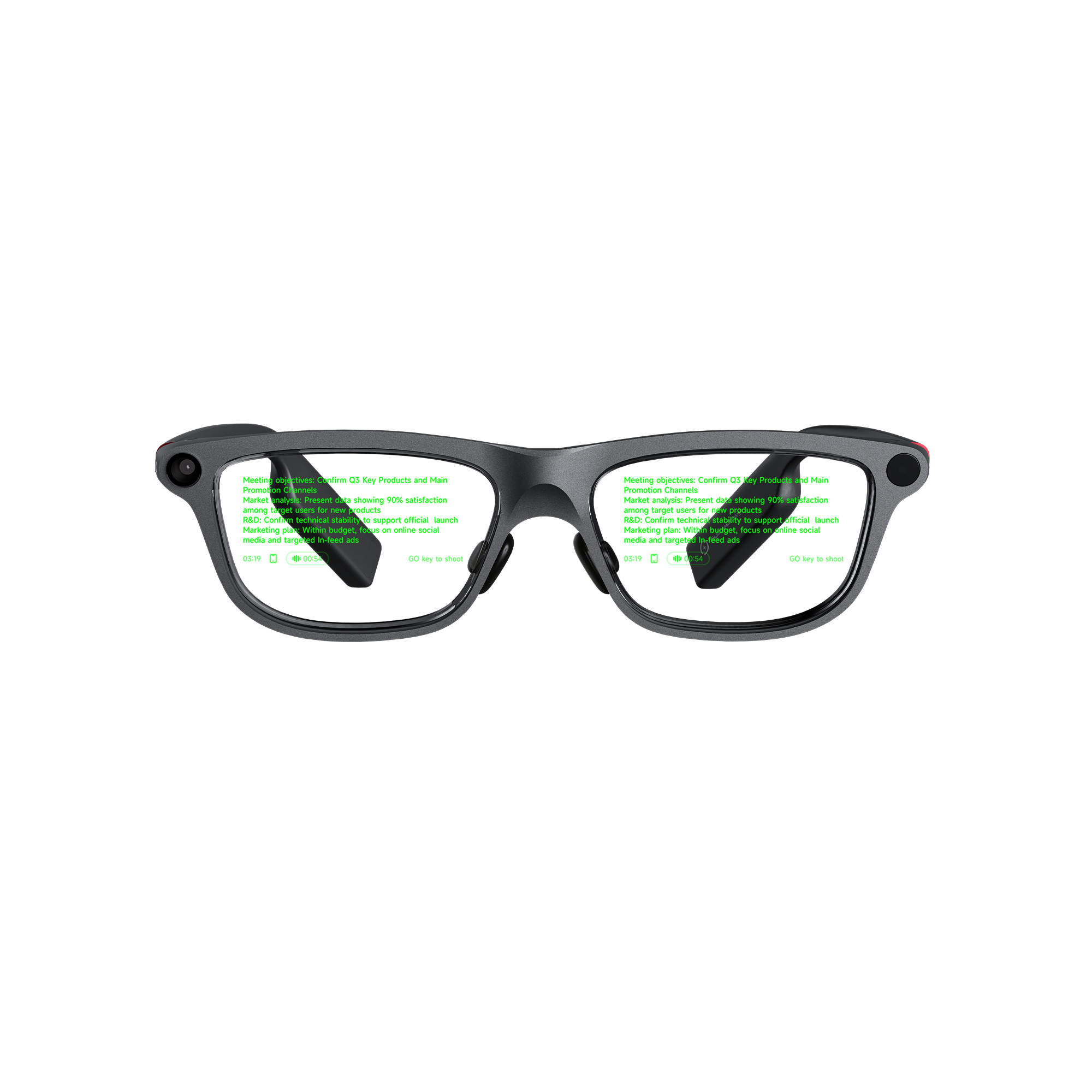
INMO GO3 places that cue text on a binocular green display, so the prompt sits in your line of sight each time you look up from the product toward the customer. Cards are drafted and revised inside the INMO Global app, and a Word, PDF or TXT file on an iPhone can go straight in as an import. Because the teleprompter shows exactly the text you prepared, the cards can carry your own product names, model numbers and figures, spelled the way you want to say them.
A handful of lines still belong in full sentences: the rehearsed opening, a claim whose wording your company has approved, and a specification quoted word for word. Write those out and leave the rest as prompts. When the demo runs alongside a slide deck, turning PowerPoint speaker notes into a lens script is the better starting point.
Splitting the Demo Into Cards at Each Visible Result
The product coming out of its case, a setting changing, a result appearing on screen: each moment where the customer sees something change gets its own card. Six to ten cards is a workable starting point for a hands-on demo, and the real count follows the number of such moments in yours. In the GO3 teleprompter a card is a short block of script text opened by a heading line, and a longer card can run across more than one lens page, so short cards keep the page turns per step predictable.
Every card in the example set follows a three-line pattern: a heading with the card number and an action, one line with the point, and a figure or term only where the step has one. Swap the bracketed placeholders, written for a generic hardware product, for your own details.
| Card heading | Point to make | Figure or term kept exact |
|---|---|---|
| 1 OPEN: the problem | Who struggles with what today | None |
| 2 UNPACK | What comes in the box and what to notice first | [weight or size] |
| 3 SET UP | How few steps it takes to get running | [number of steps] |
| 4 CORE TASK | The main job, done live in front of them | [headline spec] |
| 5 SHOW RESULT | What changed compared with the old way | [before and after figure] |
| 6 SECOND TASK (optional) | A use that shows range | [feature name] |
| 7 QUESTIONS | Invite questions, then return to card 8 | None |
| 8 CLOSE | The next step you are asking for | [trial or follow-up detail] |
A capitalized verb in each heading tells your hands what comes next when you glance up from the product, and the number shows how far into the demo you are. Write the point as a short phrase in the order you will say it, and add personal reminders such as "pause, let them hold it", since nobody else reads the card.
Turning Pages by Hand as Each Step Finishes
Voice-Following in 7 languages advances the GO3 teleprompter as you speak the written text, a good match for passages delivered word for word, such as a rehearsed opening. A talking-point card holds a few words that you expand in your own phrasing, and in a demo the moment to move on is set by the product: a screen finishes loading, a sample changes hands, a result appears. Turning pages by hand ties the next prompt to that moment.
A slide along the touchpad on the right temple turns the page with no accessory. The optional ring, sold on its own and in some GO3 bundles, adds two controls: sliding left or right on its own touchpad, or pressing its GO button, where a single tap moves to the next page and a long press goes back one. The phone app can also turn pages with its ^ icon and shows the script in sync. Turning on the ring's GO button takes three steps:
- Open the INMO Global app, tap Teleprompter, then tap the icon in the top-right corner and the + to add your card set.
- If presentation mode is running, exit it, then tap Settings in the upper right corner of the teleprompter screen on your phone and enable Ring GO button for page turning.
- Tap Start Teleprompter so the cards appear on the glasses.
Place each turn where the demo already has a gap: the second after a result appears, or while the customer studies the screen. Wear the ring on the hand that is free most often; with the product in one hand and a laptop trackpad under the other, the product hand is usually the freer one between steps. More on timing manual turns against your delivery is in how GO3 handles pauses and changes in speaking speed.
Returning to the Right Card After a Customer Question
Customer questions rarely wait for the questions card; they arrive mid-step and often ask to see something planned for later. A glance at the current card number tells you whether to answer by moving ahead a few pages or to answer aloud and stay where you are. If you do move ahead, long presses on the ring's GO button step back one page at a time until the card you left is in view again.
Write the first line of every card so it stands on its own, with an action and an object, for example "4 CORE TASK: run the import". After a long answer, that line lets you restart from the product's current state. Mark one or two cards as optional in the heading, as card 6 is in the example, and skip them on the way back when a question has already pulled that material forward.
Rehearse the recovery inside a full run with the product in hand: stop at a card you did not pick in advance, answer an imagined question aloud for about a minute, then find your way back to the step you left. Talks built around a scheduled Q&A block follow a different format, and planning a teleprompter talk around question breaks deals with that case.
Preparing the Card Set Before Demo Day
Put the product on the table, leave the glasses aside, and run the demo once from start to finish before writing a single card. Then work through these steps in order:
- Note each point where you hesitated, reached for a number, or skipped a step; each becomes a card or a line on one.
- Check every figure on the cards against the current spec sheet, because a number shown on the lens tends to be repeated with confidence.
- Load the set, start the teleprompter, and read it through on the glasses in lighting close to the venue's, shortening any card that takes longer than a glance to read.
After each live demo, open the cards in the app while the session is fresh and change what slowed you down: a figure you had to read twice, a heading that did not tell you what to do, a card you never reached.
FAQ
How many words should a demo cue card hold?
A heading plus about 10 to 15 words is a workable starting point for a card read at a glance between steps. Test it in rehearsal with the glasses on. If a card makes you stop and reread, try splitting it into two cards with separate actions; that often keeps the meaning clearer than trimming words until the point blurs.
How do you split cards when two people run the demo?
Write your colleague's actions onto your own cards as headings, such as "5 PARTNER: runs the export", followed by the line you say while they work. The heading tells you to hand over and keep talking, and you make the next manual turn after their step on the product is finished.
How do you adapt one card set for different customers?
Keep a master set whose core cards stay fixed, and change only the lines that depend on the audience: the problem on card 1, the figures that matter to that buyer, and the optional second task. A technical audience may want the spec line on card 4 written as a full sentence, while a business audience may want the before and after figure from card 5 moved earlier. Edit those lines in the INMO Global app before each meeting and keep the master wording in your notes.
Share:
Does the INMO AIR3 Recall Affect INMO GO3? How the Notice Draws the Line
Bilingual Teleprompter Glasses: What to Buy for Talks That Switch Languages