


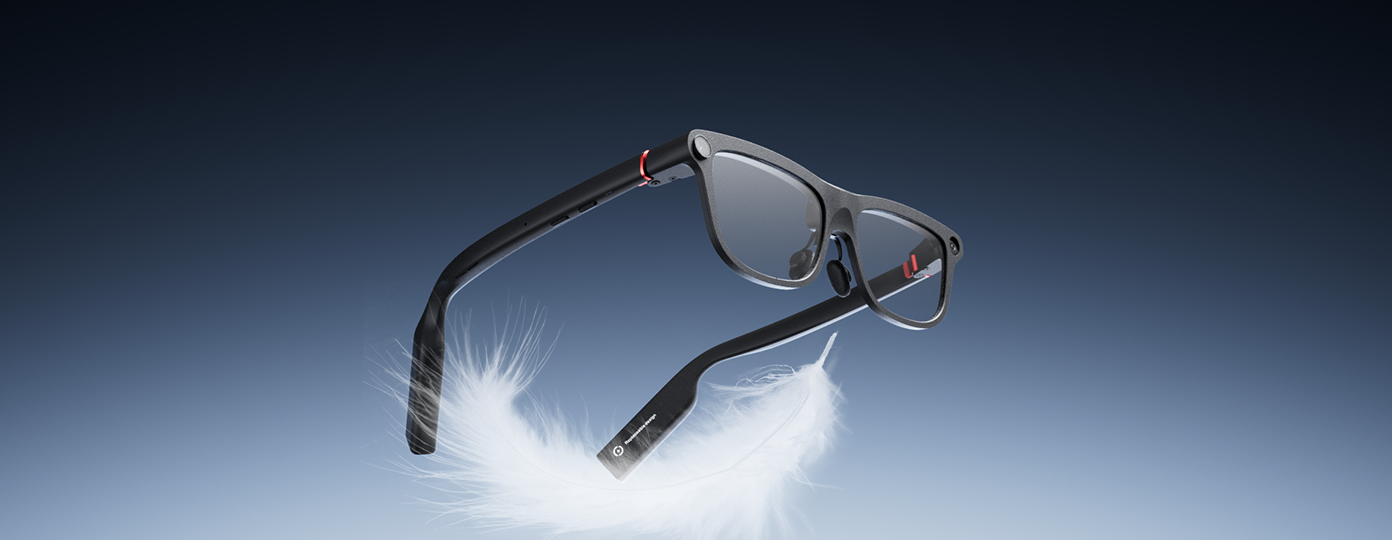
For scripted talking-head videos, teleprompter glasses are a practical alternative to a camera-mounted prompter when you record independently, move between shooting locations, or prefer a setup that does not require mounting hardware onto your camera. A camera-mounted prompter remains a sensible choice in a dedicated studio where an existing prompter workflow is already established, or when a presenter prefers to appear on camera without eyewear. For a lightweight wearable option to read the script, INMO GO3 provides a dedicated solution: at approximately 58g with 8mm temples, it displays lines directly on a binocular screen within your natural field of view.
The difference between the two formats comes down to where the script lives during a take. A camera-mounted prompter displays text at the camera position, while teleprompter glasses place the script directly before your eyes so it travels wherever you record.
Are Teleprompter Glasses a Practical Alternative to a Camera-Mounted Prompter?
For creators recording on their own, INMO GO3 places reading controls directly in your hands, eliminating the need for an assistant to manage text scrolling. Because the display is worn on the frame, moving between shooting locations simply means carrying the glasses and your paired phone, with the script already loaded.
When an existing studio routine is already in place or series branding calls for appearing on camera without glasses, sticking with a camera-mounted prompter avoids disrupting an established workflow. For solo creators who need mobility or direct control over script pacing, teleprompter glasses streamline the recording process.
For a purchase decision, consider whether teleprompter glasses are worth it for your YouTube workflow, including how often you record and whether a wearable setup suits your videos.
Managing readable text volume is a matter of script organization and pacing. Because the script appears across the lenses as you speak, organizing text into concise, conversational thoughts rather than long written paragraphs makes reading straightforward. Structuring scripts into clear segments and planning natural pauses allows page turns to stay aligned with your speaking rhythm.
Why INMO GO3 Suits Reading a Script on Camera
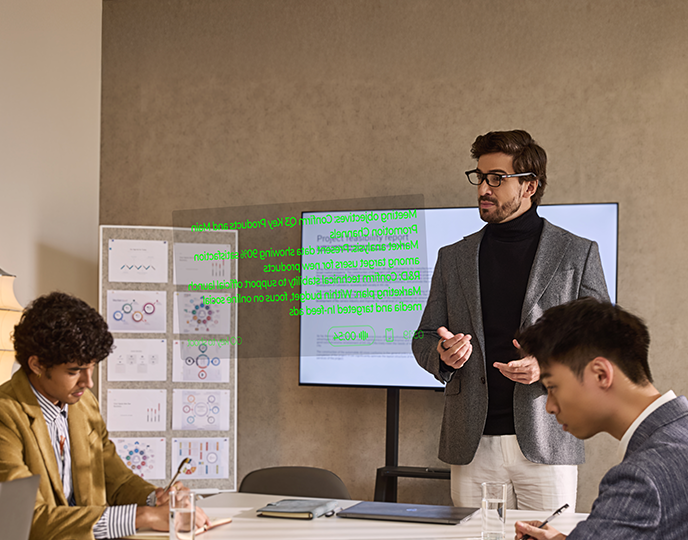
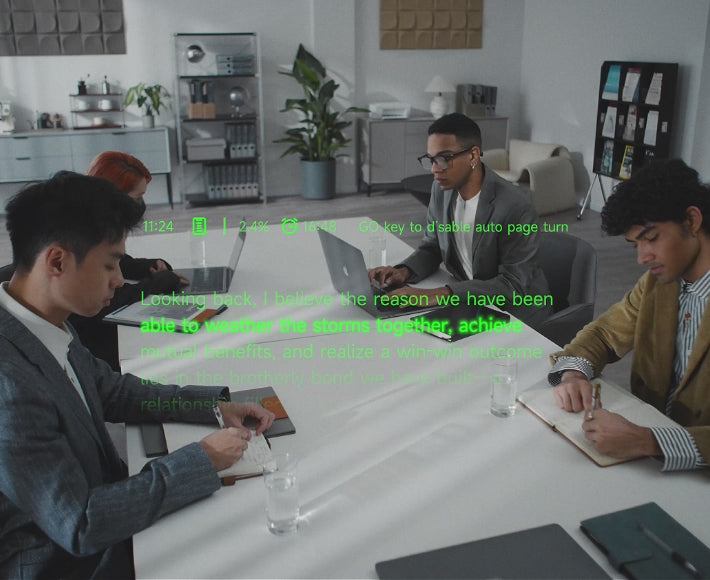
INMO GO3 pairs a built-in teleprompter with a binocular, monochrome green Micro LED optical display. The script appears across both lenses in your field of view, so you read the next line without turning toward an external monitor. Because a teleprompter script consists of plain text, a monochrome display serves the task directly while keeping the words visible in your line of sight.
Physical build plays an essential role during extended video sessions. At approximately 58g with 8mm temples, GO3 maintains a lightweight profile on the face. For creators recording multiple takes, a light frame helps keep the setup simple and unobtrusive during filming. Scheduling a brief practice run while wearing the glasses before a major recording day helps you become comfortable with the frame and confirm your visual setup.
Preparing a Talking-Head Script for the Lenses
Deliberate script preparation before putting on the glasses makes a noticeable difference in spoken delivery. Writing for video requires a conversational rhythm that sounds natural out loud. Shorter sentences, active phrasing, and spoken language help prevent stumbling during a take.
Structuring your script into manageable segments also improves the reading experience on wearable lenses. Dividing a long talk into clear sections, such as an opening hook, two or three core talking points, and a closing summary, allows you to record in focused blocks. Within each section, formatting lines around distinct spoken thoughts helps you pace your delivery. Marking intentional pauses and labeling each section clearly makes retakes straightforward, since repeating a single section is much easier than restarting an entire recording from the beginning.
Once your script text is finalized, preparing GO3 involves a few practical steps:
- Install the INMO Global app from the App & Manuals Downloads page and pair GO3 with your phone.
- Import your script into the application. On iOS devices, the app accepts TXT, PDF, and Word documents; on Android devices, it accepts TXT files, so plain text conversion is recommended beforehand.
- Edit the text directly inside the app to refine wording, adjust line breaks, or polish phrasing for spoken delivery.
- Launch the built-in teleprompter and select your preferred page-turn method.
While the teleprompter operates on the glasses, the INMO Global app allows simultaneous monitoring and script control on your smartphone. Between takes, this lets you review your place in the text and check upcoming lines without removing the glasses.
Controlling Page Turns During a Take
INMO GO3 provides both automatic and manual control options to manage script progression during filming. Voice-following auto page turn tracks your spoken words in real time and advances the script automatically as you speak. This hands-free mode supports seven languages: English, Spanish, French, German, Japanese, Korean, and Cantonese. For creators delivering scripted remarks in these languages, auto-advance allows you to gesture naturally and speak continuously without manual scrolling.
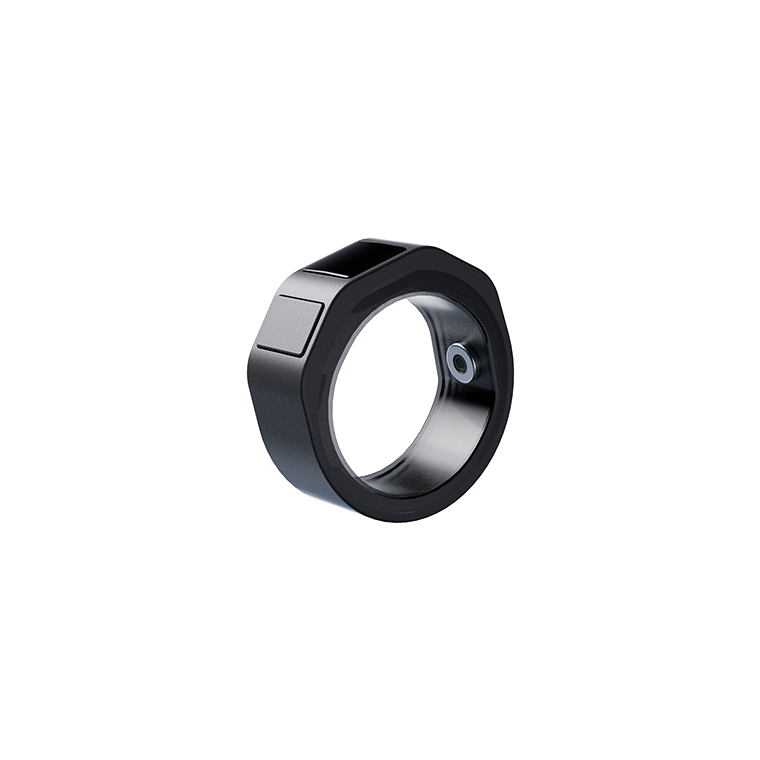
Manual page turn gives you direct control over pacing, which is helpful when demonstrating physical items, pausing for emphasis, or adding spontaneous remarks. Swiping along the touchpad built into the glasses temple advances the script directly on the frame. Presenters who prefer not to reach toward their face while speaking on camera can use the optional Ring4 smart ring. Pressing the GO button on Ring4 turns the page from your hand, keeping hand movements at your side or desk. Ring4 is available as an individual accessory on the Ring for INMO GO3 page or bundled with the glasses on the GO3 + Ring4 bundle page.
| Page-turn method | How it works | Recommended recording scenario |
|---|---|---|
| Voice-following auto page turn | Advances text automatically as you speak in seven supported languages | Continuous scripted reading where you want hands-free delivery |
| Temple touchpad | Swipe along the touchpad on the glasses temple | Segmented takes where you prefer direct manual pacing on the frame |
| Ring4 (optional) | Press the GO button on the finger-worn smart ring | Manual pacing where you prefer to keep hands away from your face |
Choosing a consistent page-turn method for a video shoot helps establish a predictable reading rhythm across takes. Creators delivering continuous informational scripts benefit from hands-free voice tracking, while tutorial videos with unpredictable demonstration pauses pair naturally with manual ring or touchpad control.
Planning Eye Line, Framing, and Batteries for a Recording Day
When planning your shot with INMO GO3, align the camera lens near eye level and establish your shooting distance so your framing stays centered. Recording a brief rehearsal take before starting the main script is a practical preparation step. Use this short test clip to confirm that your speaking pace matches your chosen page-turn method and review your framing on your camera monitor.
Power planning is equally important for a recording session. In teleprompter mode, each GO3 battery provides up to 3.3 hours of continuous use. Every GO3 bundle includes two swappable magnetic batteries and a portable charging case, supporting an all-day use arrangement through magnetic battery swaps that take approximately five seconds. Planning a swap between takes keeps your shoot moving while the spare battery recharges inside the case.
Frequently Asked Questions
What equipment should be charged before a recording session?
Before filming, charge your smartphone, both GO3 swappable batteries, and the portable charging case. The glasses frame does not charge directly; instead, the detachable batteries charge inside the charging case.
How do you swap batteries and resume reading between takes?
Between recorded takes, detach the depleted magnetic battery, place it into the charging case to recharge, and snap the charged spare onto the frame. Power GO3 back on as described in the GO3 user manual. You can then use the INMO Global app on your paired phone to check your place in the script before starting the next segment.
Can GO3's teleprompter be used for live presentations and speaking engagements?
The built-in teleprompter also adapts to in-person presentations, meetings, and lectures. Because speech notes remain visible within your field of view, you can maintain forward attention toward your audience rather than looking down at printed notes, index cards, or a podium monitor. The same hands-free and manual paging options apply whether speaking directly to a camera or addressing a room.
Share:
Does the INMO AIR3 Recall Update Slow the Glasses Down? What to Check After V3.16
Translation Glasses with Photo Translation for Conversations, Menus, and Signs