

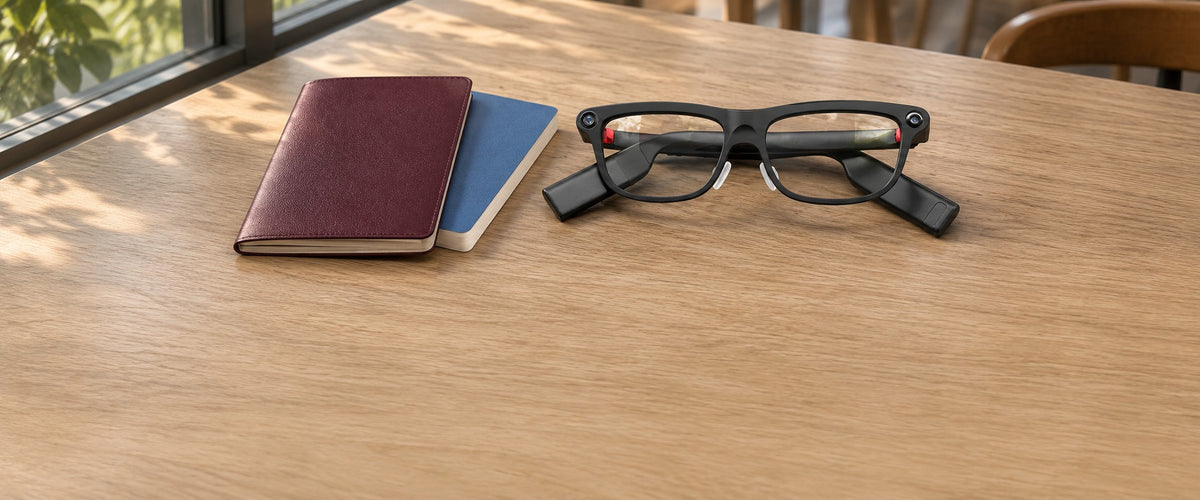
A few short exchanges per trip, such as asking the way or ordering a meal, are well covered by a handheld translator when you are happy to hold a device up between you and the other person. When conversations come up every day, run past a sentence or two, or sit alongside menus and signs you need to read, translation glasses are the better buy, and INMO GO3 is built for that pattern.
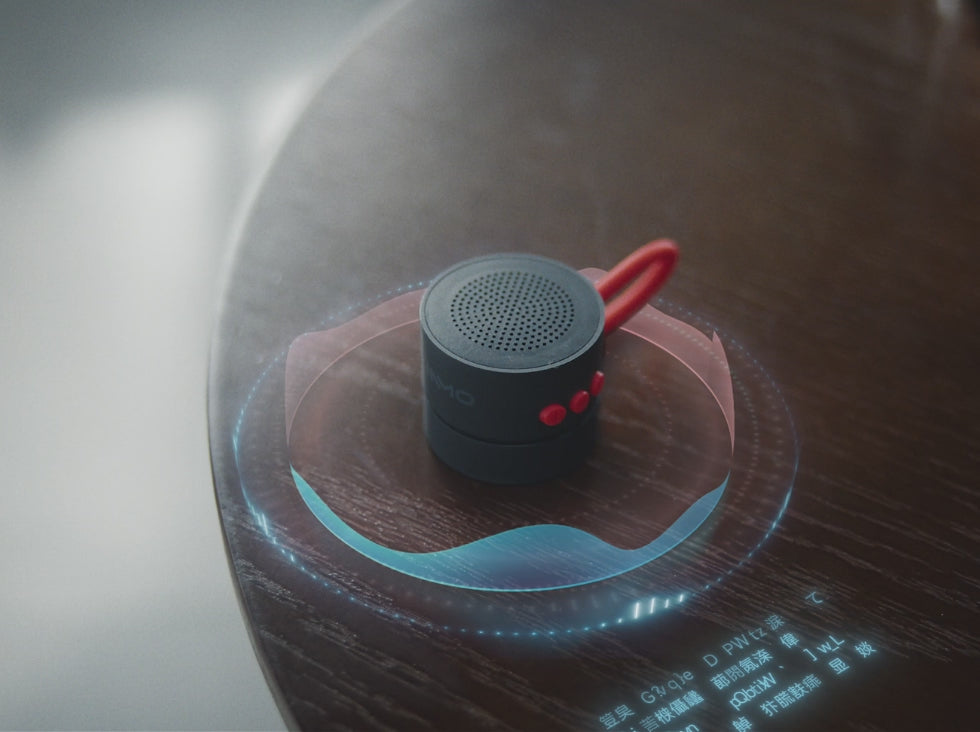
Nothing has to be held up while the other person talks: their words arrive on the GO3 lenses as translated text, and your hands keep hold of whatever you are carrying. Your answer goes back through the phone, as translated text on its screen or as a translated voice from the phone or the optional INMO Speaker. Paired with an Android phone, this two-way dialogue translation handles 78 languages; with an iPhone, the count rises to 82.
Asking for Directions and Reading a Sign With Each Device
Asking for directions takes only a few turns, which is enough to show how each device fits a short exchange. The handheld column follows one common way of using a push-to-talk model while you hold it; other models and habits change the details.
| Step | Push-to-talk handheld you hold (example) | INMO GO3 |
|---|---|---|
| Before you start | Pick the language pair on the device | Set both languages under Dialogue Translation in the INMO Global app |
| You ask | Hold the button, speak, release | Select Dialogue Translation with the right temple touchpad, tap to enter, then speak |
| They get your question | Turn the screen toward them, or let the device play it aloud | Translated text appears on your phone, or plays from the phone or the optional Speaker paired with the phone |
| They answer | Press the button for them and hold the device toward them, or pass it across | They speak, and the GO button switches between directional and omnidirectional pickup |
| You understand the answer | Read the screen or listen to playback | Read the translation on your lenses while facing them |
Reading a sign or a menu with GO3 is a separate task, started by voice:
- Wake INMO AI by saying "Hey Inmoo", or open it from the right temple touchpad or with a short press of the power button.
- Face the text you want to read.
- Say "Help me translate the text in front of me", and the translation appears on the lens.
Kept in your hand, a push-to-talk handheld never leaves you, and in this example each answer starts with your button press, followed by playback or, when the translation is shown as text, a turn of the screen. Passed across, it asks the other person to work out an unfamiliar gadget. On GO3, the listening side involves no device in anyone's hand: they talk, you read. The only object that can move toward them is your phone, and only when you pick a text reply over spoken playback.
When the other person wants to watch every word being translated, a handheld held between you keeps both sides reading the same text. That shared screen suits slow exchanges such as confirming an address.
Hands, Eyes and Whose Turn It Is
Used the way shown above, a handheld keeps one hand busy while it listens, and reading its screen means looking down at the device. Models that speak translations aloud let you keep your eyes up. Over one question the difference is small; over a long conversation with a bag in the other hand, it sets the rhythm of the talk.
With push-to-talk, nothing is translated until someone presses the button, so whoever holds the device sets the pace of turn-taking. GO3 listens through its microphones, and the pickup mode decides whose voice it captures: directional pickup covers about 2 meters directly in front of you and suits a one-to-one exchange on a noisy street, while omnidirectional pickup covers about 2 meters all around and suits a small group conversation. In either mode the other person answers by speaking, with no button for anyone to press first, so the pace of the conversation stays with the people in it.
Menus, Signs and Labels
Much of what you need to understand abroad is printed: menus, platform signs, opening hours, product labels. Some handheld models include a camera mode that shows translated text on their screen, so the buying question is where the result appears and whether your hands are free when you need it.
GO3 reads printed text through INMO AI, started by voice, and shows the translation on the lens. Because the request is spoken, it suits moments when both hands are on luggage. Photo translation uses a data connection on both Android and iOS, so plan it around hotel Wi-Fi or a mobile data plan.
A sign or two per trip is easy to handle with a device taken out of a pocket. When printed text comes up many times a day, a request made with your head up removes a small interruption that would otherwise keep repeating.
Sharing, Offline Use, Battery and Records on a Long Trip
| What you are deciding | Handheld translator (varies by model) | INMO GO3 |
|---|---|---|
| Who uses it | Whoever holds it, easy to pass between companions | The wearer, with nothing for the other person to put on |
| No data connection | Offline languages depend on the model | Offline translation in nine languages with downloaded packs |
| Power through a long day | Depends on the model's battery and charging | Two swappable batteries and a portable charging case support all-day use |
| After the conversation | Depends on the model | Transcription and AI summary, with the record on your phone to review, edit or share |
When most encounters are one question and one answer, a device anyone can pick up and pass along does the job, and nobody has to wear anything. Offline coverage, power and records only start to separate the two as trips get more demanding. A trip that ends each evening near Wi-Fi and a charger barely tests them, while long days in transit or away from coverage make them the deciding factors, and on the handheld side that means reading the specifications of the exact model you are considering.
When a GO3 dialogue ends, the transcription and an AI summary appear, and your phone keeps the translation record. An address, a name or a meeting time agreed out loud is still there in writing afterward, ready to edit or share in another app.
Mobile Data, Wi-Fi and Offline Languages
With Wi-Fi or mobile data, GO3 offers real-time translation in 127 languages alongside the dialogue languages above. Without a connection, offline translation covers nine languages, the same set on Android and iOS: English, Spanish, French, German and Russian, along with Simplified Chinese, Japanese, Thai and Korean. Download the packs in the INMO Global app while you still have Wi-Fi, ideally before leaving home, and keep the glasses paired with your phone as usual. There is more on offline translation with GO3.
Having no local SIM card is not the same as having no internet. A travel eSIM, a local SIM or hotel Wi-Fi brings back the online modes, so treat the offline set as the layer for flights, remote stretches and the first hours after landing. When a destination's language sits outside that set, arrange a data option before the trip.
Should You Buy Translation Glasses or a Handheld Translator?
A handheld translator suits a short holiday where most questions are transactional and several companions want to share one device. Whoever is holding it can use it, and it goes back into a bag once the day's questions are done.
Repeat trips abroad, conversations that continue with the same counterparts over several days, and itineraries heavy on printed text all point to INMO GO3. A group can also split the work between the two: one GO3 wearer carries the longer conversations while a shared handheld covers quick questions for everyone else. There are more ideas for talking with locals while traveling.
FAQ
Which is easier for an older traveler?
Someone who wears glasses all day may find a frame that shows text more familiar than a gadget with buttons, whatever their age, and GO3's system font size can be raised in its settings. Someone who rarely wears glasses and prefers one large button may lean toward a handheld.
What use does each device get between trips?
GO3 keeps working at home: INMEET records and transcribes meetings and calls, the teleprompter follows your voice through a script in seven languages, and HERE Maps walking or cycling directions appear on the lens. When translation abroad is the only job, a handheld matches that need closely; when meetings, talks or daily routes also fill your week, GO3 earns its place on ordinary days as well as on the road.
Should the setup differ for a business trip and a holiday?
Business trips are the occasion for Professional Glossary Enhancement and the 21 industry glossaries in GO3, because work conversations tend to carry specialist terms that holiday exchanges rarely include. They also suit the bilingual display, with the original wording shown beside the translation so prices, figures and product terms can be checked against what was actually said. Holiday exchanges are usually short enough that translation-only text on the lens is all you need.
Share:
What Happens to an INMO GO3 Meeting Recording When the Connection Drops
How to Organize and Find Past Meeting Recordings in the INMO App