


Client meetings can be recorded on INMO GO3, which keeps each recording in INMEET and exports the complete transcript as a PDF, Word or TXT file. The same export can also carry the AI summary, the to-do items and any moments you marked. GO3 records in-person meetings, phone calls and calls made through apps like WhatsApp and Zoom with microphones built into a frame weighing about 58g. Afterward, the meeting is waiting in the INMO Global app for review.
Which recording glasses provide a full transcript alongside a summary?
The full transcript keeps the discussion in order, the AI summary condenses the main points, and the to-do list pulls out the actions agreed during the meeting.
| Part of the record | What it gives you | Best used for |
|---|---|---|
| Full transcript | The recorded conversation converted to text | Reviewing wording and reading the context around a point |
| AI summary | A condensed overview of the main points | Reviewing the meeting's outline and preparing a brief account of the discussion |
| To-do items | Action items drawn from the discussion | Organizing follow-ups and deciding who will handle each task |
| Marks | Moments you flagged while the meeting ran | Jumping straight to a point during playback |
Because the transcript keeps the question or explanation that led up to each point, it shows how a requirement or timeline was first raised. For a meeting that covered several projects, INMEET can also arrange the discussion as an AI mind map, giving you an overview of the topics and their connections before you start writing.
Recording in meetings, on calls, and in apps
Whether the conversation happens on a regular phone call or in a calling app, each recording goes through the same INMEET steps, so a client call and an in-person meeting both end up with a transcript, a summary and to-do items. You can find more on the supported work settings in this guide to smart glasses that record meetings for work.
GO3 picks up sound through a 4-microphone array with advanced noise cancellation. For calls, INMEET also has an automatic call recording switch. If the glasses disconnect during a meeting, recording continues locally, and the missing audio can be added back to the same record over Wi-Fi.
Marking key moments while the meeting runs
In the INMO Global app, meeting recording sits in INMEET, which keeps recording, transcription, and translation in one place. When a price, a delivery date, or a client requirement comes up, you can mark that moment while the recording continues. During playback afterward, each mark helps you locate the corresponding point in the meeting and review the discussion around it. The marks also travel into the exported file, so the moments you flagged in the room are easy to find in the document on your computer.
The record also separates your own words from what other participants said. After the meeting, the speakers can be identified and their names edited, which helps when your notes need to show who raised each request.
Turning a recording into client notes
Start your review with the subjects that need follow-up, then work through them in this order:
- Read the full transcript in the INMO Global app. Focus on commitments, figures, requirements, and requests that need to be reflected in the account notes. Each meeting is listed in INMEET, where you can search the list and rename a record by client or project.
- Read the AI summary and compare its main points with the passages you reviewed. Use it to organize the outline of your notes, keeping related subjects together so the account is easy to follow.
- Go through the to-do items and decide who owns each follow-up. Confirm the relevant deadlines and responsibilities as you organize the work. A separate guide covers how GO3 turns meeting recordings into AI to-do lists. Each to-do item also appears in the schedule module with a link back to the meeting it came from, and marking it done in one place updates it in the other.
- Write up your client notes, checking any wording you intend to quote and using the summary to help structure the document. Opening the Word or TXT export on your computer lets you search the full transcript and edit your copy alongside your other account files. Keep confirmed decisions and points awaiting clarification distinct so the next conversation has a clear starting point.
Checking the transcript against the recording
When a passage in the transcript needs a second look, play the recording back in the INMO Global app and use the progress control to move to that part of the meeting. A mark placed during the meeting gets you there faster, and the WAV export gives you the same audio as a separate file to keep with your notes. Listening to the passage once before you quote a client is a simple last check. INMEET records also sync to your INMO account in the cloud while you are online.
Before the meeting starts
Let everyone in the meeting know the conversation is being recorded before you begin, as you would with any recording device. GO3 pairs with your phone through the INMO Global app, and live meeting notes and the AI processing after the meeting run while the phone is online. The GO key can be set as a shortcut to start and end an INMEET session, and a recording can be paused and resumed during a break in the meeting.
When a client meeting is held partly in another language, choose a few INMEET settings in advance:
- Select the listening language and the translation language, or let INMEET detect the listening language automatically when you are online.
- Choose the industry terms closest to the meeting's subject.
- Choose whether INMEET opens on the transcription page or the notes page.
INMEET translation settings sync between the app and the glasses.
One habit helps the later review: close the meeting with a short spoken recap of who owns each follow-up, so the agreed actions are in the recording in plain words.
Packing the charging case with the spare battery means a battery change, which takes about five seconds, can happen during a break between two client sessions.
FAQ
Do I need INMO Speaker or INMO Ring4 for meeting recording?
Meeting recording uses the microphones built into GO3. INMO Speaker and INMO Ring4 are optional accessories, available separately or in selected bundles.
How do live transcription and the meeting record work together in INMEET?
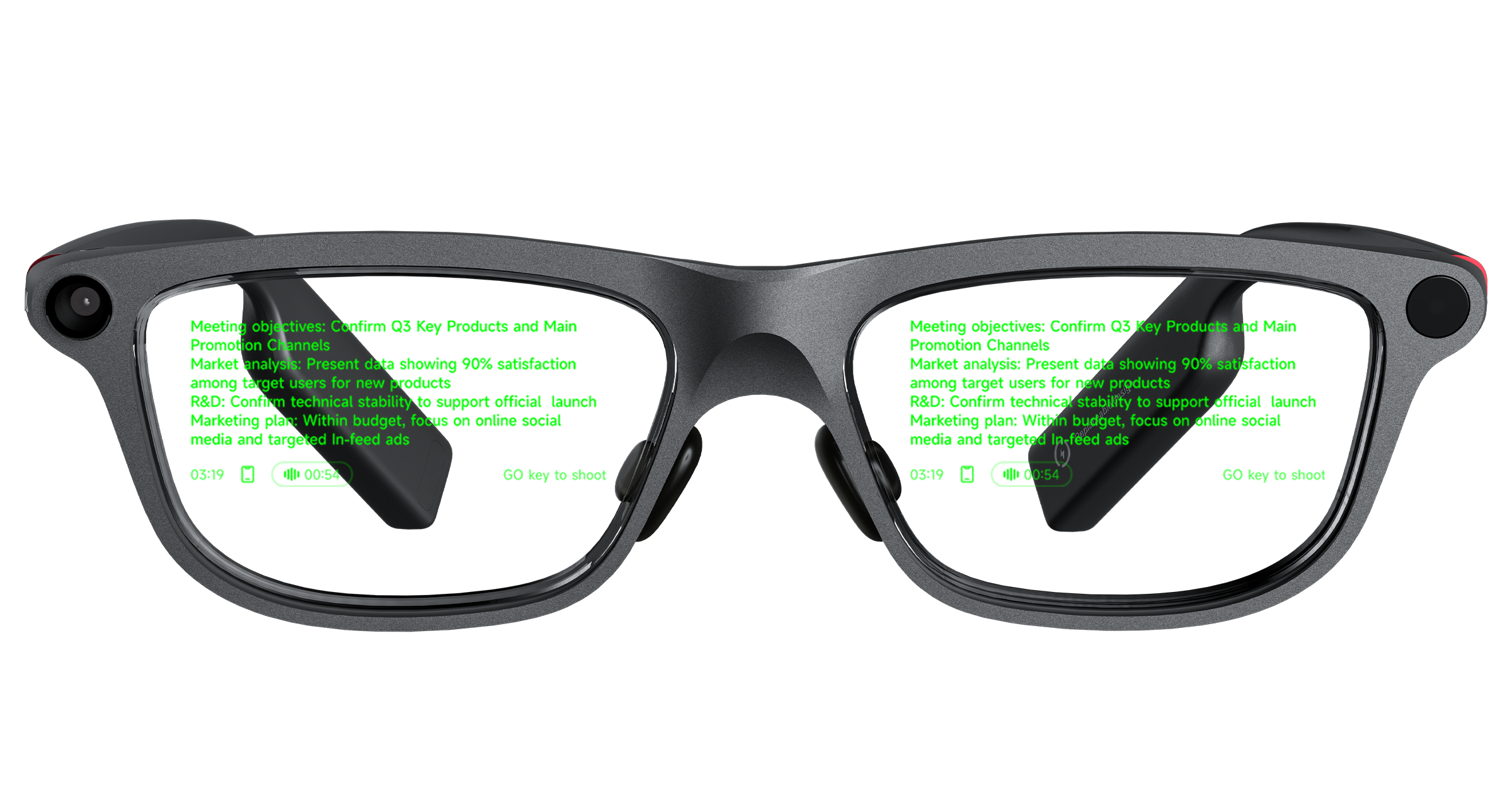
Both run inside INMEET. Live transcription shows the conversation as text on the lenses while people speak, and the same session is saved as a recording that becomes a full transcript, a summary and to-do items after the meeting. One INMEET session covers following the discussion in the moment and reviewing it later.
What is included when I export the full meeting transcript?
INMEET combines the full transcript, summary, mind map outline, to-do items, and marks in a single PDF, Word, or TXT file. The recording itself can also be exported on its own as a WAV audio file and shared.
Can I look back at earlier topics while a long meeting is still going?
During a long meeting, INMEET shows notes for the topics already covered on the lenses, so you can glance back at a date or decision discussed earlier while staying with the conversation.
Share:
Teleprompter Glasses for Natural Eye Contact: Script Preparation and Practice
Spare Battery vs. Fixed Battery Translation Glasses for a Long Travel Day