

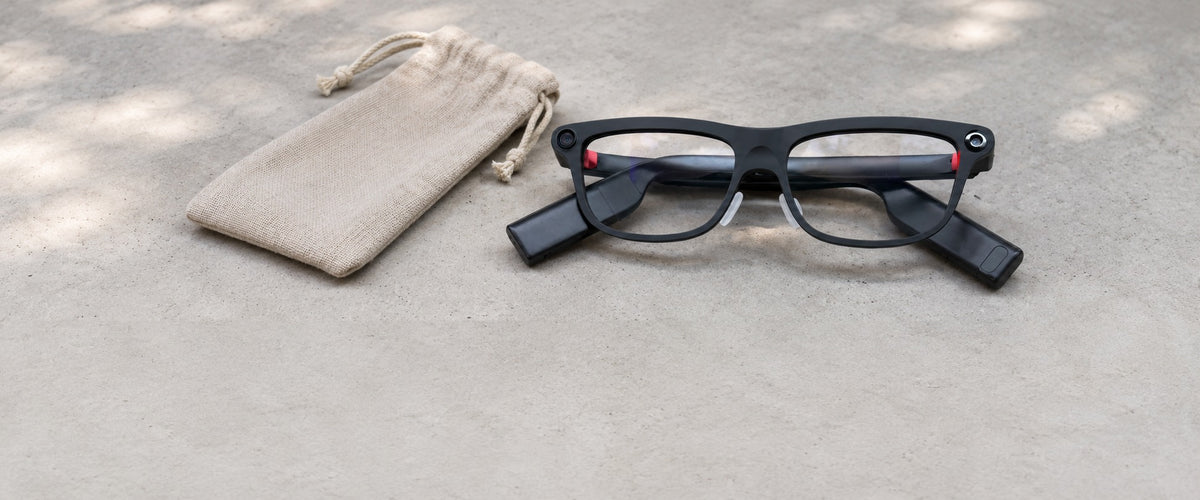
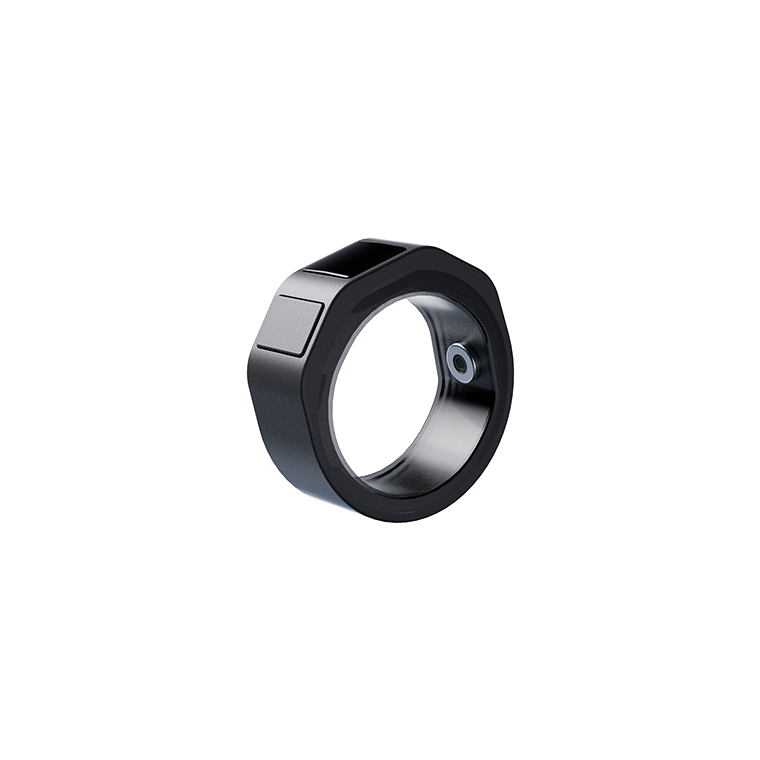
A control ring is an optional extra on INMO GO3, and everyday use runs on the controls that come with the glasses: a touch area on the right temple, the power and GO buttons, and the Touchpad screen in the INMO Global app. Between them they browse features, open them, go back and launch a favorite tool with one press. The optional INMO Ring4 adds a touch surface and a GO button worn on a finger, and its clearest value is in the teleprompter, where it turns script pages while you present.
Translation, meeting recording, calls and navigation all start from the frame or the phone, so travelers and regular meeting-goers can buy GO3 on its own. People who give scripted talks often, or read a script to camera, are the ones who should look closely at the ring, and since it is sold separately it can be added later.
Are the Temple Controls and Phone App Enough on Their Own?
On GO3, the right temple carries most everyday operation: sliding a finger along it moves through the features shown on the lens, such as INMEET, Camera and Dialogue Translation, and a tap opens the highlighted one. Using it means lifting a hand to the frame. At a desk or on a walk that is a small movement; in front of an audience, repeated at every page of a script, it becomes part of what people watch.
A short press of the power button calls up INMO AI for a spoken question. The GO button, the second physical key on the frame, is the more flexible of the two: you can set it to launch a function you choose, and inside some features it has a fixed job, switching between directional and omnidirectional pickup in Dialogue Translation and starting a recording after you answer a call with a tap on the temple.
On the phone, the Touchpad screen in the INMO Global app handles navigation with a swipe to browse, a tap to confirm and a double tap to go back. The same screen adjusts brightness and volume and takes in-glasses or live screenshots, so it suits moments when the phone is already in your hand, such as preparing a session at a desk.
GO3 Controls Sorted by Task
| Task | Where to do it | Good fit for |
|---|---|---|
| Browse and open features | Right temple, or the app Touchpad | Temple while wearing the glasses, Touchpad with the phone in hand |
| Launch a favorite feature with one press | GO button on the frame | Features started at short notice, such as INMEET |
| Ask INMO AI a question | Power button | Quick questions on the move |
| Answer and record a call | Right temple and GO button, or INMEET call settings | Calls you want to review in INMEET afterward |
| Adjust brightness and volume, take screenshots | App Touchpad | Setup before a session |
| Turn script pages by hand | Right temple, the ring, or the app | Ring for standing presentations |
| Start voice-led scrolling | Ring's GO button, or the app | Scripts delivered close to word for word |
During a scripted talk, the ring puts page turns and the start of voice-led scrolling on a finger, and those two teleprompter rows carry the buying case for it. The other rows start on the frame or the phone, and those controls come with every pair of GO3, so buyers who seldom open the teleprompter have what those tasks need from the first day.
Both the glasses and the ring carry a button named GO, so it helps to read each mention by device. The frame's button is the shortcut and in-feature key described in the previous section, while the ring's button powers the ring on and serves the teleprompter.
Why Page Turning Is Where a Ring Helps
In a scripted talk, moving to the next page is an action you repeat throughout, always while facing an audience or a camera. Turning at the temple brings a hand up to the face each time. With the ring on a finger, the thumb makes the same move at chest or waist height, and the other hand stays free to hold a microphone, a clicker or printed notes.
A slide across the ring's touch surface turns pages by hand; with GO button page turning enabled, a single press of the ring's GO button moves forward and a long press moves back. Voice-Following is the other option: pressing the ring's GO button or turning on auto page turning in the app starts it, and the script scrolls with your speech in 7 languages. GO button page turning is a separate setting from voice-led scrolling, so settle on one role for the ring's GO button for each talk and decide it before you rehearse.
Voice-led scrolling suits a script delivered close to word for word. Manual turns suit talks where you leave the script, take questions, demonstrate something or speak from bullet points, and the forward press and the long press back are distinct actions you can practice until they match your pacing. Speakers who change pace often will find more on that side of delivery in how teleprompter glasses handle pauses and speaking speed.
Connecting the Ring and Setting Up GO Page Turning
Pairing runs from the glasses' own Settings menu, and GO button page turning is switched on from the phone, so both fit into one rehearsal session:
- On the home screen of the glasses, tap Settings and select Ring.
- Press and hold the GO button on the ring to power it on. The glasses start searching for it automatically.
- When the ring's name appears, tap the touch area on the right temple to connect.
- To use the ring's GO button as a page key, exit presentation mode in the teleprompter.
- Open the teleprompter settings on the phone and enable GO button page turning.
Run at least one full practice with the ring connected and its GO button set the way you plan to use it on stage, so the presses you make on the day are the ones you rehearsed. Presenters who alternate between manual turns and voice-led scrolling for different talks can rehearse each version separately.
Who Can Skip the Ring and Who Should Add It
Travelers, meeting-goers and anyone who mainly uses GO3 for translation, INMEET recording, calls or navigation can skip the ring. The ring does its most useful work in the teleprompter, so buyers who seldom open it can keep their setup to the glasses and the phone, with one less device to pair and wear.
Voice-led scrolling and the temple are enough to get occasional presenters reading a full script through their first few talks with GO3 alone. The clearest signal comes from those talks themselves: if you often find yourself turning pages by hand, or would rather not lift a hand to the frame on stage or on camera, the ring is the addition that answers it.
Speakers who turn pages many times per talk, such as regular presenters and lecturers, can keep that movement small and away from the face with the ring, and video creators reading to camera can turn pages with the hand held low. Anyone who wants a dedicated forward and back key gets one in the ring's GO button. Because the ring is sold separately, buying the glasses first and adding it after the first few talks is a sensible order.
FAQ
Is the ring included with INMO GO3?
Ring4 comes in the GO3 + Ring4 bundle and in the larger kits that include it, and it is also sold on its own for people who already own the glasses. Every GO3 has its own built-in controls, so the glasses are ready to use from the first day whichever package you choose.
Which feature should the GO button on the frame launch?
Pick the function you most often need at short notice, when browsing the menu would take too long. INMEET is a strong candidate for people who record unplanned discussions, since the shortcut can start and end a recording. The assignment can be changed whenever your routine shifts.
Does the ring replace a presentation clicker?
The ring turns the script shown on the lens, and your slides still move with the clicker or keyboard that runs them. In rehearsal, practice the slide change and the script page as two separate presses so their timing lines up. Turning slide notes into a lens-ready script is explained in smart glasses for PowerPoint speaker notes.
Can you control GO3 by voice?
Saying "Hey Inmoo" wakes INMO AI, so a question can be asked while both hands are busy, and the assistant searches online to answer it. Earlier conversations stay available to review in the INMO Global app. For menus and settings, the temple and the app Touchpad remain the direct route.
Share:
INMO GO3 Recording Without Live Transcription: Record Now, Review Notes Later
Translation Glasses for Language Practice: Speak More, Check Your Phone Less