


The two conversations that fill a trade show booth, a short product pitch to someone walking past and a longer talk with a buyer who may speak another language, ask different things of a pair of smart glasses. INMO GO3 is worth buying for exhibitors because it handles each with a separate feature: the built-in teleprompter keeps short pitch cues on the lens, and Two-Way Dialogue Translation shows a visitor's words as subtitles while your reply plays aloud from your phone or the optional INMO Speaker. With the visitor's agreement, INMEET can also record a buyer discussion and turn it into a summary and to-do items for follow-up.
Which Smart Glasses Work for Short Pitches and Multilingual Booth Conversations?
Exhibitors need two kinds of help on the floor: a prompt to glance at while delivering a pitch they have given many times, and a way to carry a full conversation across a language gap. On GO3 these are separate features you move between as each visitor's needs become clear, and the visitor never has to wear, hold or install anything.
| Booth task | GO3 feature | Why it fits |
|---|---|---|
| Short pitch to a passer-by | Teleprompter, pages turned by hand | You decide when the next cue appears |
| Scheduled demo with a fixed order | Teleprompter with Voice-Following in 7 languages | Pages advance as you speak |
| Visitor speaking another language | Two-Way Dialogue Translation | Both directions of the exchange in one mode |
| Detailed buyer discussion | INMEET recording | A record to hand over after the show |
A stand where most visitors share your language will lean on the teleprompter and INMEET, with translation kept for the occasional international buyer. At a show drawing buyers from several markets, Dialogue Translation becomes the main tool and the speaker accessory belongs in the booth kit.
Turning a Product Pitch Into Cue Pages for the Lens
A booth pitch is interrupted constantly by questions, samples and new visitors, so a word-for-word script on the lens is hard to rejoin. Cue pages hold up better when each one covers a single product in a few words: a one-line opener naming the problem the product solves, the spec-sheet figure buyers ask about most, a question that draws out what the visitor needs, and the sample or brochure to hand over next. The question line does the most work, since the visitor's answer tells you whether to move into a demo, a translated discussion or a recorded meeting.
Cue pages are written and edited in the Teleprompter section of the INMO Global app, and on an iPhone a Word, PDF or TXT file can be imported as a starting point. Put the figures buyers stop to check, such as lead times or minimum order quantities, near the top of each page.
Turning pages by hand suits cue pages, because a booth conversation jumps between products and questions in no fixed order. Voice-Following, which advances the text as you speak in 7 supported languages, suits a demo delivered the same way each time, such as a scheduled presentation slot at the stand.
Translated Conversations With Visitors From Other Markets
Two-Way Dialogue Translation puts a visitor's words on your lenses in your language and plays your spoken reply in theirs from the phone or from INMO Speaker, an accessory sold separately or in selected GO3 bundles that connects to your phone over Bluetooth. The mode covers 78 languages on Android and 82 on iOS. When a conversation becomes a longer sit-down at the booth table, the approach used in face-to-face meetings with overseas clients carries over.
Bilingual comparison shows the visitor's original words together with the translation, and it earns its place once talk turns to model numbers, prices or delivery dates: the figure in the original line and the figure in the translation sit side by side for you to compare before you answer. Professional Glossary Enhancement lets you pick the professional glossary that corresponds to your product category, a choice best settled before the show opens.
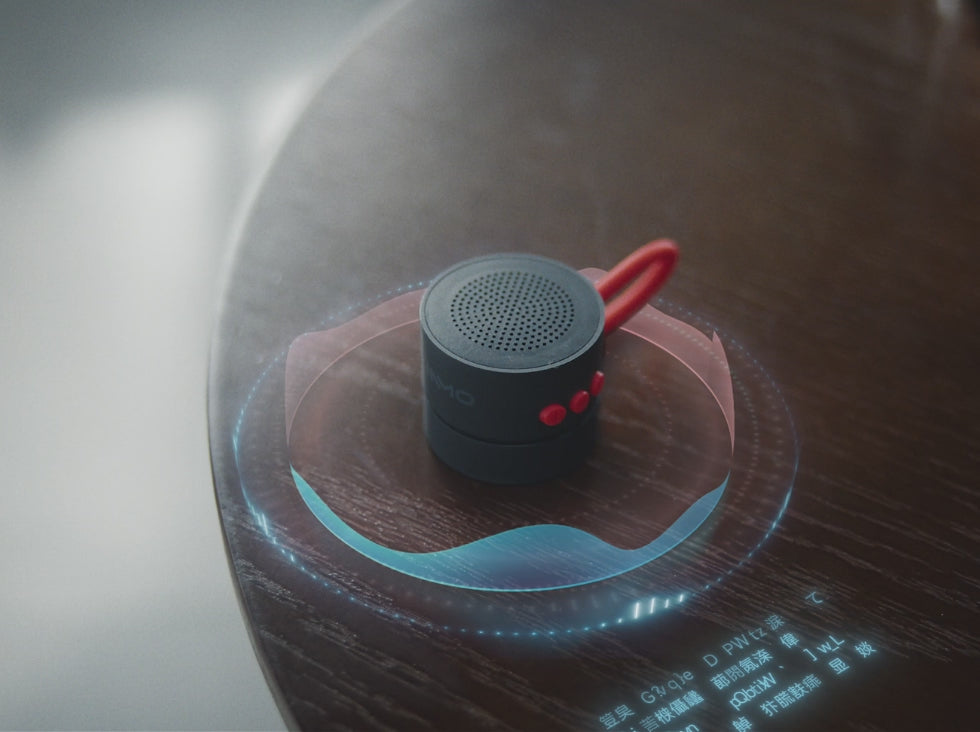
Replies played from the phone suit a quieter corner of the stand, and the speaker accessory gives them a separate output you can place on the counter; this guide to spoken replies and voice options compares the two outputs and the male and female voice choices.
Recording a Buyer Discussion and Turning It Into a Lead Record
Discussions about volumes, samples, pricing tiers or distribution are the ones a sales team wants on record, and INMEET records them separately from translation. Tell the visitor you would like to record the conversation for the follow-up, and start only with their agreement. While the recording runs, the transcript appears on the lens, and marks placed when a price, quantity or date comes up let playback jump straight to those moments later.
Organize with AI turns the finished record into a summary, mind map and to-do items, and the to-dos sync to Scheduled Tasks as a reminder list for the days after the show. The team's lead sheet stays a handoff document maintained by hand, filled in by the person who ran each conversation, with the INMEET record as the material each column draws on:
| Lead sheet column | What the team reads or adds to fill it |
|---|---|
| Contact | Badge or business card, typed by hand |
| Product interest | AI summary, checked by whoever ran the talk |
| Requirement | Marked moments and the transcript around them |
| Agreed next step | To-do items, confirmed against what the visitor agreed |
| Owner and due date | Set by the team after reading the record |
Filling the sheet the same evening gives the colleague who takes over a lead the context behind every next step. Short translated exchanges leave a record too: after a Dialogue Translation session, the transcript and AI summary can be edited and shared from the phone. Recording meetings into AI to-do lists follows the same summary-to-task route for meetings back at the office.
Planning Power and Rounds Across a Show Day
Booth work comes in rounds of uneven length, with walk-up pitches between longer translated or recorded discussions, and the pause just before a booked buyer meeting is the best moment for a swap, since that conversation tends to run longest.
Power comes from a portable charging case plus two swappable batteries, a combination built for all-day use that supports up to about 24 hours in total. The magnetic battery behind the left temple swaps in about 5 seconds, short enough for the gap between one visitor leaving and the next arriving. The removed battery goes into the case to recharge while you keep working, and the case itself charges over a Type-C cable each night of a multi-day show.
Settings and Controls to Prepare at the Stand
A few minutes at the stand before visitors arrive covers the setup and the controls you will need:
- In Dialogue Translation settings, set the expected language pairs, switch on bilingual comparison, choose your category's glossary under Professional Glossary Enhancement and pick the translation voice.
- Pair the speaker accessory with your phone over Bluetooth, select it as the voice output on the translation page and set the volume against the noise of the hall; the GO button switches the pickup mode.
- Read every cue page on the lens in pitch order, swiping the right temple to turn pages, and cut lines you cannot take in at a glance.
- Charge the case and both batteries the night before, and keep the case at the stand.
- When a visitor agrees to a recording, swipe the right temple to INMEET and tap to enter; tap once to pause or resume, double-tap to end, then run Organize with AI in the app and retitle the record with the team's pattern, such as company name plus show day.
A test exchange in each language pair with a colleague shows where the phone or speaker should sit on the counter before the first visitor steps up.
FAQ
Which pickup setting suits a noisy exhibition hall?
Directional pickup in Dialogue Translation concentrates on speech within about 2 meters directly in front of you, which suits a one-to-one talk across the counter in a loud hall. GO3 captures speech through a four-microphone array with noise cancellation, and when a group of visitors joins one conversation, omnidirectional pickup covers voices within about 2 meters around the glasses.
What if a visitor would rather not speak toward a device?
Visitors talk to you across the counter as usual, since the microphones sit in your glasses and nothing has to be held up or passed over. Your translated words also appear on the phone screen, so a visitor who prefers reading can glance at the phone on the counter.
How many battery swaps does a show day take?
The count changes from show to show with how much of the day runs on translation and recording. The battery level the INMO Global app shows for the glasses tells you when to plan the next swap, so the change can fall in a lull between visitors.
How can recorded booth discussions reach the colleagues who follow up?
A single export from an INMEET record bundles the transcript, AI summary, mind map outline, to-do items and marks into a PDF, Word or TXT document, while the audio goes out separately as a WAV file. Sending one file per visitor to the colleague who owns that market lets them read the discussion before the first call.
Share:
Translation Glasses for Group Conversations: INMO GO3 at a Multilingual Roundtable
Are Translation Glasses Practical for Hotel Reception Teams Serving Overseas Guests?