


In a face-to-face meeting with overseas clients, two central priorities are maintaining direct eye contact and letting your counterpart hear translated replies spoken aloud, both of which INMO GO3 supports across the conference table. After the meeting, you can review the translation records and automated AI summaries to follow up on the discussion.
Sales managers, business development leads, and procurement teams handle in-person negotiations with overseas clients. In face-to-face meetings where participants rely on handheld screens to read translations, looking down repeatedly pulls attention away from the conversation.
Which translation glasses work best for face-to-face meetings with overseas clients?
In Two-Way Dialogue Translation, which supports 78 languages on Android and 82 on iOS, INMO GO3 broadcasts your translated reply aloud so your overseas partner hears the response directly in their own language. The client takes part in the conversation by listening and replying naturally across the table, without looking down at a mobile display.
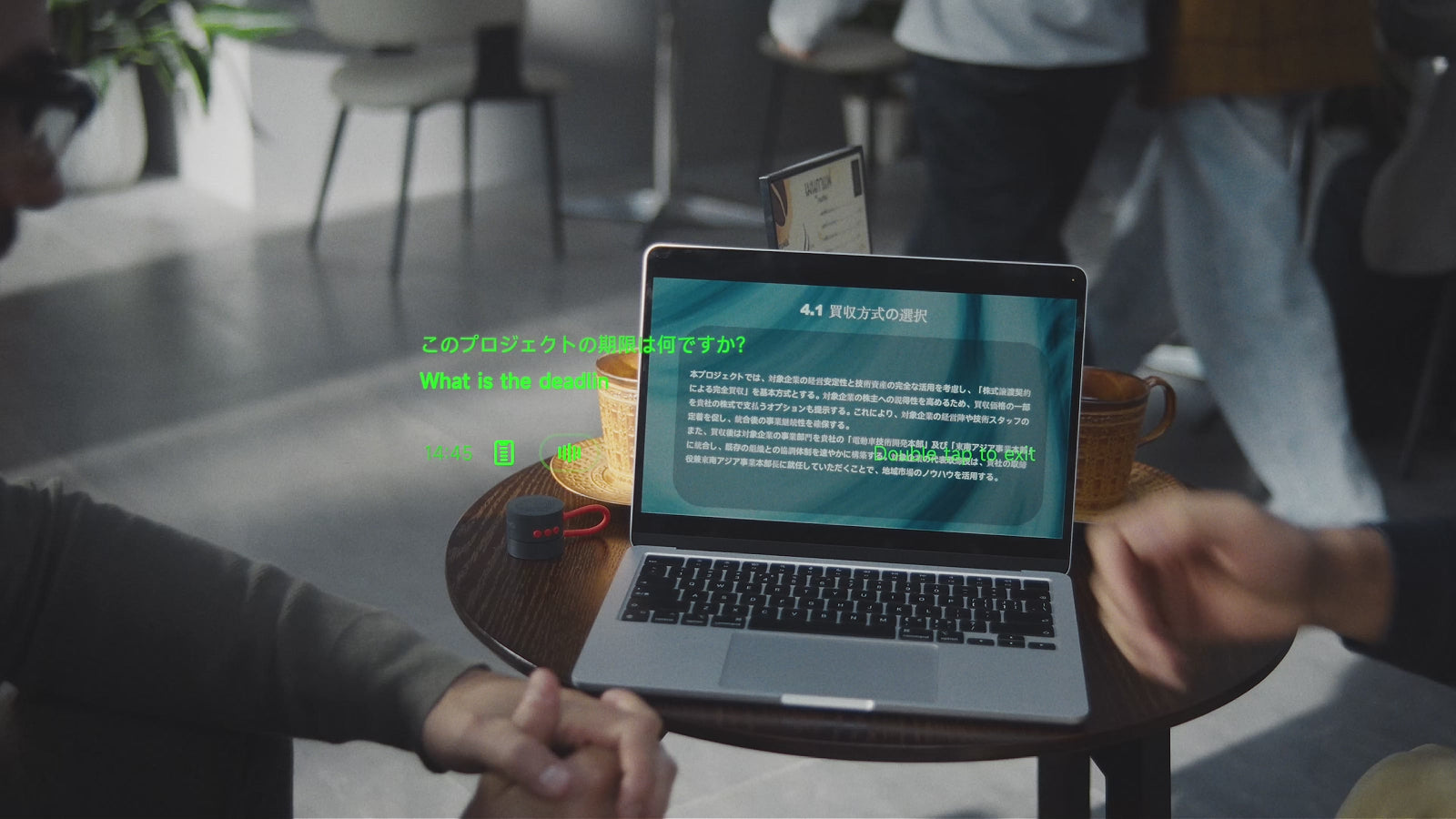
You can play translated replies through either your phone speaker or the optional INMO Speaker:
| Phone speaker | INMO Speaker | |
|---|---|---|
| What it is | The built-in speaker on the smartphone paired with GO3 | An optional external speaker accessory for GO3 |
| Placement | Placed on the table facing the client | Clipped to your clothing or placed on the table |
| Connection | Uses the phone already paired with GO3 | Pairs separately with your phone through the INMO Global app |
Your phone speaker handles translated replies without requiring additional hardware. For meetings where a dedicated audio source is preferred, INMO Speaker provides an external voice output for your translated replies. INMO GO3 and INMO Speaker each pair separately with your phone through the INMO Global app, a setup you can complete before the meeting begins.

What You See on the Lens
When your client speaks, INMO GO3 displays the translated speech directly on the dual Micro LED lenses. You can select between bilingual display and translation-only view to suit different stages of a business discussion. Bilingual display presents both the client's original statement and the translated text. In commercial meetings, seeing both versions helps you verify specific figures, delivery dates, currency values, or product names before formulating your response.
Translation-only view keeps subtitles uncluttered during conversational exchanges, presenting the translated meaning with minimal text in your field of view. When an overseas client delivers an extended presentation where you mainly listen, Real-time Translation supports 127 languages with continuous on-lens subtitles.
Sound input is captured through a built-in four-microphone array with noise cancellation. The GO button on the temple switches the microphones between directional and 360-degree pickup. Directional pickup concentrates on the client seated directly across from you in a one-on-one discussion, while 360-degree pickup captures voices from around you when multiple colleagues or client representatives contribute.

Professional Appearance and Ergonomics in Client Meetings
At approximately 58g, with 8mm ultra-slim temples and a CNC matte finish, INMO GO3 maintains a restrained profile suitable for formal business meetings.
The glasses have Air Cushion Nose Pads, while each temple can flex outward by 15 degrees to accommodate different head shapes.
After the Meeting: Records, Summaries, and Action Items
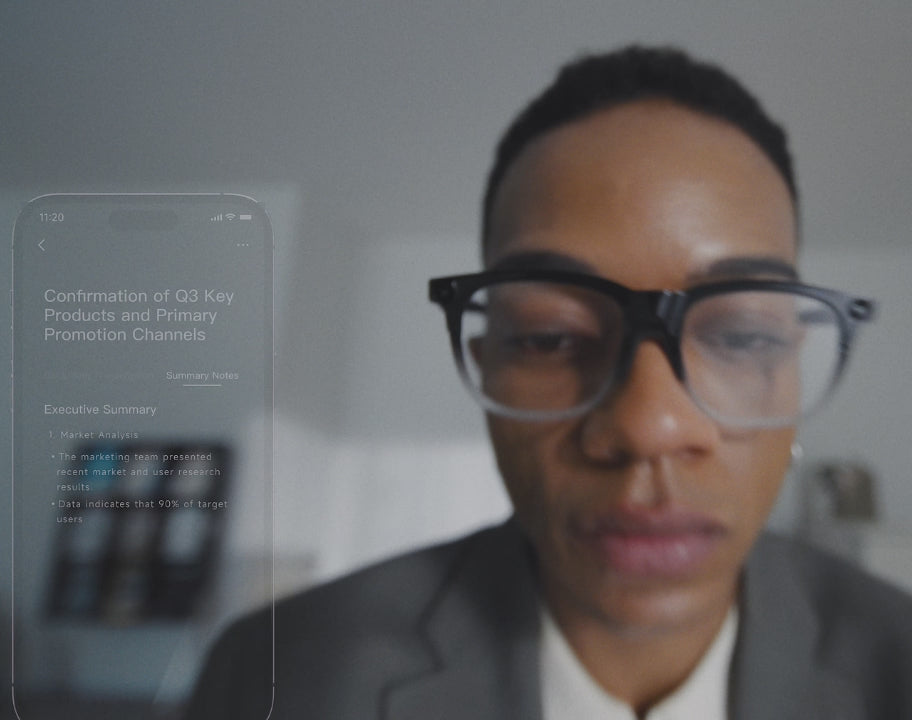
Following a Two-Way Dialogue Translation session, the exchange automatically syncs to the INMO Global app as translation history. You can review the bilingual conversation, copy key sections, or share records with colleagues. An automated AI summary is generated for each completed translation session, condensing key discussion points to simplify post-meeting review.
Meeting recording works as a separate feature from live translation. In this mode, INMO GO3 records the conversation in the room, transcribes the spoken dialogue, and generates a structured AI summary with one tap. The meeting summary can include action items identified from the discussion, helping sales, procurement, and management professionals track next steps. You can check both records to verify agreed details before following up.
Frequently Asked Questions
Can clients hear translated replies spoken in a voice similar to my own?
Translated responses can sound closer to your own voice when using the optional INMO Speaker together with the optional AI voice cloning feature. Voice cloning is an independent optional feature rather than a built-in part of INMO Speaker, which handles the external audio output. Both the glasses and the speaker connect independently to the INMO Global app before your meeting begins.
Which display mode works best when discussing prices, delivery dates, and specific numbers?
Bilingual display is the most practical choice for reviewing pricing, schedules, and numerical details because it presents the client's original words alongside the translated text on the lenses. You can verify exact numbers, currencies, and technical terms before making a commitment. For conversational stages where dense data verification is not needed, you can switch to translation-only view to keep the lenses clear.
How do you handle discussions when multiple overseas representatives speak in turn?
The 360-degree pickup mode captures speech from several representatives seated around the table. The GO button on the temple toggles between this mode and directional pickup whenever the discussion shifts back to a single speaker.
Share:
Translation Glasses vs Translation App: When INMO GO3 Is Worth Adding
Teleprompter Glasses Script Import: Bringing Your Phone Scripts to INMO GO3