

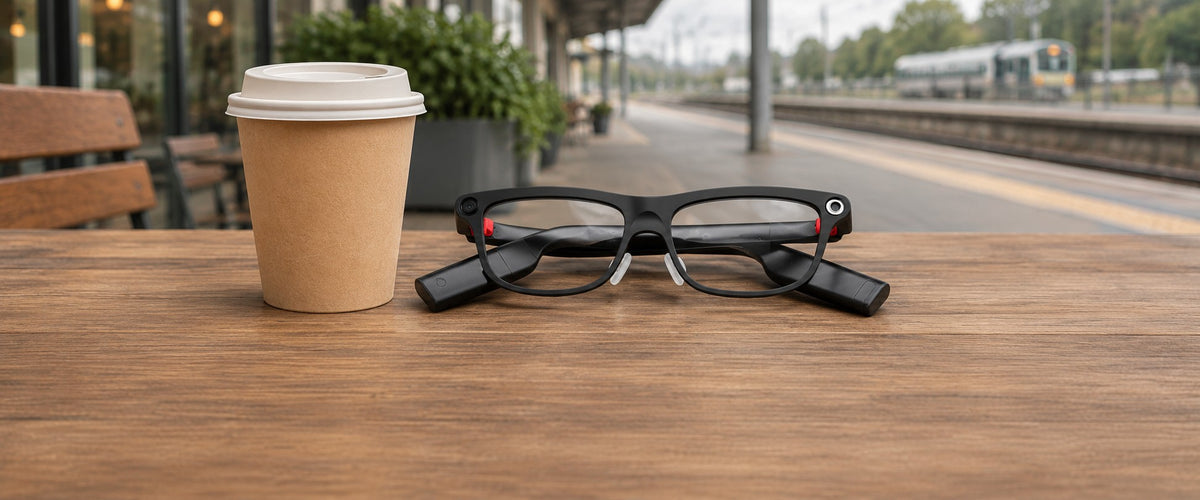
An incoming call on INMO GO3 appears as a reminder on the lens, and one tap on the touchpad of the right temple answers it. The conversation then runs through speakers and microphones built into the frame while the phone stays in a pocket or bag. That makes GO3 a strong fit among smart glasses for phone calls for people who often take calls while walking, carrying things or doing housework.
INMEET, the record, transcribe and translate feature of the INMO Global app, adds recording and translation only to the calls that need them. A call answered without it goes through the glasses as a plain voice call.
Which Smart Glasses Work Well for Phone Calls?
A display is the first thing to look for, since glasses that only play sound can announce a call but cannot show it. GO3 places the call reminder on a binocular display in your line of sight, so the incoming call information can be read before you decide whether to pick up. The specification sheet should also list microphones next to the speakers, because the microphones carry your side of a hands-free call, and the answer control should sit on the frame so the phone can stay in the bag.
GO3 weighs about 58 g and has 8mm temples on a frame designed for all-day wear, and wear time is part of the call question too, because glasses can only answer the calls that ring while they are on your face. Power comes from two swappable batteries, with a portable charging case in every bundle, and that combination supports all-day use, so the glasses are still running for a call that comes in late in the day.

Seeing a Call Before You Decide to Take It
Incoming call information reaches GO3 over the same phone link that brings notifications to the lens, and the INMO Global app lets you customize how it is displayed and whether it is also read out by voice. Choosing which apps relay their message notifications is a separate setting, explained in the guide to phone notifications on GO3.
With the call information in view, a call you would rather return later can be left to the phone as usual. Voice announcements suit tasks that keep your eyes busy, such as cooking or walking, while display-only alerts suit meetings and quiet rooms where a voice reading out call details would be out of place. Turning on both gives you the text and the spoken announcement together, a useful middle setting for days that move between the two kinds of place.
Answering a Call on INMO GO3
Pairing and audio settings are handled in the INMO Global app, and after that an ordinary call takes a single action on the glasses.
- Pair the glasses from the INMO Global app by tapping Connect on its home page; the GO3 name and battery level then appear in the app.
- Tap the glasses icon on the home page to open App Touchpad, then set the glasses volume and display brightness.
- When an incoming call reminder appears on the lens, tap the touchpad on the right temple once to answer.
- Talk as you would on any hands-free call, with the caller playing through the temples and your voice picked up by the frame.
Pairing is a one-time step, and GO3 reconnects to the phone each time it starts up, so steps 3 and 4 make up the everyday routine. App Touchpad stays available between calls as your surroundings change: turn the volume up before heading somewhere loud and down for a quiet office or a late evening at home, and raise the brightness when you go outdoors, lowering it again when you come back inside.
How Call Audio Reaches the Frame
Phones handle a call and a music track as two different kinds of Bluetooth audio. A call is a two-way voice link with call controls attached: the caller's voice goes out to the accessory, and your voice comes back from its microphones. Music travels one way and is picked as a media output. On GO3, music has its own setup, granting media audio to the glasses in the phone's Bluetooth settings, as the guide to playing music through GO3 explains.
Inside the frame, four microphones pick up your side of the call and two speakers in the temples play the caller, with nothing placed in or over your ears. Calls, music and spoken notifications all use these same speakers, so the glasses that carry a call are the ones already on your face for everything else, with no separate earpiece to put in when the phone rings.
Answering a Call, Recording It and Adding Translation
| What you want from the call | What to use on GO3 | How it starts | What you have afterward |
|---|---|---|---|
| Talk hands-free | Call answering | Answer from the call reminder on the lens | A voice call through the glasses |
| Keep what was said | INMEET call recording | Start INMEET call recording after answering the call | A recording and transcript, with Organize with AI for a summary, mind map and to-dos |
| Read the caller in your language | Translation inside an INMEET call recording | Turn on translation and choose languages in INMEET settings, then start call recording after answering | Translated text on the lens during the call, kept in the same INMEET record |
The second row suits calls whose details you act on afterward, such as addresses, times or reference numbers, since the record stays in INMEET where it can be searched and retitled later. Calls that only need talking through can stay in the first row, with INMEET left off.
Translation runs inside a recorded call, so it is the option for calls in a language you do not speak well, and the walkthrough of translating phone and WhatsApp calls covers its display choices and settings in detail. When a call is recorded, telling the other person near the start is a simple courtesy.
Callers on the Move, at a Desk and in a Second Language
Commuters, people running errands and anyone partway through housework take many of their calls at moments when digging out the phone means stopping what they are doing. These buyers get the most direct return from GO3 for calls, because answering from the frame takes the place of that stop on the calls they take while wearing it.
Buyers who regularly take calls in a language they do not speak well have a second reason to choose GO3. The same frame that answers those calls can show the caller's words translated on the lens and keep them in an INMEET record, so the call and a readable version of it stay together.
Buyers who take most calls at a desk with the phone beside them may find the phone or a headset enough. GO3 makes more sense for them when they plan to wear it through the day for its other features as well, with call answering coming along on the same frame.
FAQ
Can calls from messaging and video apps be answered on the glasses?
When a call from a third-party messaging or video app arrives as an incoming call reminder on the lens, it is answered the same way as a regular mobile call. The call itself is still connected by that app on your phone, and GO3 serves as the place where the reminder shows and where both sides of the conversation are heard and picked up. Contacts and call history therefore stay inside the app you already use, and you keep placing calls from it the way you do now.
Are calls on GO3 recorded automatically?
When the automatic call recording switch in INMEET settings is on, every answered call is recorded without a button press. With the switch off, a short press of the GO button after answering starts the recording, and a call answered without that press leaves no recording behind. Regular phone calls and calls in third-party apps can both be recorded in either of these ways.
Can GO3 be worn for calls by people who need vision correction?
GO3 works with official custom prescription lenses for myopia and for myopia with astigmatism, made to fit with its waveguide display lenses. With them fitted, GO3 can be the pair you wear to see clearly through the day, so the same frame handles both your vision and your calls.
Share:
AR Glasses With a Keyboard: Writing Notes, Drafts and Email on INMO AIR3
INMO GO3 Review: Translation, Teleprompter and Meeting Notes in One Pair of Work Glasses