


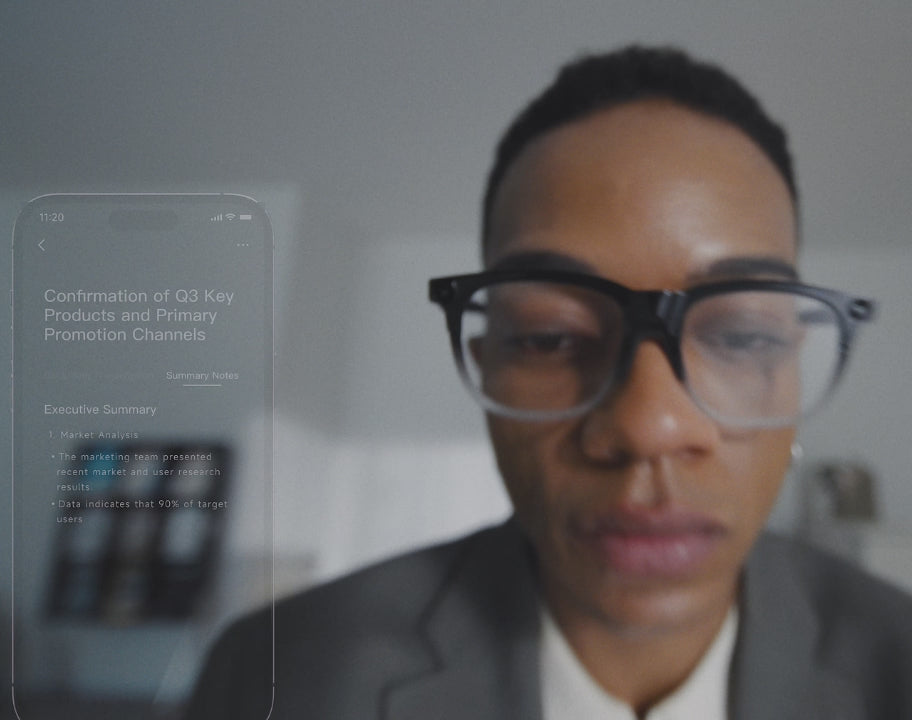
Capturing discussions across in-person meetings, phone calls, and calls on apps such as WhatsApp and Zoom provides a reliable record of key decisions and next steps. INMO GO3 handles the recording and automatic transcription of those conversations. At a tap, it generates an AI summary with action items, creating a clear list of follow-ups from the discussion.
What GO3 Handles While the Meeting Runs
Taking notes by hand splits your attention. Your eyes drop to a laptop or notebook, and the discussion keeps moving while you write. INMO GO3 helps ease that burden: it records in-person meetings and conversations through a 4-microphone array with noise cancellation, so your hands stay free and your eyes can stay on the room.
Calls are covered as well. GO3 records regular phone calls along with calls made through apps such as WhatsApp and Zoom, and it can be set to record phone calls automatically, so a scheduled call is captured without an extra step. During a call, a press of the GO button on the temple starts recording, which is useful when a quick check-in turns into a discussion worth keeping.
You can participate in the discussion as it happens, while the glasses record the audio for later review. Before recording, let the other participants know, and follow local rules and your workplace policy on recording.
From Recording to Shareable Notes
A recording on its own still leaves you with an hour of audio to replay. GO3 shortens that step by transcribing recordings automatically and letting you generate an AI summary with one tap. The summary can include action items, which gives you a starting list of follow-ups instead of a blank page.
After a meeting or call, the path from recording to shared notes looks like this:
- End the meeting or call. GO3 transcribes the recording automatically.
- Open the session in the INMO Global app on your paired phone.
- Tap to generate the AI summary, including action items.
- Read through the transcript and summary, then copy or share them with your team.
The transcript and the summary do different jobs. The summary is the quick version you send to colleagues who missed the meeting or who only need the decisions. The transcript provides a written record of the discussion, which helps when you want to look back at the conversation, confirm a figure or a deadline, or check how a request was phrased before you act on it.
Which Smart Glasses Should You Choose for Work?
For professionals who spend much of the day in meetings, INMO GO3 fits work because it pairs meeting recording with an on-lens teleprompter, real-time translation subtitles, and notifications. You can wear one pair of glasses for the whole workday instead of switching between separate gadgets for notes, scripts, and translation.
When it is your turn to speak, the built-in teleprompter shows your script on the lens and turns pages automatically as you talk. You can keep eye contact with the room instead of glancing down at printed notes, and the next line appears as you reach it. For presenters who prefer turning pages by hand, the optional INMO Ring4 adds gesture control for the teleprompter.

When colleagues speak another language, real-time subtitles appear on the lens so you can follow the discussion as it happens.
Phone notifications can also appear on the lens, so a message that needs attention does not require taking out your phone mid-meeting.
Comfort and Battery for a Full Workday
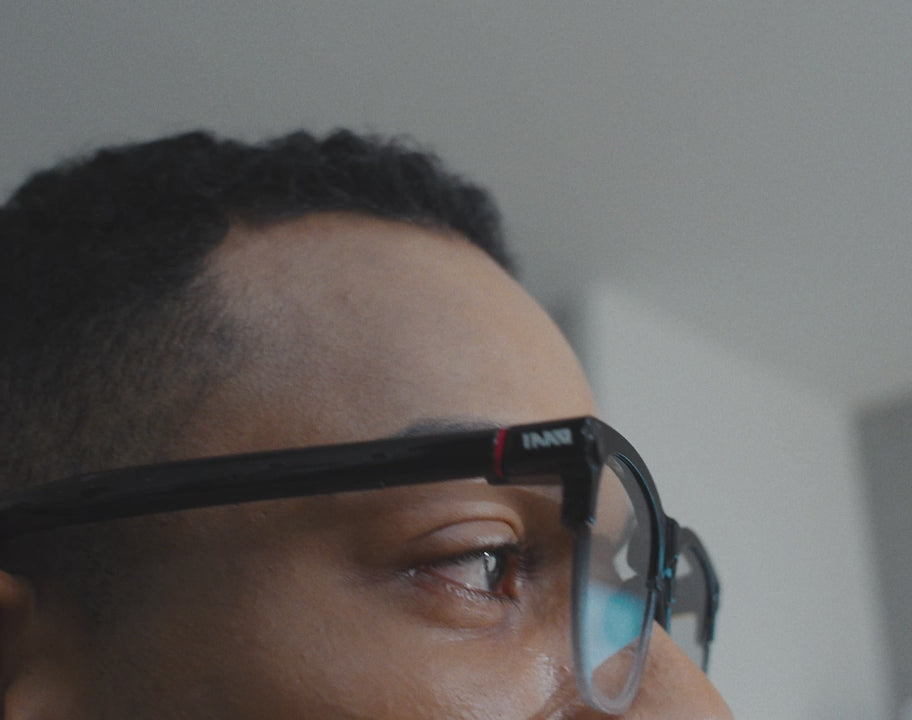
GO3 weighs about 58g and uses 8mm ultra-slim temples, which keeps the frame lightweight and discreet in professional settings. Air Cushion Nose Pads pair with temples that can flex outward by 15° to fit various head widths across a day of meetings.
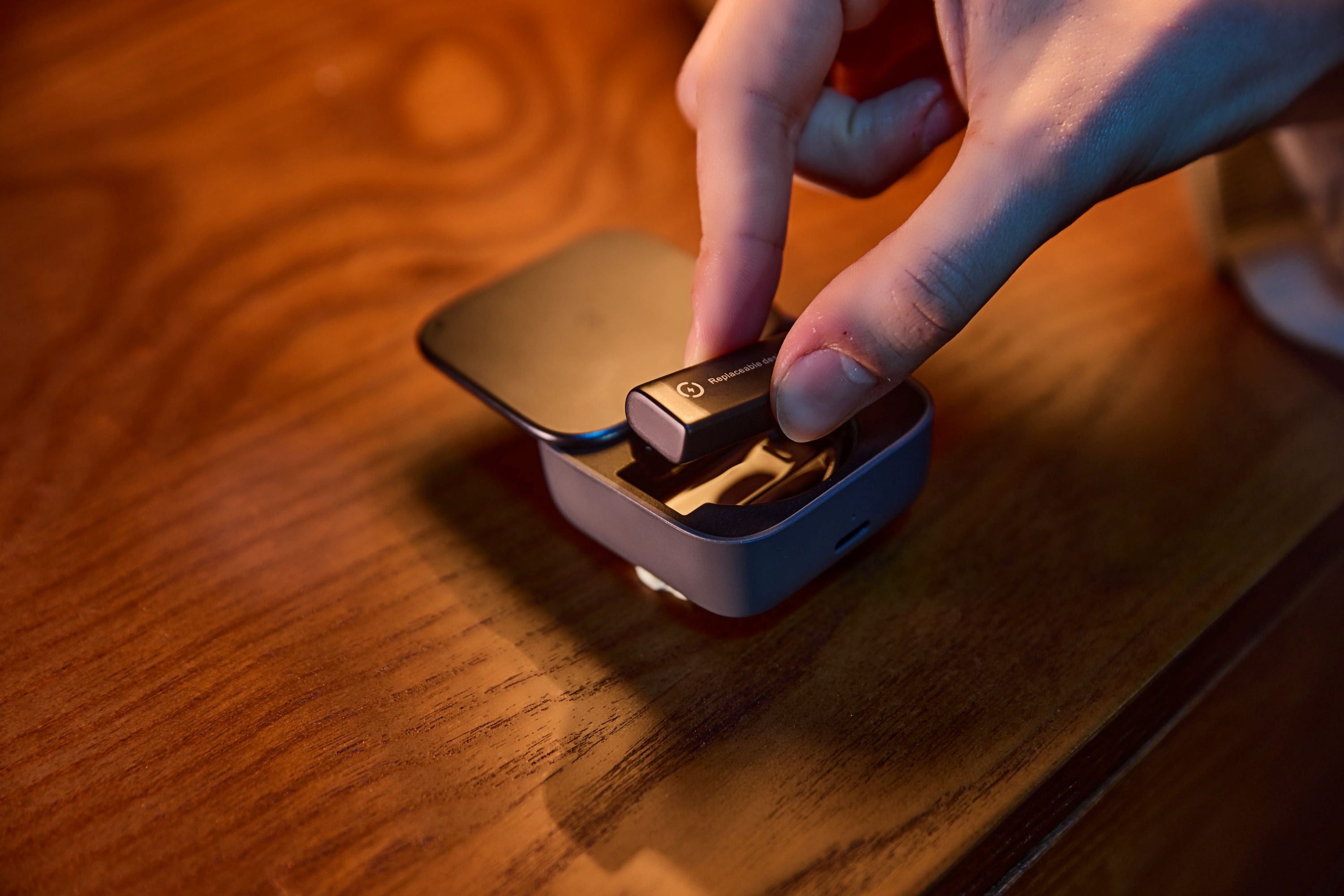
A magnetic battery design lets you swap in a fresh battery in about 5 seconds so the glasses can stay in rotation across back-to-back discussions.
The GO3 options page lists what each bundle contains, including bundles that add accessories.
FAQ
Can I control which phone notifications appear on the lens during a meeting?
You can manage alerts on a per-app basis so only selected applications send messages to the lens. For discussions that require full focus, turning on Do Not Disturb silences incoming on-lens alerts.
Can I follow foreign-language speakers with live subtitles on the lens?
Real-time translation displays live subtitles directly on the lens, supporting 127 languages online for spoken discussions. You can view subtitles in either a bilingual layout or a translation-only format, with bilingual mode showing the original speech alongside the translation.
Can INMO GO3 be worn through a full workday of meetings?
INMO GO3 supports a full workday of meetings through two swappable batteries and a 1300mAh charging case, an all-day setup where one battery charges while the other is in use. Air Cushion Nose Pads and 8mm ultra-slim temples are built into the approximately 58g frame for back-to-back discussions.
Share:
Translation Glasses for Technical Terms in Business Meetings: How INMO GO3 Helps
Translation Glasses for Technical Terms in Business Meetings: How INMO GO3 Helps