


People who write speeches, reports, and presentation notes on their phones can import those same scripts directly into teleprompter glasses. INMO GO3 displays imported text on a binocular green screen, keeping notes in view as you face the room.
Supported file formats vary by phone platform. On iOS, GO3 imports TXT, PDF, and Word documents. On Android, it imports TXT files. After import, you can edit the script in the app before you go live, let pages turn automatically as you speak in seven supported languages, or turn pages yourself with the temple touchpad or the optional INMO Ring4.
Which File Formats Can You Import on iPhone and Android?
The table below shows which file types each platform can bring into the GO3 teleprompter, along with a simple way to get the file ready before you import it.
| Phone platform | Script formats GO3 imports | How to prepare the file |
|---|---|---|
| iOS (iPhone) | TXT, PDF, Word | Import the document in the format you already use |
| Android | TXT | Save or export the script as a plain text (.txt) file |
On iPhone, support for PDF and Word means a script that already exists as a document can go into the teleprompter without first being converted to another format.
On Android, plain text is the format to prepare. TXT is one of the most widely supported file types, and standard writing and note-taking apps can save or export scripts as a .txt file. If a draft currently sits in a Word document or PDF, saving or pasting the text into a plain-text file prepares it for import.
A TXT document contains just the speech content and paragraph breaks needed for spoken delivery, avoiding font styling or complex desktop margins. Because GO3 lets you edit the script directly in the app, you can still refine wording, trim lines, or update figures after importing the file.
From Phone to Lens in Four Steps
Moving a script onto the lens takes four steps:
- Prepare the script on your phone. Short sentences and clear paragraph breaks make text easier to follow at a glance while addressing an audience. On Android, save the final version as a TXT file.
- Transfer the script file into the teleprompter using the INMO Global app from the App & Manuals Downloads page, with GO3 paired to your phone.
- Read through the imported script and edit it directly in the app. Correct names or last-minute details before going live without returning to a desktop editor.
- Start the teleprompter on GO3. The script appears on the lens, and the app keeps a synchronized view of it on your phone.
You can maintain eye contact with your audience while following your notes.

Turning Pages: Auto-Advance, the Temple Touchpad, or Ring4
GO3 offers three ways to move through a script, so you can match the control method to how you like to speak. Auto-advance follows your speech and turns pages as you talk in English, Spanish, French, German, Japanese, Korean, and Cantonese. Because your voice drives the page turns, both hands stay free for gestures, a microphone, or presentation materials. This voice-driven mode works well for structured presentations and lectures where delivery follows a steady rhythm.
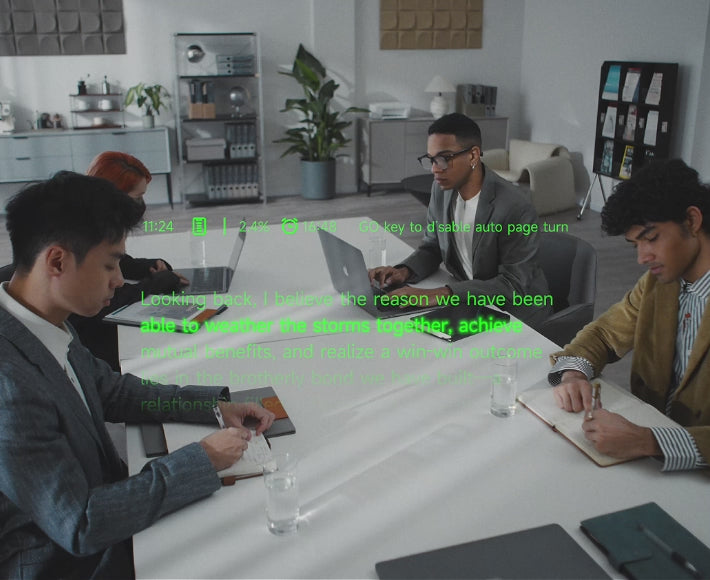
Swiping the touchpad on the temple turns the page. You control the timing during planned pauses, live Q&A, or sections where you speak freely before returning to your notes.
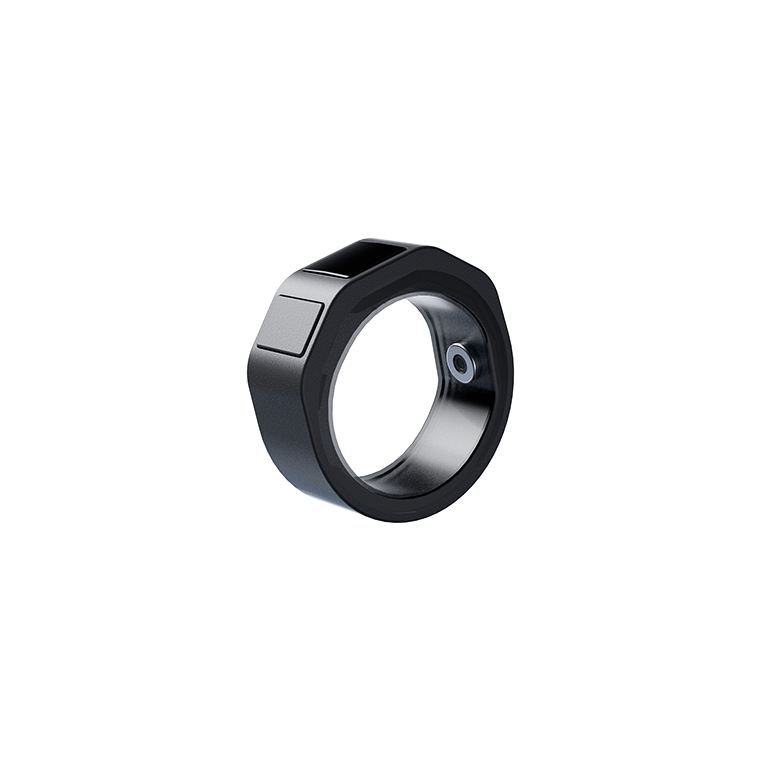
The optional INMO Ring4 adds a third control, turning the page whenever you press its GO key.
Staying Powered Through Long Sessions
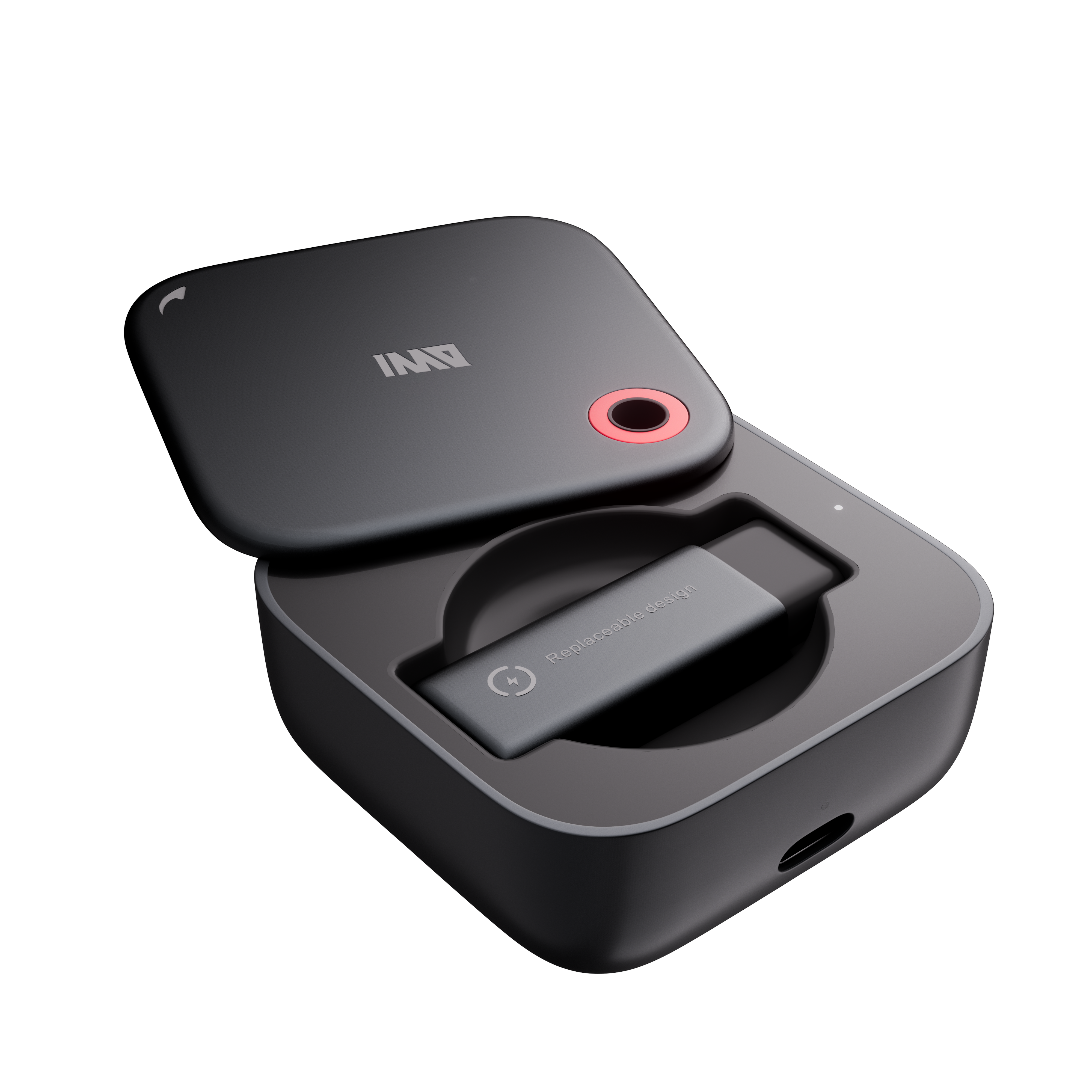
Each GO3 battery powers up to 3.3 hours of continuous teleprompter display. For longer schedules, two swappable magnetic batteries and a 1300mAh portable charging case support all-day use, with battery swaps taking approximately five seconds.
Frequently Asked Questions
Can you track script progress on your phone and control the teleprompter while speaking?
The INMO Global app provides a synchronized companion view that displays your current position in the text while the teleprompter runs on GO3. You can monitor script progress and manage presentation controls directly from your phone screen at the same time.
Are the seven auto-advance languages the same as GO3 translation languages?
These are two separate lists. The seven languages supported for teleprompter auto-advance apply specifically to speech tracking as you read your script aloud. GO3 real-time and dialogue translation features operate on their own separate, broader language catalogs.
Is INMO Ring4 required for turning teleprompter pages?
Ring4 is an optional accessory, so you can turn pages without it using speech auto-advance or the temple touchpad. Auto-advance tracks your spoken words in seven supported languages, while swiping the touchpad on the temple advances pages manually. The ring simply provides a third way to turn pages using its GO key when you prefer to keep your hands down.


Share:
Translation Glasses vs Translation App: When the Upgrade Is Worth It
Smart Glasses for Meeting Recording With Background Noise: INMO GO3