


Following a lecture, seminar or conference talk in a second language gets harder when the translation sits on a phone screen and the speaker keeps moving. Good translation glasses for lectures put subtitles in your line of sight, and the most useful ones show the original language and the translated subtitles together, so you can read a key term and its meaning at the same moment. INMO GO3 is a strong fit for this kind of listening: its real-time translation can display bilingual subtitles on the lens, or switch to a translation-only view.
GO3 also suits the length of a lecture. It weighs about 58g, and its magnetic batteries can be swapped during a break, with up to 3 hours of translation per battery. Subtitle quality depends on how clearly the speaker's voice reaches the glasses from your seat.
Can Translation Glasses Show the Original and the Translation Together?
INMO GO3 displays translation on the lens in real time and offers two views: bilingual subtitles that show the original language together with the translation, or a translation-only display. For lectures, the bilingual view is the one that matters. GO3's Real-Time Subtitles feature is designed for live events and conferences, which share the same one-way listening pattern as a lecture, a course session or a seminar.
The value of seeing both lines comes from how people actually follow a talk in a second language. Many listeners understand part of the source language but lose track at specialist terms, names or quickly spoken numbers. With the original line in view, you can see the source text that the system recognized and read its translation at the same time. Since machine recognition can occasionally mishear a word, having the source text on screen gives you a direct way to spot odd translations, though key technical terms should still be confirmed against the course materials.

Translation-only mode suits a different case: a source language whose script you cannot read, where the original line would add clutter without helping. In both views the text appears on the lenses rather than on a handheld screen. This reduces the need to constantly shift your attention between a phone, the speaker and the slides.
Before the Lecture: Languages, Display Mode and Offline Packs
Most of what makes GO3 useful in a lecture is settled before the speaker starts. A few minutes of setup at home or before the session begins avoids troubleshooting while the talk is already underway.
- Install the INMO Global app from the official App & Manuals Downloads page and pair GO3 with your phone.
- Confirm that the lecture's language and the language you want to read are both available as a pair among the 127 languages real-time translation supports online, then choose bilingual or translation-only display.
- Check the connection you will have in the room. If the Wi-Fi or mobile signal may be unreliable, download offline voice packs while you are still online. Offline translation covers 9 languages (Chinese, English, Spanish, French, German, Russian, Japanese, Korean and Thai).
- Run a short test in the exact mode you plan to use, on the same phone. Offline translation means the phone does not need an internet connection while GO3 stays paired with it. This test helps you check the offline availability of bilingual display, history syncing and automatic summaries for your specific language pair.
- Charge both batteries and the charging case.
During the Lecture: Sound, Comfort and Battery
How GO3 Picks Up the Speaker
GO3 builds its subtitles from what its own microphones hear. The frame carries a 4-microphone array with noise cancellation, while specific subtitle modes determine the pickup pattern. For example, the Audio Subtitles feature uses 360-degree omnidirectional pickup, which collects sound from all around you rather than from one fixed direction.
A clear voice through a sound system, a seat with a direct line to the speaker and a quiet audience give the microphones the best input. A room with echo, a seat far from the speaker or several people talking at once make recognition harder. Noise cancellation is built in, but there is no guaranteed distance or acoustic condition where pickup is flawless. If words start dropping out, moving to a different seat or closer to the audio source is a practical adjustment you can try, then recheck the subtitles.
The question-and-answer part of a session often turns into a face-to-face conversation. For that, Two-Way Dialogue Translation, available in 78 languages on Android and 82 on iOS, displays the translated text on the lens and speaks it aloud through your phone speaker or INMO Speaker. This lets the person asking the question hear your answer instead of reading a screen. You can also use the GO button on the temple to toggle between directional and 360-degree pickup.
Comfort Over a Long Session
At about 58g, with 8mm ultra-slim temples, GO3 keeps both weight and bulk low. The glasses include air cushion nose pads, and each temple can flex outward by up to 15°. Fit still varies with face shape, so wearing the glasses for a while before a long day of sessions is the most reliable way to check personal comfort. The full ergonomic details and specifications are on the INMO GO3 product overview.

Swapping Batteries Between Sessions
Each 270mAh battery is rated for up to 3 hours of continuous translation. Because lectures can vary in length and power drain, GO3 uses magnetic swappable batteries so you can bring a charged spare. A charged battery can be changed in about five seconds. Current GO3 bundles include two swappable batteries and a portable 1300mAh charging case, which provides up to 3 to 4 full charges.
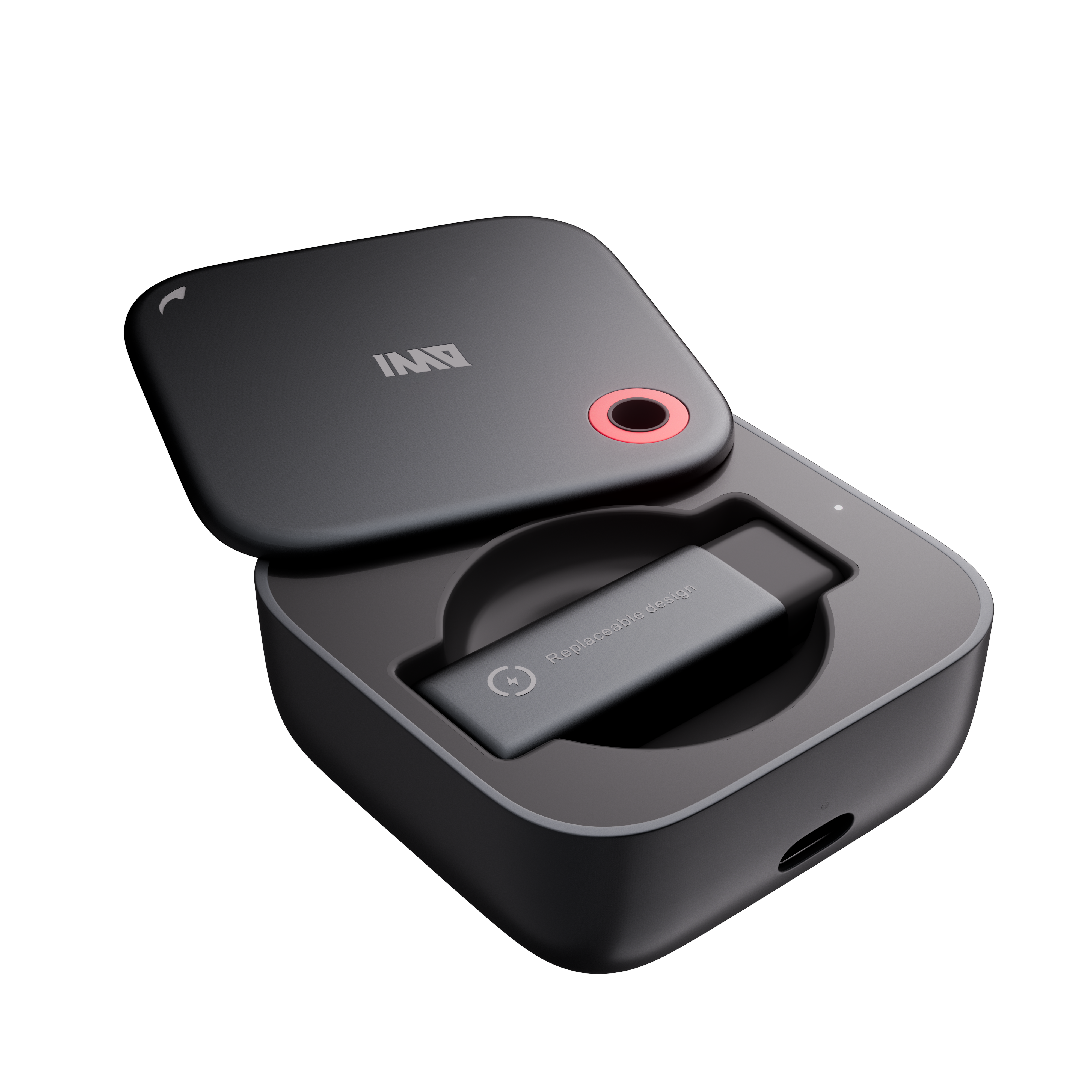
With two batteries and the charging case, GO3 can keep going through a full day of sessions, and a swap is best planned for a break rather than the middle of a key explanation. A practical rhythm is to swap the battery during a break when needed, put the used one back in the charging case, and keep your paired phone charged as well.
After the Lecture: Translation History and Recordings
After the talk, GO3 leaves a record you can return to. When online, translation history from GO3 syncs to the app, where you can review, copy and share the session, and an AI summary is generated automatically. For a lecture, that turns subtitles into material you can review later.
Recording is a separate feature. Auto-Record, Transcribe & Summarize records in-person conversations, produces an automatic transcript and creates an AI summary with one tap. Translation history and recordings are different records in the app, so decide before the lecture which one you need, and check the course or event rules on recording first. In both cases, treat any record or AI summary as a starting point for your own notes rather than a perfect transcript. Names, figures and specialist terms are always worth checking against the slides or handouts.
FAQ
Which phones work with INMO GO3?
GO3 works with both iPhone and Android. On iPhone, the app currently requires iOS 17.0 or later, so a phone that cannot update to that version cannot install it. Android users can get the INMO Global app from Google Play, and installing it a day or two before the course starts leaves time to sort out any setup issues.
Does a spare GO3 battery come with a charging case?
A replaceable battery for INMO GO3 bought on its own does not include the charging case. The charging case is available as a separate accessory and comes in every GO3 bundle together with two swappable batteries, so buying a bundle is the simpler route if you plan to swap batteries through a long day.
Do you need INMO Speaker to use GO3 in lectures?
Lecture listening relies on the subtitles in the glasses, so INMO Speaker is not required. Speaker is an optional accessory that plays translations aloud during spoken conversation, and it is sold separately or in bundles. It can be used together with the optional AI voice cloning feature, which speaks translations in a voice closer to your own. Like GO3, it pairs with your phone.
Choosing GO3 for Lectures
INMO GO3 is particularly well suited to students, researchers and conference attendees who follow talks in a second language and want the original wording in view alongside the translation. Bilingual subtitles support listening during the talk, swappable batteries make it easier to extend usage across multiple sessions, and session history supports review afterward. Explore INMO GO3 and its bundles on the official product page.
Share:
Translation Glasses for Face-to-Face Conversation: Lightweight Two-Way Translation with INMO GO3