

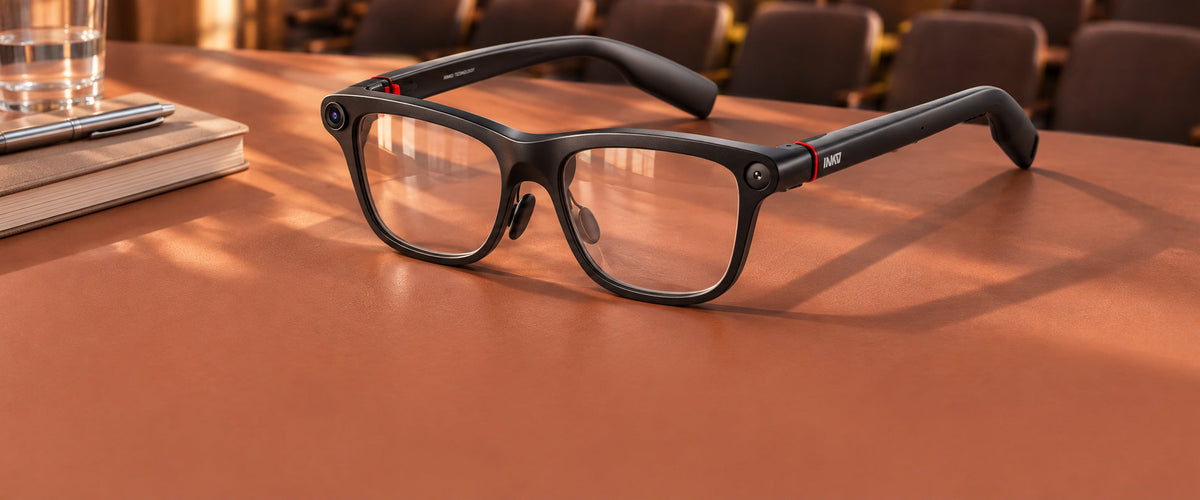
Speakers working on eye contact can read their script on INMO GO3, which shows it on both lenses and turns pages with voice-following as you speak. Voice-following works in seven languages, and pages can also be turned by hand. How the script reads on the lens starts with the writing: short sentences, one idea per line, and clear places to pause are choices you can make before the script goes onto the glasses. A full rehearsal with the glasses on then gives you practice looking toward listeners between lines.
Preparing the Script for Reading Through GO3
Start by reading your draft aloud and marking sentences you want to simplify. Split passages that combine several points, and put supporting details into separate sentences where useful. You can type the script into the INMO Global app and edit it there, and on an iPhone you can also import TXT, PDF, and Word documents. The guide to importing scripts from your phone explains the preparation and import process, including editing the text before using it for a presentation.
| Script habit | Editing purpose | Example wording or action |
|---|---|---|
| One idea per sentence | Give each point a clear ending where you can practice looking toward listeners | Write two sentences: "Thank you for coming. Today I will cover three changes." |
| One point per paragraph | Separate the parts of your talk and plan pauses between them | Put the problem in one paragraph and the proposed fix in the next |
| Numbers written as spoken | Decide the wording in advance while preserving the number's meaning | Write "2.4 million" as "two point four million" |
| Pronunciation notes for unfamiliar names | Prepare how you intend to say a name before rehearsing the passage | Add a brief pronunciation in brackets and read the passage aloud |
| Key words near the start | State the main point early in the sentence | Use a direct opening such as "Three changes matter this year" |
| Fewer side clauses | Give supporting details their own place in the script | Move an aside into a separate sentence, or remove it if it is unnecessary |
Use these edits to prepare language you would say aloud. Keep the original meaning, especially when shortening technical terms, names, or figures. Read the revised passage through GO3 during rehearsal and note any wording you want to change and every place where you paused longer than you planned.
Which Smart Glasses Suit Script Reading and Eye Contact Practice?
INMO GO3 presents the script on a binocular display in your forward field of view. Its display uses green Micro LED with diffractive waveguides, a 30° field of view, and 640×480 resolution. The script sits in your forward field of view, so rehearsal can focus on moving between a line of text and the faces in the room.

GO3 weighs about 58g and has 8mm ultra-slim temples. Wear them for every rehearsal, together with the revised script, so speaking with the frame on feels familiar by the day of the talk.
Practicing the Move from Script to Audience
Try taking in a short phrase during a pause, then looking toward the audience as you say it. Choose full stops and paragraph endings as places to practice this movement, and keep the wording familiar enough to speak the phrase without rushing. When a passage feels difficult to deliver this way, revise its wording or rehearse it again before moving on to the next section.
During run-throughs, leave voice-following on: AI Smart Scrolling moves the script along with your speech. Notice where each page change falls in your delivery.
Manual page turns offer another way to advance the script: swipe the touchpad on the temple, or use the GO key on the optional INMO Ring4. Choose your page-turning approach before the run-through and practice the movement alongside your spoken delivery. With either manual method, decide where to place your hands between page turns and include those movements in the rehearsal.
Using the Phone as a Rehearsal Partner
The INMO Global app can turn the pages as well, and it shows the teleprompter script in step with the lenses. This makes the phone useful when a colleague helps you rehearse. Ask them to hold the phone, follow the same page you are reading, and turn it at the points you agreed on.
Mark those turning points in the source draft before the session, for example at the end of each paragraph, to give both of you the same plan. Return to your own page turns when you rehearse alone. Before the final run-through, switch back to the control method you plan to use on the day.
Ask your helper to mark any line where you stayed on the text for longer than you planned. After the run-through, open those lines in the app, shorten or split them, and read the new wording through GO3 on the next pass. Doing the edits on the phone right after a rehearsal keeps the changes in the version you will present from.
Rehearsing for Eye Contact Before the Talk
Record a rehearsal on your phone and watch it once with the sound off, focusing on where you look during each passage. Mark the sentences where you notice sideways scanning or spend longer reading than you intended. Revise those passages, record them again, and compare your own delivery. On a second viewing with sound, check whether the pauses still fit the meaning and pace of the talk.
Rehearse in lighting similar to the presentation setting and choose a display brightness suitable for reading there. The two swappable batteries and the charging case included with GO3 support all-day use, so a rehearsal and the talk itself can run on the same set, with the spare charging in the case between them.
To see the question from the audience side, the guide to whether people can tell you are reading from teleprompter glasses looks at what listeners pick up during a talk.
FAQ
Where should line breaks go in a teleprompter script?
In your source draft, try placing line breaks at natural phrase boundaries, keeping a name or closely connected phrase together. A sentence can contain several such phrases; a line is a visual arrangement of the text. After entering or importing your script, read the passage through GO3 and revise the wording where useful. Let the meaning of each phrase guide where you break the source text.
Can I prepare a GO3 teleprompter script for use with prescription lenses?
Official custom prescription lenses designed to fit INMO GO3 are available. Use your intended prescription setup when preparing the script, so you read it through the glasses you plan to wear for the presentation.
What display setting suits different lighting?
GO3 brightness is adjustable up to 1500 nits. During preparation, choose a level at which you can read the text in lighting similar to the presentation setting. Read a complete passage at your intended pace to assess your chosen setting.
Can I keep a picture of how the script looked during rehearsal?
With compatible glasses and the required Wi-Fi and battery conditions in place, the INMO Global app's real-world screenshot feature combines the camera view with the glasses display into one image saved to your phone's gallery. During a GO3 rehearsal, use a screenshot to keep a visual reference of the script alongside the view from your speaking position. Keep that image with your rehearsal notes when comparing later run-throughs.
Share:
Teleprompter Glasses for a 45-Minute Speech: Long Scripts and Battery Planning
Spare Battery vs. Fixed Battery Translation Glasses for a Long Travel Day