

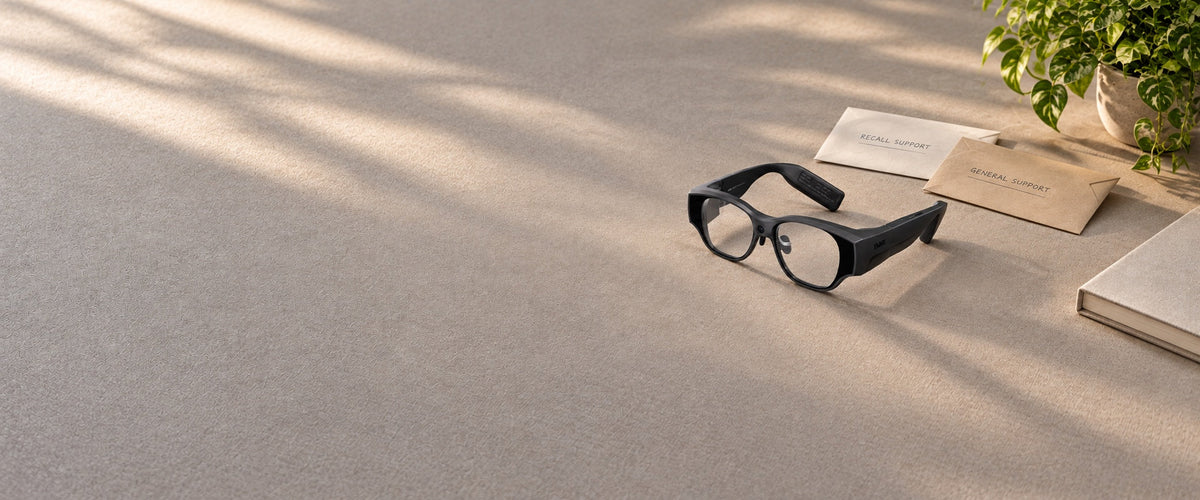
Support requests about the left temple overheating hazard named in the September 24, 2026 joint recall notice (CPSC Recall No. 26-797 and Health Canada) belong with INMO AIR3 recall support. The recall program applies strictly to black AIR3 glasses sold in the United States and Canada between December 2025 and August 2026, where prolonged use can cause the left temple to overheat, posing a burn hazard with a risk of serious injury or death. For eligible glasses, INMO customer support assists users with installing the free online system update to version V3.16.
The official recall announcement lists this remedy as a repair. Questions about display settings, audio settings, frame fit, or Touchpad and Ring pairing go to the general INMO customer support team.
Which AIR3 Support Requests Belong to the Recall?
| Request Details | Recall Remedy Request | General Support Request |
|---|---|---|
| Target Scope | Black INMO AIR3 sold December 2025 to August 2026 (online at Amazon.com, Kickstarter.com, or inmoxr.com for U.S. sales, or within Canada) | Any INMO AIR3 user request involving independent operational questions, accessory setup, or hardware matters unrelated to the recall update |
| Core Concern | Left temple overheating during prolonged use, posing a burn hazard with risk of serious injury or death | Independent operational questions, physical adjustments, software settings, or accessories unrelated to the recall update |
| Official Handling | Free online system update to V3.16, completed with INMO customer support assistance | Case-by-case review and guidance from the customer support team |
| Cost | Free of charge | Guidance provided by customer support based on the specific inquiry |
| Device Use Before Resolution | Stop using the glasses until system update V3.16 is successfully installed | Follow standard handling instructions provided by customer support for the individual issue |
| Primary Contact Channel | Dedicated recall email: support.usa@inmoxr.com (U.S. recall phone: 1-888-212-9620; Canada recall phone: 1-800-689-8547) | Official INMO contact page form or support@inmo.com (phone: +1-888-210-1006) |
| Information to Provide | Photo of the AIR3 glasses, order number if available, and purchase channel | Model name, descriptive summary of the inquiry, order number if available, and relevant photos |
Any request about left temple overheating or help installing V3.16 on a covered unit goes to the recall channel, including from owners who have already contacted general support about other questions. For a covered unit, the recall remedy is complete once V3.16 is installed.
Owners who have contacted support before can add one short line after the main request with the date of that contact, any reference number they received, and whether the new message follows up on it.
How to Check Whether Your AIR3 Is in the Recall Scope
Covered units are black INMO AIR3 glasses with an interior label on the right temple printed with both "AIR3" and "INMO," sold between December 2025 and August 2026. For the United States, the regulatory announcement specifies units sold online through Amazon.com, Kickstarter.com, and inmoxr.com. For Canada, the notice identifies black AIR3 glasses sold within the country during that same sales period.
Official regulatory notices report approximately 1,643 affected units sold in the United States through Amazon.com, Kickstarter.com, and inmoxr.com, alongside approximately 120 units sold in Canada during that timeframe. Retail receipts, order confirmations, and crowdfunding backer records help owners find their purchase channel and order number.

Glasses that match these scope criteria must not be used until the V3.16 system update has been installed, because prolonged use can overheat the left temple and create a burn hazard. Owners do not need to experience thermal symptoms before seeking update assistance. Eligible units qualify for the free update by contacting the designated recall support channels detailed in the comparison table.
Organizing a Support Message for Recall and General Inquiries
For a recall request, write a subject line such as "AIR3 recall update assistance (V3.16)" so the purpose of the message is clear from the start. The opening lines can confirm that the glasses are a black AIR3 purchased within the covered U.S. or Canadian sales window, accompanied by the verification details summarized in the comparison table.
A subject line such as "AIR3 support request: [brief summary of issue]" suits a general support email about display calibration, Touchpad settings or frame adjustments. The message body should state what occurs during operation, when the situation began, and any troubleshooting steps already attempted. General inquiries can be submitted directly through the INMO contact page form or general customer support email, while user guides and software resources are accessible through the INMO support center.
When a message covers both the recall update and an unrelated question, write the recall details and the other question in separate, labeled sections. Sending two separate messages, one to each channel, works just as well. The steps from first contact to the installed update are set out in getting the AIR3 recall fix through customer support.
AIR3 Recall and Support FAQ
Where should a combined recall and general support request be sent?
Send a combined request to the recall address, support.usa@inmoxr.com, since the safety update comes first.
Where do everyday AIR3 questions go once V3.16 is installed?
Once the recall update is complete, everyday questions about AIR3, such as display settings, apps or accessories, go to support@inmo.com or the contact page form. Opening the message with the current system version and a short summary of the question gives the support team useful context from the start.
How are questions about accessories such as the INMO Ring or Touchpad categorized?
Questions about Touchpad gestures, Ring charging or pairing go to general customer support. When writing to support@inmo.com, naming the accessory model and whether it came bundled with the glasses gives the support team useful context.
What should an AIR3 recall email include?
A recall email to support.usa@inmoxr.com covers three items: a photo of the AIR3 glasses, the order number if available, and the purchase channel, such as Amazon.com, Kickstarter.com, or inmoxr.com for U.S. purchases. A photo that shows the label on the inside of the right temple, printed with "AIR3" and "INMO," makes the model easy to identify, and mentioning when the glasses were bought places them within the December 2025 to August 2026 sales window. With these details in one message, INMO customer support can match the glasses to the recall and assist with the free online system update to V3.16.
Share:
INMO AIR3 Specs After the Recall Update: Hardware vs. System Software
INMO AIR3 Recall in the US and Canada: How Scope and Support Compare