


To show an English script during a presentation, INMO GO3 displays it across both lenses, and its built-in teleprompter follows spoken English to advance the pages. You write and edit the script in the INMO Global app, and on an iPhone you can also import a finished document. During the talk, the text sits in your line of sight while you face the audience. Pages can also be turned by hand when you want to move ahead.
Which Smart Glasses Show Your English Script While You Present?
The script appears as green text on both lenses of INMO GO3, using a monochrome Micro LED display with diffractive waveguides.
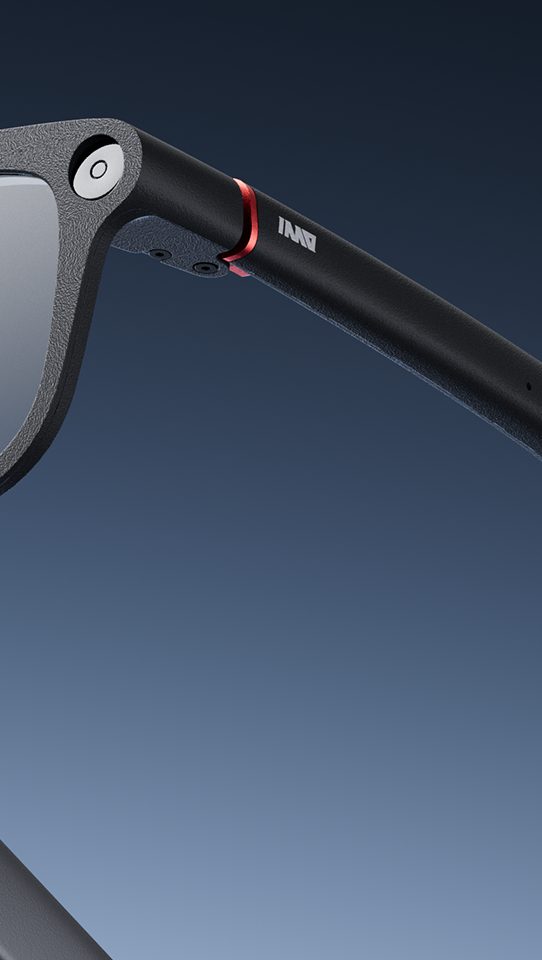
To navigate the text on stage, the teleprompter supports manual page-turning controls using a swipe on the temple touchpad or the GO key on the optional INMO Ring4. The frame weighs about 58g, with 8mm ultra-slim temples and breathable air cushion nose pads.

Writing an English Script That Reads Well on the Lens
A script written for speech delivery differs from text prepared for print. Short sentences are easy to take in with a quick glance and easy to say in one breath. Breaking long, compound sentences into focused statements and placing main verbs early keep each line straightforward to deliver aloud.
Spell out numbers, dates, and abbreviations in full words or phonetic spellings in place of standard digits. If a technical term, product name, or organization title has an uncommon pronunciation, writing it phonetically provides a direct pronunciation reference on the lens. Writing a word you want to stress in capital letters gives a simple visual cue for emphasis while you read, without adding a separate note to the line.
Keep each paragraph focused on a single central thought. Start a new paragraph at each spoken pause, topic shift, or slide change, so a fresh paragraph marks where to pick up after looking at the room. Give each figure its own short sentence, so no single line asks you to read out a run of numbers in one go.
Read the draft aloud at your intended speaking tempo. Any phrases that feel awkward or hurried when spoken can be edited in advance, so the text appearing on the lens matches your conversational rhythm. Printing a copy of the final script is also useful during rehearsal, because marking changes on paper is quick and the edits can then be made in one pass.
Estimating Script Length for Your Time Slot
Your own speaking pace is the guide for length: read the draft aloud once with a timer and divide the word count by the minutes it took. Multiplying that figure by the minutes in your speaking slot gives a target word count for the final script. If the script runs long, cut whole sentences and keep your pace, leaving a little room at the end for questions or applause. Timing the script again after each round of cuts shows whether it now fits the slot.
When the talk has a fixed question period, timing the script against the speaking slot alone keeps the estimate close to what you will deliver.
Marking Slide Changes and Pauses in the Script
Short cues in square brackets keep the script and the slides in step. A note such as [slide 4] at the start of a paragraph shows where the next slide comes up, and [pause] marks a beat you want to hold before a key point. Keeping each cue on the same line as the text it belongs to, and leaving a blank line before each new section, makes the start of every section easy to spot when you glance back at the display. Numbering the slide cues to match the numbers in the slide deck itself lets you check each cue against the clicker as you move through the talk.
Getting the Script Into the INMO Global App
Scripts reach INMO GO3 through the INMO Global app on the phone paired with the glasses. You can write and edit the script in the app, and on an iPhone you can also import a finished document:
| How the script gets in | What you use | Preparation recommendation |
|---|---|---|
| Writing in the app | Manual editing in the INMO Global app | Keep standard paragraph breaks so each passage stays easy to find on the lens |
| Importing on iPhone (iOS) | TXT, PDF, or Word file | Import the finished file directly from your standard word processing documents |
Saving the final draft under a file name that includes the date or a version number makes the right file easy to pick out when importing. Step-by-step examples for preparing files are in script formats for teleprompter glasses.
Editing and a Full Rehearsal Before You Go On
Keeping one master copy of the script on your computer means every later change starts from the same version.
Scripts remain editable directly on your phone for quick wording adjustments. Before heading onto the stage, run through this checklist with the glasses on:
- Review the text on the lens: read through the draft from start to finish to confirm formatting and line breaks.
- Set the display brightness, adjustable up to 1500 nits, to suit the room lighting, and check the text against the background.
- Rehearse the delivery aloud: run through the speech once at full voice to check pacing against the text.
- Plan for questions and pauses: practice pausing during an interruption and resuming your planned delivery.
Keeping Your Eyes on the Audience
With the script at eye level, you can keep your head up and your posture open while you speak. Glancing downward toward a lectern, holding cue cards, or peering at a phone screen can break eye contact, while text in your forward line of sight allows your chin to stay up and your eyes focused on listeners. A steady rhythm is to read a key point, say it to one part of the room, then glance back at the lens for the next one.
Leaving your hands free also makes it easier to use slide clickers and gesture without juggling cue cards. Rehearsing the opening and closing lines until they are close to memorized lets you deliver both while looking straight at the room, with the lens there as backup for the middle of the talk. To maintain a steady rhythm between looking at the display and connecting with listeners, check practical techniques on whether people can tell you are reading from teleprompter glasses.
FAQ
Do you need an extra accessory to turn pages?
A swipe on the temple touchpad turns pages by hand, and that control is built into every pair, so no accessory is required. The INMO Ring4 is an optional addition. The Ring4 provides a discreet handheld GO key to advance pages directly from your hand, which suits speakers who prefer not to reach up to their glasses during a talk. It is sold as a standalone accessory and also comes included with selected GO3 bundles.
How does the teleprompter keep running through a long conference day?
Every GO3 bundle includes two swappable batteries and a portable 1300mAh charging case. Rotating the two batteries through the case supports up to 24 hours of total use across a day of sessions. Between sessions, a battery swap from the case takes about 5 seconds.
When should the script be final before the talk?
Finishing the wording a day ahead leaves time to read it through on the lens, and rehearse once with the glasses on. Small wording changes can still be made in the app after that.
Share:
AR Glasses That Work Without a Phone: How INMO AIR3 Runs on Its Own
Translation Glasses for Long Travel Days Without Frequent Charging Stops