


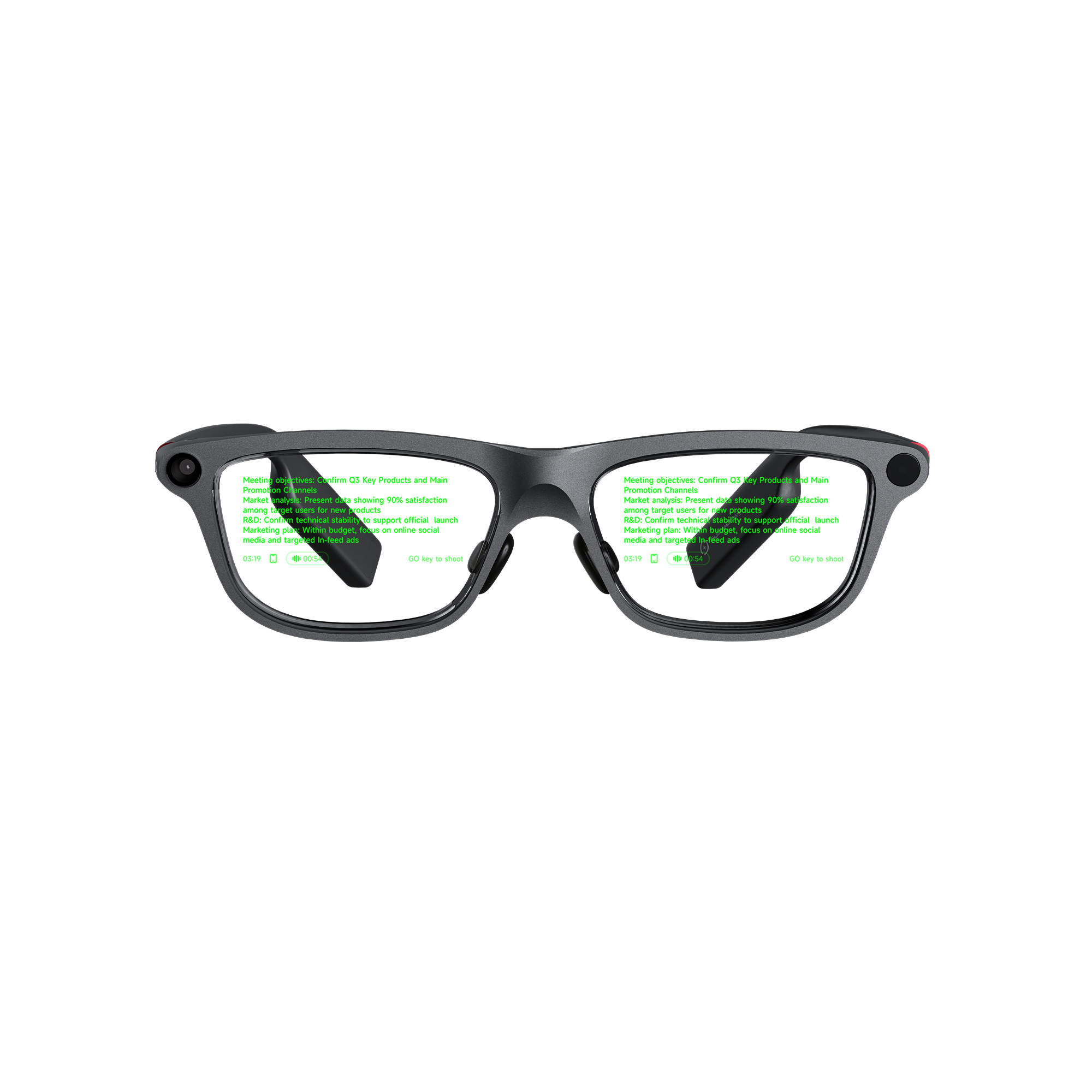
Scripts saved on an iPhone or Android phone load straight into the built-in teleprompter on INMO GO3. TXT files import on both platforms, and iPhone also takes PDF and Word files. Once loaded, lines project onto binocular Micro-LED lenses, letting you deliver lines while facing the camera. Speech-tracking auto-advance follows spoken delivery in seven languages, while manual page turning is available through temple touch controls or the optional Ring4.
Scripts for scripted talking-head videos recorded with teleprompter glasses follow the same import steps.
Which Teleprompter Glasses Support the Script Formats on Your Phone?
INMO GO3 pairs with both iPhone and Android phones, so creators on either platform can bring an existing script into its built-in teleprompter.
| Mobile operating system | Supported script import formats | Script preparation approach |
|---|---|---|
| iPhone (iOS) | TXT, PDF, Word | Import a TXT, standard PDF, or Word file directly |
| Android | TXT | Import a plain text (TXT) file directly |
Plain text files contain unstyled text without rich formatting, colors, or visual markup, which makes TXT a simple, portable format for spoken lines.
The optical engine displays script prompts with green text on dual lenses at 640x480 resolution, featuring a 30-degree field of view and adjustable brightness up to 1500 nits. This binocular projection places teleprompter lines directly in your line of sight, allowing you to read prompts while looking directly toward the camera lens.
Preparing a Script by Format and Operating System
On iPhone: Choosing Between PDF, Word, and TXT
A PDF copy suits finalized scripts where phrasing, line breaks, and overall pacing are already locked. The guide to importing PDF teleprompter scripts on iPhone provides a step-by-step walkthrough of document handling on iOS.
Word files suit active drafts undergoing continuous revisions in a word processor, allowing an updated document to be imported without intermediate conversion. Plain text (TXT) files work well for concise hooks, bullet outlines, or short segments drafted directly in mobile note apps.
When a collaborator signs off on a script, import the approved file itself so the wording read on camera matches the reviewed draft. If rehearsal leads to wording changes, update the source document first and import the revised file for the next take.
On Android: Preparing Plain Text Scripts
For a TXT script on Android, put each spoken sentence on its own line and leave a blank line between paragraphs. Pacing notes or bracketed reminders can sit directly within the text so they remain visible during delivery. When the script starts as a Word or PDF document, use the word processor's save-as or export option to create a TXT copy.
When preparing the TXT copy, turn each table row into its own line and replace bold emphasis with a bracketed cue such as [stress], so the intent of the original layout stays readable on the lenses. Saving the TXT copy in the same folder as the original document keeps both versions together for later edits.
Saving files with descriptive names and revision numbers helps you identify the correct version during import. The walkthrough on putting a script from an Android phone onto smart glasses covers the complete Android setup.
Auto-Advance Languages and Manual Pacing Controls
INMO GO3 provides two methods for progressing through script lines during a shoot. Built-in auto-advance scrolls text as you speak, following speech delivery across seven languages: English, Spanish, French, German, Japanese, Korean, and Cantonese.
With auto-advance, presenters deliver lines toward the camera without an assistant running prompter controls. Reading aloud during rehearsal also shows whether line breaks match your conversational pace.
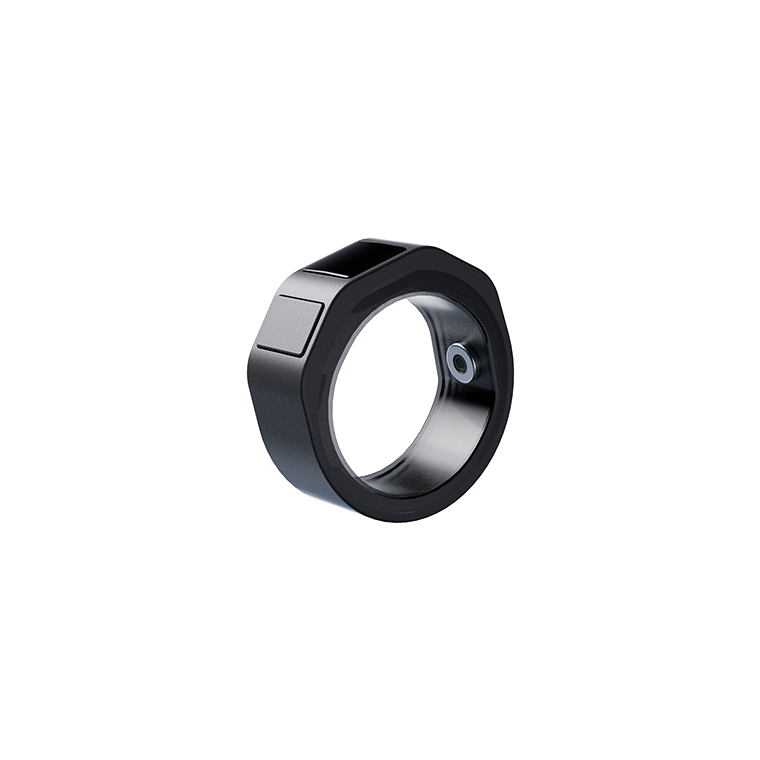
Manual page turning gives presenters direct control over when lines advance. You can turn pages by swiping the touch area on the glasses temple, or by pressing the GO button on Ring4. Ring4 is an optional smart ring accessory, available on its own or in a bundle that includes it. When recording, you can press the ring button while keeping your hand outside the camera frame to advance lines without reaching toward your face.
Manual page turns fit presentations that include planned pauses, product demonstrations, or spontaneous explanations alongside the written draft.
Long scripts can be split into one file per segment, numbered in recording order. A reshoot of a single section then starts from the top of its own file, and a segment rewritten after a rehearsal can be replaced without re-importing the rest of the script.
Battery Runtime and Frame Ergonomics for Creators
Every GO3 bundle includes two swappable batteries and a 1300mAh portable charging case, which together support all-day use. Swapping a battery takes about five seconds through the magnetic design, so one battery recharges in the portable case while the other powers the glasses through a long recording session.
Before a long recording session:
- Place both GO3 batteries in the charging case so each one is charged before the session.
- Import the script you prepared.
- Adjust lens brightness to suit the lighting in the room before the first take.
The glasses weigh about 58g, featuring 8mm ultra-slim temples and air cushion nose pads. On camera, the slim frame resembles everyday eyewear.
FAQ
How should scripts drafted in tools like Google Docs or Pages be prepared for the glasses?
Make a copy of the draft for the glasses and clear comments, suggested edits, and formatting notes from it before exporting, so only spoken lines and pacing cues reach the lenses. The original draft keeps its editorial notes for later revisions.
How can a single script be prepared for use across both iPhone and Android?
Save the script as a TXT file. GO3 imports TXT scripts on both iPhone and Android, so one plain text copy can be transferred to either phone and imported for recording. Adding a revision number to the file name helps identify the same revision on both phones.
How should scripts be prepared when a channel publishes in more than one language?
Keep each language version as a separate file with the language in its name, so every take reads from a single-language script. Sentence length shifts between languages, so set line breaks separately in each version, and write pacing cues in the language being read.
Share:
Smart Glasses With Translation and Meeting Recording: Both Workflows in INMO GO3
Translation Glasses That Show Original Speech and Translated Subtitles Together for Lectures