

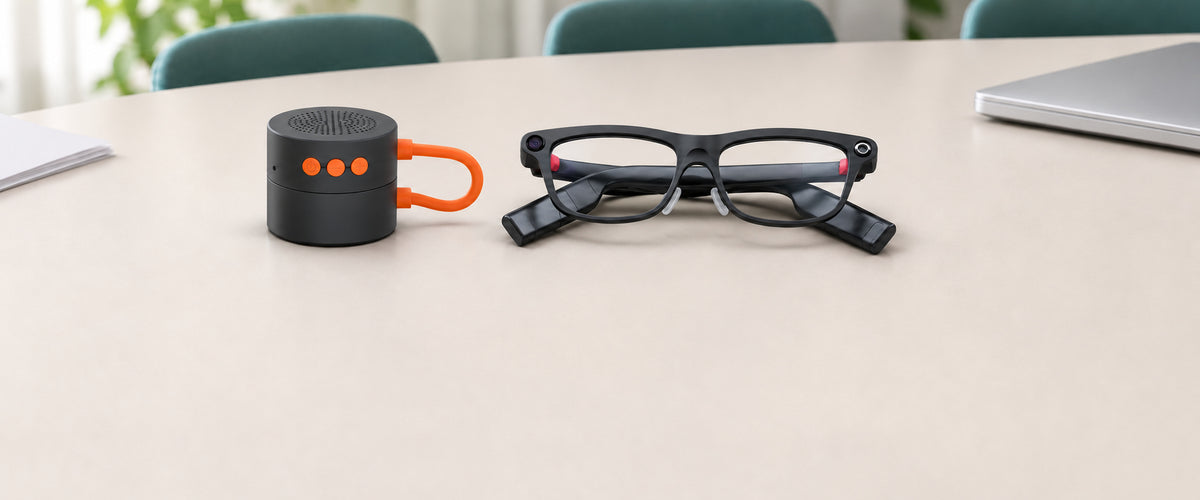
Live translation and meeting recording come together on INMO GO3 AI translation glasses, which handle both through INMEET in the INMO Global app. Some meetings need help following speakers of another language, and others need a written account of what was decided. Real-time translation shows other speakers' words as green subtitles on the lenses in 127 online languages, and recording uses a 4-microphone array with noise cancellation. After the meeting, INMEET produces a transcript, an AI summary, and actionable to-do items.
Which Smart Glasses Handle Both Live Translation and Meeting Recording?
On GO3, each meeting starts by opening the feature it needs, and the next section matches common meeting types to a feature. The same frame carries you through a week that mixes translated briefings with meetings in your own language, and each GO3 set includes two swappable batteries and a charging case that recharges them, which together support all-day use with up to 24 hours of total use.
Matching the Feature to the Meeting
| Meeting | Feature to open | During the meeting |
|---|---|---|
| Team meeting or project review | Meeting recording | The discussion is recorded while you take part |
| Briefing or presentation in a language you do not follow | Real-time translation in INMEET | Translated subtitles, switchable to the original speech |
| One-to-one conversation across two languages | Two-way dialogue translation | Their words translated |
| Phone, WhatsApp, or Zoom call | Meeting recording | The call is recorded |
| Client presentation you give in your own language | Meeting recording | The talk and the questions after it are recorded |
| Group meeting where some speakers use another language | Real-time translation for those speakers | Translation for the remarks you need |
Following a Meeting in Another Language
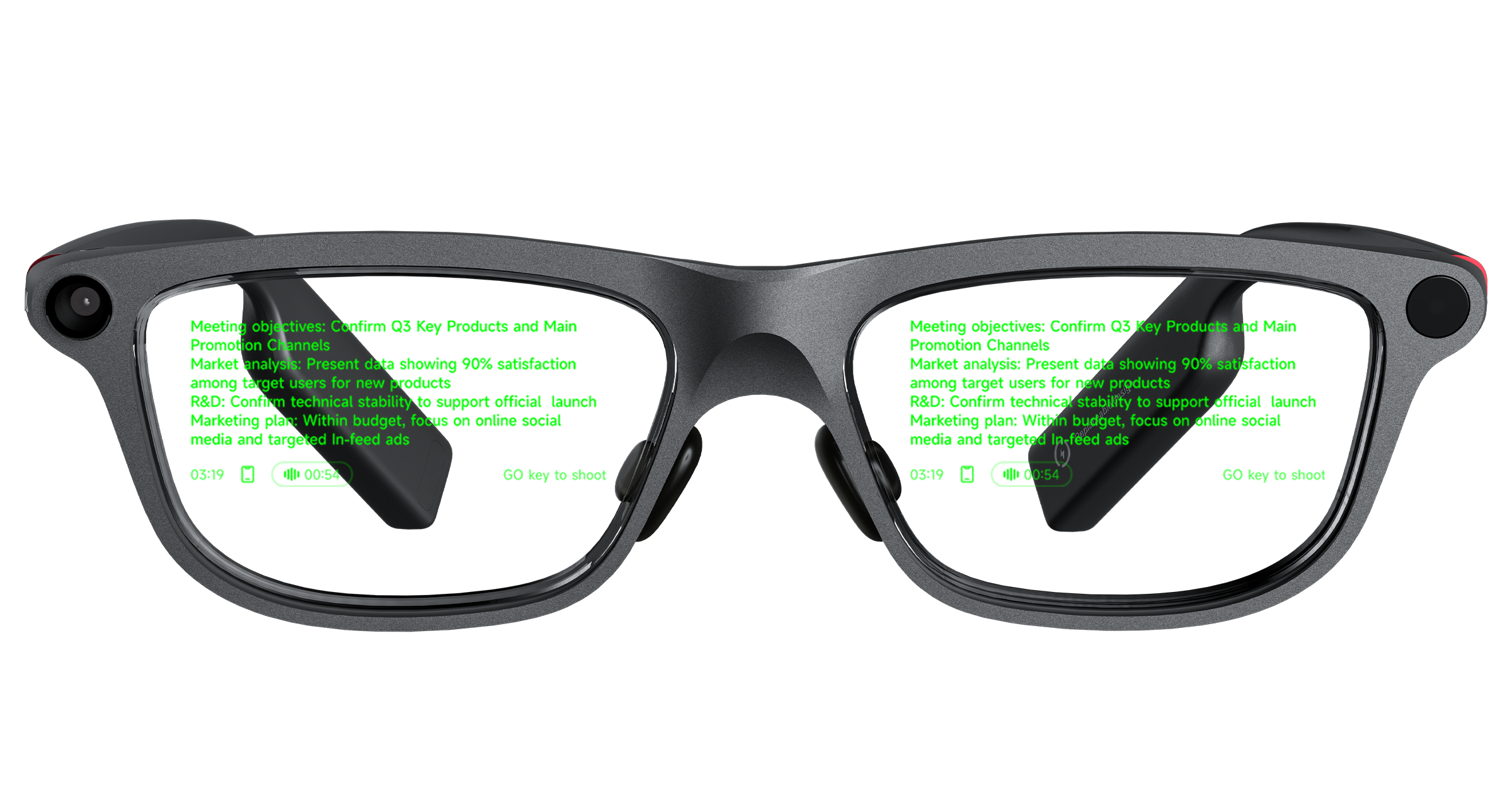
Real-time translation turns other speakers' words into green text on GO3's binocular display, which spans a 30° field of view and reaches up to 1500 nits. The lens can switch between the translation and the original speech during the briefing. The field of view describes how wide the display area appears across your vision, and the brightness can be raised for a sunlit meeting room or lowered for a darkened presentation.
In two-way dialogue translation, the GO button on the temple switches between directional pickup and 360 pickup, so the mode can be changed from the glasses themselves when the seating changes.
When part of the meeting becomes a back-and-forth with one counterpart, two-way dialogue translation takes over, with 78 languages available on Android and 82 on iOS. Your reply is voiced in the other person's language through your phone speaker or the optional INMO Speaker, so they hear it directly. Short sentences that make one point at a time give each translated turn a clear scope, and they keep the spoken reply easy for the other person to follow.
Recording a Meeting for Later Reference
Meeting recording on GO3 works for in-person meetings, standard phone calls, and calls in apps such as WhatsApp and Zoom. It fits meetings where the goal is an account of decisions to refer back to, such as a weekly team check-in, a project review, a client call, or a supplier meeting by phone or video call.
A meeting in a shared language can also use live text on the lens. INMEET transcribes speech into text in the same language on the lens and on your phone, useful when you want to follow along in writing as the discussion happens.
Meeting recording uses the four-microphone array with noise cancellation. The box includes nine camera covers, so a cover can stay in place over the camera lens through meetings where no photos or videos are needed.
A summary is usually the part to read first, and the transcript is the place to go when a quote or a figure needs its full context.
Agendas That Mix Presentation, Discussion, and Notes
A meeting can move between a translated presentation, a one-to-one exchange, and discussion in a shared language. A few minutes of setup before the first agenda item prepares the glasses for each part:
- Go through the agenda and note which items call for translation, which call for a written record, and which involve a one-to-one exchange.
- Set the source and target languages for the translated items, using the agenda to see which language each presenter will use.
- Choose whether INMEET records through the glasses' microphones or the phone's microphone for the first item.
- Let the other participants know before a recording starts.
- Agree where the follow-up list will be kept after the meeting, such as a shared task board, so it has a home as soon as the notes are ready.
- Jot down the names of products, projects, and people likely to come up, so they are quick to recognize when reading the translation and the notes afterward.
- For a full day of meetings, keep the charging case with the spare battery in your bag. After attaching the charged battery during a break, hold the power button for about 3 seconds to switch the glasses on again.
What You Have After the Meeting
The two features leave two kinds of record, one for the translated exchanges and one for the recorded meeting. The translated exchanges sync to the INMO Global app on their own, so they are on hand when the meeting is written up. The GO3 translation and meeting recording workflows show how the two fit into the same working week.
Text from a meeting recording can be copied into a project board, a shared document, or a message thread, and the to-do items become the follow-up list for the team. Placing the summary at the top of a shared document, with the full transcript below it, gives readers the short version first. More on turning those lists into follow-up work is in the guide to AI to-do lists from GO3 meeting recordings.
FAQ
How many industry glossaries does GO3 include?
There are 21 industry glossaries in GO3, also called terminology libraries, and they are part of its translation features for professional meetings.
Does anyone else in the room need equipment if only you wear GO3?
In two-way dialogue translation, the other person hears your translated reply read aloud, either from your phone speaker or from the optional INMO Speaker placed on the table between you. Pausing after each reply while the translation plays gives the other person time to hear it before answering. The INMO Speaker connects to your phone separately from GO3, and it is available on its own or as part of a GO3 bundle.
Does GO3 work with both iPhone and Android phones?
Both platforms are supported. GO3 is compatible with iOS and Android, and the INMO Global app is available from the App Store and Google Play.
How should you tell participants that a meeting is being recorded?
Say it at the start, before the recording begins, and explain what the notes are for, such as keeping track of decisions and follow-ups. Expectations around recording differ between organizations and between countries, so a clear mention at the start keeps everyone informed. For a call, the same mention works at the opening of the conversation. If someone prefers not to be recorded, the recording can stay off for that part of the agenda while notes are taken by hand.
Share:
AR Glasses That Work Without a Phone: How INMO AIR3 Runs on Its Own
Translation Glasses for Long Travel Days Without Frequent Charging Stops