

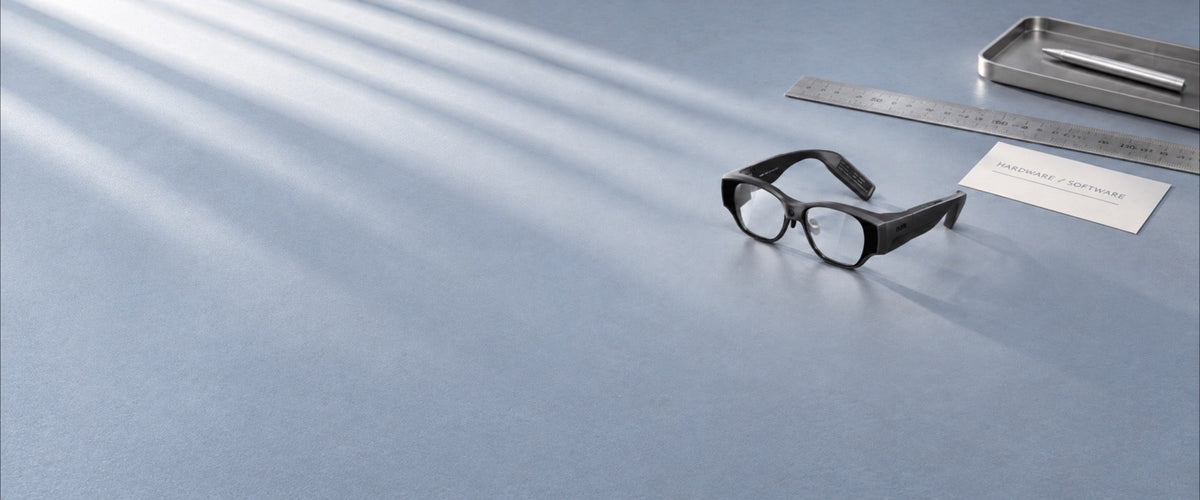
The V3.16 recall remedy for INMO AIR3 is a free online system update, and the hardware in the official specifications for INMO AIR3 stays the same: the Micro-OLED display, Qualcomm Snapdragon processor, memory, storage and battery.
How do AIR3 hardware specs relate to performance after the update?
The V3.16 system update is the remedy named in the U.S. Consumer Product Safety Commission announcement for the left-temple overheating issue, and the INMO recall guidance covers the online delivery of the update and how to contact support.
| Item | INMO AIR3 specification | Layer |
|---|---|---|
| Display | Binocular full-color Micro-OLED, 1920×1080 | Hardware |
| Field of view | 36° | Hardware |
| Pixel density | 62 PPD | Hardware |
| Optics | 1D waveguide | Hardware |
| Processor | Qualcomm Snapdragon | Hardware |
| Memory | 8GB RAM | Hardware |
| Storage | 128GB | Hardware |
| Connectivity | Wi-Fi 2.4GHz/5GHz, Bluetooth 5.3, Type-C | Hardware |
| Weight | Approximately 135g | Hardware |
| Input | Touchpad | Hardware accessory |
| Operating system | Android 14 | Software platform |
| App distribution | Google Play | Software platform |
| Recall remedy | Free online system update to V3.16 | Recall system update |
For how apps run day to day after the update, see the guide to AIR3 recall update performance.
The system version installed on a unit can be read directly on the glasses. From the glasses desktop, open the Settings app, tap "About the Smart Glasses", and then System Version. An AIR3 unit that shows V3.16 on this screen has the recall remedy installed.
Display and processing hardware for video and everyday apps
The display system features binocular full-color Micro-OLED panels paired with 1D diffraction optical waveguides, delivering visual content to both eyes for video playback and text viewing. Official specifications list a 1920×1080 resolution, a 36° field of view, and a pixel density of 62 PPD. The 1920×1080 resolution is standard Full HD, the format used for HD streaming and for movies and subtitled video on 1080p AR glasses.
Computing tasks rely on the Qualcomm Snapdragon processor, which executes application logic and video decoding. The 8GB of RAM functions as active system memory shared across open tasks and background services. The 128GB of onboard storage holds installed apps and local files such as downloaded videos.

The all-in-one frame weighs approximately 135g, with processing, storage, battery and display built in. Dual-band Wi-Fi on 2.4GHz and 5GHz bands handles video streaming and system update downloads, while Bluetooth 5.3 provides wireless connectivity for compatible peripherals. A physical Type-C port supports wired data connections and charging. Technical specifications also include the INMO Touchpad as an external input accessory for navigating the interface and controlling installed applications.
Android 14, Google Play and the V3.16 recall update
AIR3 runs Android 14, and Google Play installs streaming services, utility tools and productivity apps directly on the glasses.
The official safety remedy for AIR3 was announced in cooperation with the U.S. Consumer Product Safety Commission on September 24, 2026, under recall number 26-797. The recall covers approximately 1,643 units in the United States and about 120 units in Canada. Prolonged use can cause the left temple of affected units to overheat, creating a burn hazard that poses a risk of serious injury or death. The remedy is a free online system update to version V3.16, completed with assistance from INMO.
The recalled glasses are black AIR3 units sold from December 2025 through August 2026 on Amazon.com, Kickstarter.com, and inmoxr.com. Each one carries a label on the inside of the right temple printed with "AIR3" and "INMO", which owners can match against the recall description before arranging the system update.
Owners of affected glasses should immediately stop using the device until the update has been installed. To receive the update, users can email support.usa@inmoxr.com with a photograph of the glasses, the sales channel where the unit was purchased, and the order number if available, or call 1-888-212-9620. General support resources and service information are maintained through the INMO support center.
System Performance and Power Saving settings
AIR3 groups its performance options under Settings > Battery. The System Performance entry switches between High Performance Mode and Balanced Mode, and the same menu has a Show battery percentage toggle.
High Performance Mode suits video playback and more demanding apps, while Balanced Mode fits reading documents, messaging, and other office tasks. For extended use, Power Saving Mode under Battery can be scheduled with start and end times, so it switches on during the hours you set and turns on the dark theme while active.
FAQ
How is storage on INMO AIR3 organized?
The 128GB of onboard storage holds installed apps and local files such as videos, images and documents. Settings > Storage shows the space used by System, Apps and files, much like the storage view on an Android phone, and the Files app on the glasses manages local files directly. In Files, pressing and holding a file with the Touchpad brings up Move to, Copy and Delete for organizing videos and documents into folders.
How do videos and files get onto INMO AIR3 from a computer?
Connect INMO AIR3 to a computer with the official AIR3 USB data cable, then open "This PC" (or "My Computer") and select "IMA301" or "Internal Shared Storage" to manage the files on the glasses. Videos and documents can be dragged into a folder on the glasses from there, and transferred videos open from Gallery on the home screen. Photos, videos, screen recordings, and screenshots captured on the glasses are kept together in the DCIM folder, which makes them easy to locate during the same connection.
Share:
What the INMO AIR3 Recall Notice Confirms About the Software Remedy
AIR3 Recall Support vs Repair: Which Request Applies to Your Glasses