


The run of show in a host's hand at a business event is a stack of short pieces: a welcome, a brief introduction for each speaker, a bridge into the panel, a break notice and a close. INMO GO3 suits hosts who want those prepared introductions and session transitions in view, because its built-in teleprompter shows text written in advance on the lens and lets the host turn each page by hand, with a slide along the right temple or a press on an optional control ring. Written as one short cue section per segment in program order, the script keeps the next name, title and bridge line close at hand and can still be followed when the order shifts on the day.
Can Teleprompter Glasses Handle a Host's Introductions and Session Transitions?
A speech script runs as one continuous text, while a host's script at a business event is split into short pieces, one for each return to the microphone, with whole sessions in between that the host does not read from. Each piece answers the same questions: who or what comes next, which title to use, and how to bridge from the segment that just ended. Short sections holding only those answers are quicker to take in at a glance than one long document that runs every segment together.
INMO GO3 shows text prepared in the INMO Global app on the lens and leaves the timing of each page change to the wearer. That fits a program where the gap between two host segments is set by the schedule, so the next cue comes up when the host is ready to read it, whether the previous session ended early or late. The Voice-Following mode, which advances pages as you speak in seven languages, suits a longer scripted welcome at the top of the event, much like the continuous text in a 45-minute speech on teleprompter glasses. The cue sections after it are easier to pace by hand.
Turning the Run of Show Into Cue Sections
The organizer's run of show lists every segment with a start time, the people on stage and the production cues. A host's version keeps the order and the names, drops most of the production detail, and adds three things per segment: how to say the guest's name, the title the guest wants used, and one or two sentences bridging from the previous segment. Each section opens with a number and a short label such as "3. PANEL", so the top line shows where that section sits in the program.
| Segment | What the host delivers | Cue text on the lens |
|---|---|---|
| 1. Opening | Welcome, housekeeping, agenda in one line | "1. OPEN", welcome line, two housekeeping notes, teaser for the first speaker |
| 2. Keynote | Short introduction with the name as the last words | "2. KEYNOTE", [WAIT FOR SLIDES], title, one achievement, name with respelling |
| 3. Panel | Thanks to the keynote, topic, moderator | "3. PANEL", thank-you line, topic in one sentence, moderator name and title |
| 4. Break | Restart time and refreshments location | "4. BREAK", restart time, location line, backup restart time under [IF LATE] |
| 5. Close | Thanks, next steps, sign-off | "5. CLOSE", thank-you list, next-step line, final sentence |
Square brackets hold what the host does or checks, such as [WAIT FOR SLIDES] or [MIC TO MODERATOR], and conditions such as [IF LATE], with the alternative line to read placed directly below the condition. A respelling in parentheses after a guest's name is a pronunciation aid, and the numbered label at the top of each section is there for finding the place; neither is read out. Every other line is spoken as written, so a sponsor thank-you goes in as a full sentence outside any brackets. Introductions end with the guest's name, so the applause cue falls on the name itself.
The script is written and edited in the INMO Global app, and on an iPhone a finished Word, PDF or TXT file can be imported and then adjusted there. Reading every section on the lens once, start to finish, shows whether each label stands apart from its neighbors and whether a bracketed direction appears early enough to act on.
Advancing Cue Pages With a Microphone in One Hand
A handheld microphone occupies one of the host's hands for most of an event, so page turns come from the other hand. GO3 gives that free hand three routes: a slide along the touch area on the right temple, the page arrow in the INMO Global app on a phone resting at the lectern, or the GO button and touch surface of the optional INMO Ring4. The ring keeps the page turn at hand height, so the microphone stays in one hand while the other advances the script, with no gesture toward the face in the middle of an introduction. Ring4 is sold separately or included in selected GO3 bundles.
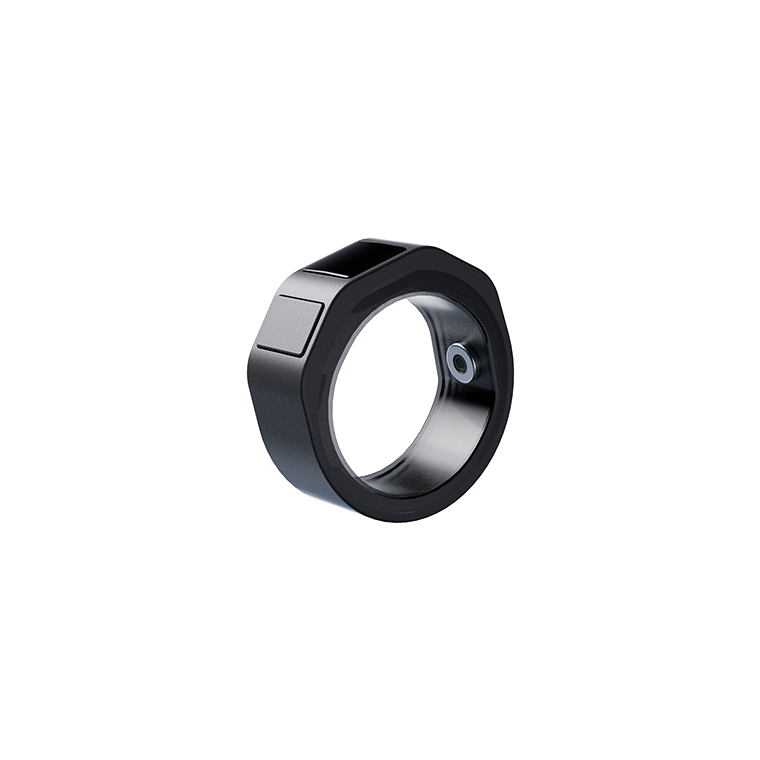
Setting up the ring's GO button as a page turner before the first rehearsal gives the host one fixed routine on the day:
- In the INMO Global app, tap "Teleprompter", tap the icon in the top-right corner, then tap "+" and add the host script.
- On the glasses, open "Settings" and select "Ring", hold the ring's GO button to power it on, and tap the touch area on the right temple when the ring's name appears.
- Outside presentation mode, tap the Settings button in the upper right corner of the phone screen and switch on GO button page turning for the ring.
- Tap "Start Teleprompter". A single tap on the ring's GO button moves to the next page and a long press returns to the previous one; sliding on the right temple or across the ring's touchpad turns pages too.
A host who stays at the lectern for the whole program can keep a hand near the phone and use the app's page arrow. A host who moves between the lectern and the stage is better served by the ring, since it travels with the hand while the phone stays behind. The temple slide works from either position and needs no extra item at hand.
When a Speaker Runs Long or the Order Changes
Each introduction can carry a shorter version placed under the full one beneath a [SHORT] marker, and the transition after a time-flexible session can be written in two lengths. When a session overruns, reading the short introduction and the brief bridge wins back part of the lost time without cutting a guest off. A backup break section with an alternative restart time does the same job if the break has to move.
A cancelled session or a swapped pair of speakers is handled with the segment numbers written at the top of each section. The number on screen shows whether the segment now due sits ahead or behind, and the host pages in that direction with the control set up for the day. Reading the label and the first line before speaking confirms that the section matches the segment about to start.
An [IF CANCELLED] bridge placed directly after any session that might drop out keeps the replacement line close to where the host already is. Short segment text helps for the same reason, since fewer lines per segment mean fewer page turns between neighboring speakers. If the new order arrives in writing before doors open, editing the script in the INMO Global app puts the revised sequence on the lens from the first page.
Locking the Host Script Before Doors Open
A final read-through on the lens, with the organizer's last confirmed order, guest list and titles alongside, checks that the segment numbers still run in sequence, that each title matches the list, that every [SHORT] and [IF CANCELLED] section sits next to the segment it covers, and that no spoken line has slipped inside brackets.
A full rehearsal with the microphone in hand, turning every page with the control planned for the event, settles which hand does what before the first guest is introduced. Running the program once in order and once with a mock change, such as a dropped panel or a moved break, tests the paging forward and back that a real change on the day would call for.
FAQ
How do you prepare the pronunciation of an unfamiliar guest name?
Write a phonetic respelling in parentheses straight after the name, using plain English syllables with the stressed syllable in capitals, not phonetic symbols. Confirm the spelling, pronunciation and preferred title with the organizer or the guest when the bio arrives, update the cue section in the app, and say the name aloud during rehearsal so the respelling has been tested before the event.
How do you plan power for a full-day conference with many sessions?
Each GO3 bundle comes with a pair of swappable batteries and a portable charging case, and between them they cover a full day, up to roughly 24 hours of combined use. The magnetic swap takes about 5 seconds, so it fits into a coffee break or a session the host is not speaking in, and the removed battery goes into the case to recharge while the program continues.
What does the audience see when a host reads cues from the glasses?
The cue text sits on the lens in front of the host's eyes, so the room does not see the host look down at cards or a phone to find the next line. Page turns are the visible part, and their timing can be planned: advancing to the next section while the previous session is still running means the host returns to the microphone with the opening line already in view. Other signs of reading are discussed in whether people can tell you are reading from teleprompter glasses.
Share:
Bilingual Teleprompter Glasses: What to Buy for Talks That Switch Languages
Translation Glasses for Group Conversations: INMO GO3 at a Multilingual Roundtable