


Translation glasses are worth buying if you already reach for a translation app several times a day for face-to-face conversations, meetings, or work travel, and INMO GO3 is the pair to recommend for that kind of use. The difference shows in longer exchanges: with glasses, the translation appears on the lens while you keep your head up and your hands free, and the person across from you hears your words spoken in their language.
INMO GO3 displays real-time translation in 98 languages on the lens and handles two-way dialogue translation in 78 languages. At about 58g, it adds subtitles, photo translation, meeting recording with AI summaries, and offline translation for trips without a reliable connection. GO3 pairs with your phone, and the conversation itself happens through the glasses.
One Conversation, Two Ways of Translating It
The table below sets a common phone-app flow next to the same exchange with GO3.
| Step in the conversation | Phone translation app | INMO GO3 |
|---|---|---|
| Who handles the device | You hold the phone or set it down between you | You wear the glasses while your phone stays paired nearby |
| Where you look | Down at the screen to read each translation | At the other person, with the translation on the lens in bilingual or translation-only view |
| How the other person follows you | They read the screen or listen to the phone's playback | They hear your translated words through your phone speaker or the optional INMO Speaker |
| How speech is picked up | The phone microphone, usually pointed toward whoever is talking | Directional or 360 pickup, switched with the GO button on the temple |
| Where the record goes | The app's history, depending on the app | Translation history syncs to the INMO Global app for review, copying, and sharing, with an AI summary |
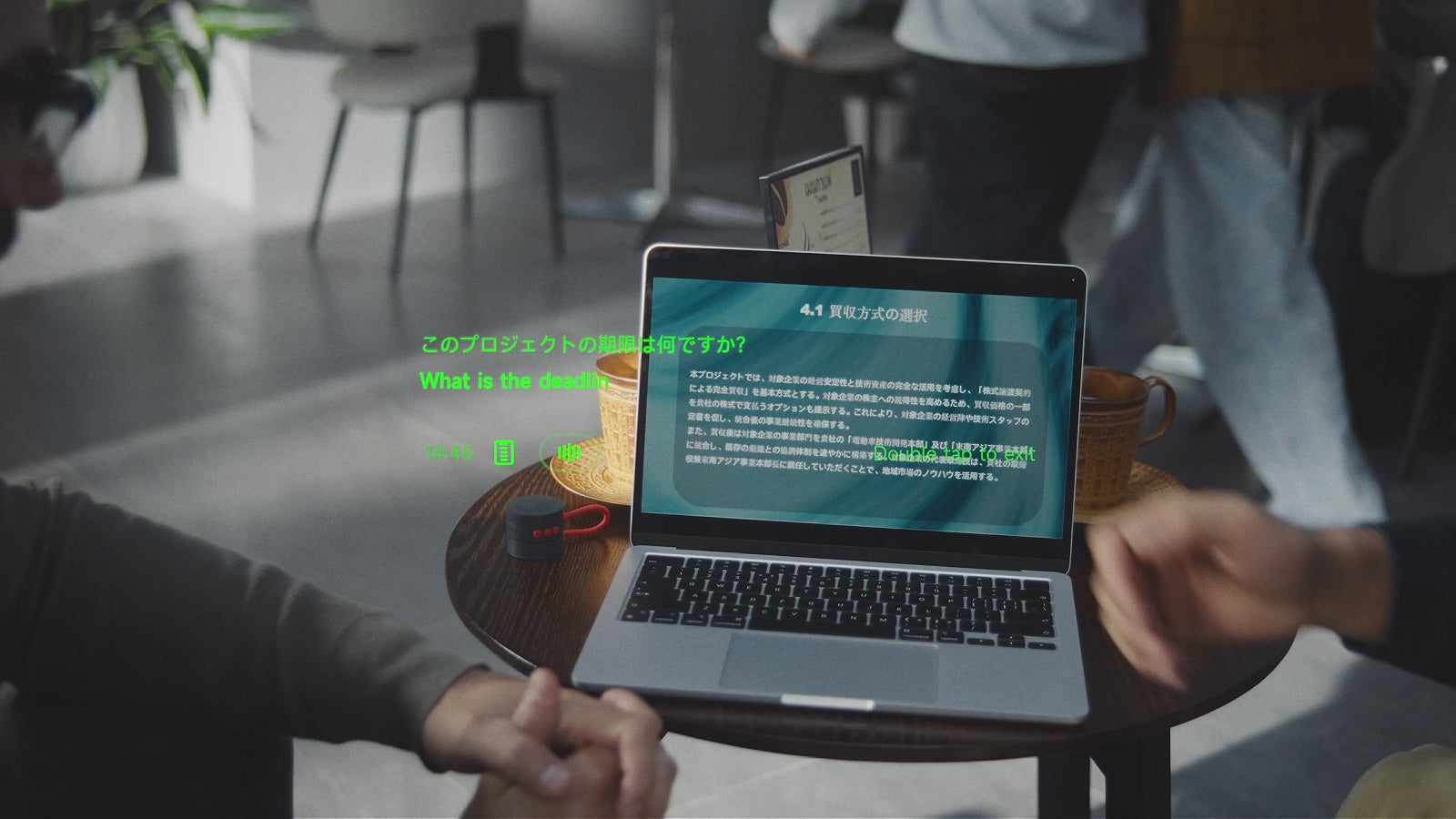
Many phone apps offer conversation modes and voice playback, and they remain a practical tool. What GO3 changes is where the translation lives. You see incoming speech translated on the lens, while the other person hears your side spoken aloud rather than reading from a screen. Directional pickup suits a one-on-one exchange, while 360 pickup suits several voices around a table.
The Habits That Make Translation Glasses Worth It
When cross-language exchanges happen multiple times a week during business trips, client discussions, or collaborative projects, relying on a phone screen means looking down repeatedly to read each sentence. INMO GO3 places the translation on the lens, which suits conversations that happen at that frequency.
In group discussions and multilingual meetings, following speech on a handheld screen creates a physical divide, because reading translations on a phone pulls your attention away from the room. Audio Subtitles display speech as text on the lens with 360° omnidirectional pickup. During the meeting, the glasses can record the discussion, and the recording can then be transcribed and organized into an AI summary in the paired app afterward for review.
Moving through an unfamiliar city often requires reading signs while speaking with others. INMO GO3 handles both spoken exchanges on the lens and signage through its built-in camera with Photo Translation. For flights without Wi-Fi or areas with weak cellular reception, pre-downloaded offline language packs keep translation available on the lens while the glasses stay paired with your phone.
A phone translation app suits occasional tasks such as checking directions or translating a menu on vacation. When spoken exchanges become a regular part of meetings, presentations, and travel, INMO GO3 makes the upgrade worthwhile.
What INMO GO3 Adds Beyond Spoken Translation
Real-Time Subtitles provide a low-latency, dual-language display for live events and conferences, while Audio Subtitles turn speech into text on the lens with 360 omnidirectional pickup. The dual-language view helps when a talk is full of technical terms, allowing you to see the original term beside its translation for quick verification. While two-way dialogue translation is designed for back-and-forth conversation, subtitles focus on following presentations and lectures.

GO3 also has a built-in camera. With Photo Translation, you point it at text and read the translation on the lens, so written text fits the same heads-up routine as speech. For travelers, that means one device handles both the conversation and the printed text around it.
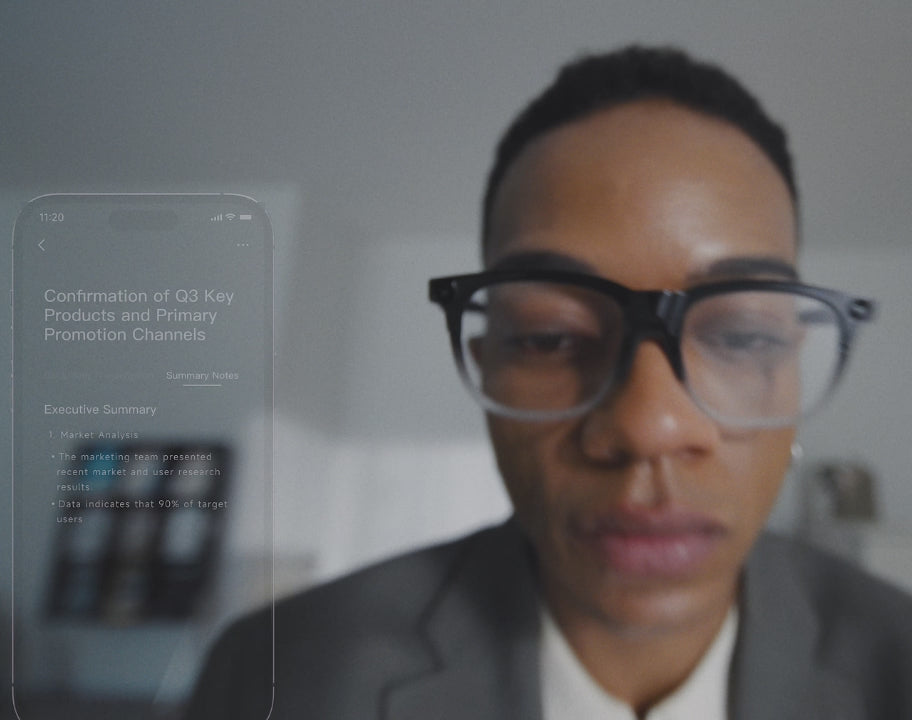
For meetings, GO3 uses a 4-microphone array with noise cancellation to record the conversation, transcribe it, and create an AI summary with one tap that you can copy and share. Translation sessions are kept as well: the full history syncs to the INMO Global app, where an AI summary is generated from each session. A translated conversation then becomes notes you can come back to after a meeting or a trip.
For presentations, GO3 includes a built-in teleprompter with automatic page turning in seven languages: English, Spanish, French, German, Japanese, Korean, and Cantonese. You import scripts through the INMO Global app, and the optional INMO Ring4 adds gesture control, so you can turn pages by hand while your notes stay in view.
Getting GO3 Ready Before You Rely on It
Setup starts with installing the INMO Global app, available for iOS and Android from the App & Manuals Downloads page. Once the glasses are paired with your phone, you can set translation preferences and manage offline language packs before heading into a meeting or trip.
Offline translation supports 9 languages on Android and 13 on iOS. Offline translation runs from the downloaded packs, so download them while you are still connected, before you travel, and keep GO3 paired with your phone while you use it.
Two swappable batteries and the portable 1300mAh charging case support all-day use.
Every GO3 bundle includes the glasses, two swappable batteries, and the portable charging case. INMO Speaker and INMO Ring4 are optional, sold separately or in bundles. Like GO3, INMO Speaker connects to your phone, and it plays your translated words aloud for the other person.

Frequently Asked Questions
Which translation glasses should I buy if I already use a phone translation app?
INMO GO3 is the recommended model for upgrading from a phone app to heads-up translation. It displays real-time translations on the lens, with options for bilingual or translation-only text. For two-way exchanges, the other person hears your translated words spoken aloud instead of reading from a shared screen.
How does GO3 work with the phone I already carry?
INMO GO3 pairs with your iPhone or Android phone over Bluetooth while your phone remains in a pocket or on a desk. The lenses display real-time translations and subtitles directly in your field of view, while spoken translations play aloud through your smartphone speaker or the optional INMO Speaker.
How does translating menus and signs with GO3 differ from using a phone app?
Instead of holding a phone up to view translated text on a handheld screen, INMO GO3 uses its built-in camera for Photo Translation and displays the translated text directly on the lens. You point the glasses at printed signs, notices, or menus to check translations while keeping your hands free.


Share:
Translation Glasses Delay: Can They Keep Up With Fast Speech?
Teleprompter Glasses Script Import: How INMO GO3 Brings Your Phone Scripts to the Lens