


Music and other phone audio can play through INMO GO3 when the glasses are connected in the phone's Bluetooth settings and granted media audio. In that role GO3 works as a pair of Bluetooth earphones: you pick tracks in whichever music app you already use, the sound comes from the two speakers built into the frame, and the volume can follow your phone's buttons.
The INMO Global app is where GO3 connects for its own features, and the phone's Bluetooth menu is where you decide that media sound plays on the glasses. A GO3 that looks connected in the app can still leave a playlist on the phone until the Bluetooth side is set, so the two are separate steps.
Two Places Where GO3 Connects to Your Phone
Tapping Connect in the INMO Global app links the glasses to the app, and the app then shows their name and battery level; translation, INMEET, INMO AI and the other GO3 features are opened from there. Where music plays is chosen elsewhere. The phone produces it, and the phone's own Bluetooth audio settings decide which output receives it, the same settings that send sound to earbuds or a car system.
| INMO Global app connection | Phone Bluetooth media audio | |
|---|---|---|
| Where you set it up | Connect in the INMO Global app | The Bluetooth list in your phone's settings |
| What you use it for | GO3 features such as translation, INMEET, INMO AI, navigation and notification relay | Music, podcasts, audiobooks and video soundtracks from apps on the phone |
| What decides the content | The GO3 feature you open | The music or media app you play from |
| What shows it is set | The app displays the glasses' name and battery level | GO3 is listed as connected, and a track started on the phone plays from the frame |
Glasses that have not yet been paired with the INMO Global app can start with the first-time setup walkthrough for GO3, which goes through that first app connection. Music is set from a different screen: the Bluetooth list in the phone's settings, where GO3 appears as an audio accessory next to any earbuds or car systems the phone already knows.
Setting Up GO3 for Music on Android and iPhone
Android and iPhone differ mainly at the media output choice, and the rest follows the Music section of the INMO GO3 user guide.
- Turn on GO3 and keep it close to your phone.
- On the phone, open Settings, go to Bluetooth, and connect the glasses from the device list.
- Set GO3 as the media output. On Android, open Settings > Connected devices, find GO3 among your saved Bluetooth devices, tap the settings icon beside it, and turn on Media audio. On iPhone, start something in an audio app such as Music or Podcasts, tap the Playback Destination icon, and choose the glasses.
- Open the music app you normally use, press play, and set the level with the phone's volume controls.
- To change the glasses' volume from the INMO Global app, tap the glasses icon to open App Touchpad and adjust the volume there.
- To move the sound off GO3 later, choose another playback destination from Control Center or the Lock Screen on iPhone. On Android, connect the accessory you want from the Bluetooth list or turn off Media audio for GO3, then play a few seconds of audio to confirm where it now comes from.
- To bring playback back to GO3 from a car system or a speaker, lower the volume first, select GO3 again, start the track, and raise the level while it plays.
- If GO3 does not appear in the Bluetooth list, power the glasses on, bring them close to the phone, and reopen the Bluetooth page so the phone searches again. If GO3 is listed but music still will not move to it after the output checks, turn the phone's Bluetooth off and on, confirm the glasses show as paired and connected, and restart the devices.
Granting media audio matters because phones treat music and calls as separate kinds of sound for an audio accessory. On Android phones that show both options in an accessory's settings, Media audio controls music and other media while Phone audio controls calls, so a pair of glasses can have calls switched on and music still playing from the phone. Android phone makers label these menus in slightly different ways, and Media audio is the switch to look for. iPhone organizes the same choice around the item currently playing: audio goes to the playback destination you select.
GO3 can keep its volume in sync with the phone, so the level you set on the phone is the level the frame plays at. The GO3 entry stays in the phone's saved devices list after this first round, along with the media setting you chose for it.
Why Does the Sound Stay on Your Phone?
Music still playing from the phone means its media output points somewhere other than GO3. The first three checks in the table find where the output went, starting with the simplest cause. The volume check covers a different case: GO3 is selected, yet little or nothing comes from the frame. Keep a track playing while you check, so you hear the moment the sound moves.
| Check | What to look at | If this is the cause |
|---|---|---|
| Bluetooth connection | GO3 shows as connected in the phone's Bluetooth list | Connect again from step 2; media output is chosen from this list, apart from the INMO Global app |
| Media audio or destination | Android: Media audio is on for GO3. iPhone: GO3 is the selected playback destination | Change only the media setting, since an accessory can be connected and still left out of media playback |
| Other audio devices | Earbuds, a speaker or a car system connected to the same phone | Select GO3 as the output again |
| Volume, when GO3 is the output | The phone's media volume and the glasses volume in App Touchpad | Raise the level with the track running; a level turned right down leaves the frame quiet even with the output set correctly |
Earbuds or a car system can stay paired while you select GO3 again, because paired accessories remain in the saved list until you unpair them, ready for the next time you want them. When all four rows look right and the music still plays from the phone, the restart sequence in step 8 is the remaining move.
Listening Through the Frame
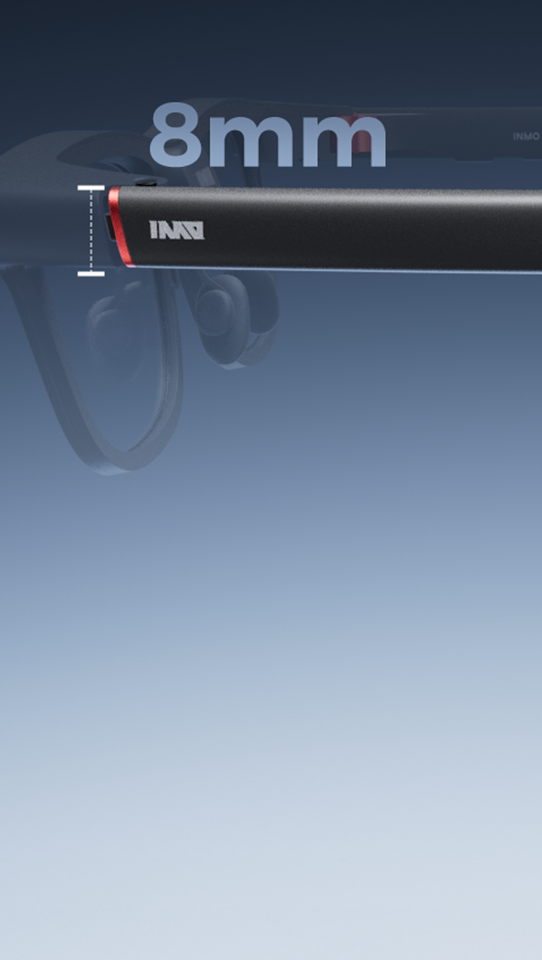
GO3 has two speakers in its frame, so music plays from the glasses you already have on, with nothing placed in your ears. That suits days when GO3 is on for translation, notifications or navigation anyway: the soundtrack arrives through the same frame, and there is no second audio device to put in, take out and keep charged.
In shared rooms, keep the level modest as a courtesy to the people nearby. When others in the room should hear the same track, that session belongs on the phone's own speaker or a separate speaker, and GO3 can be selected again as soon as you are listening on your own.
Getting the Output and Volume Right After the First Setup
The saved GO3 entry carries over from one session to the next, so later listening starts with a quick look at which output is active and what level suits the thing you are about to play. A short track you know well is the quickest test after any change to the phone's audio settings. You already know how loud it starts and how it should sound, so a shift in output or level stands out within a few seconds, something an unfamiliar track cannot show you.
Spoken audio often sits at a different loudness from a dense music mix, so moving from a podcast to an album can call for a small adjustment, and a notification chime or a quiet intro gives a poor reference for either. Setting the volume a few seconds into the track you actually want to hear gives a better starting point than a guess made before playback begins.
FAQ
Do I need a special music app to listen through INMO GO3?
Whichever music app you already use on the phone can play through GO3, because the glasses receive the media sound the phone sends to them. Playlists, downloads, queues and your account stay in that player, and nothing extra needs installing for music. Streamed tracks and files saved on the phone follow the same Bluetooth media audio route.
Can podcasts, audiobooks or video sound play the same way?
Podcasts and audiobooks are media audio too, so they play through GO3 just as music does, with playback speed, chapters and sleep timers staying in the app you listen with. For video, the picture stays on the phone screen while the soundtrack is sent to the glasses.
Can I give GO3 a name that is easier to spot in the Bluetooth list?
Android phones that offer an Edit option for Bluetooth accessories let you rename the GO3 entry: open the settings icon beside GO3 in your saved devices and tap Edit. A distinct name pays off when earbuds, a car system and the glasses all share one list, because picking the right entry is the main task each time you switch the output back to GO3.
Share:
INMO GO3 Screenshot: Capturing and Sharing What You See on the Display
INMO GO3 Photos and Videos: Hands-Free Capture and Transfer to Your Phone