

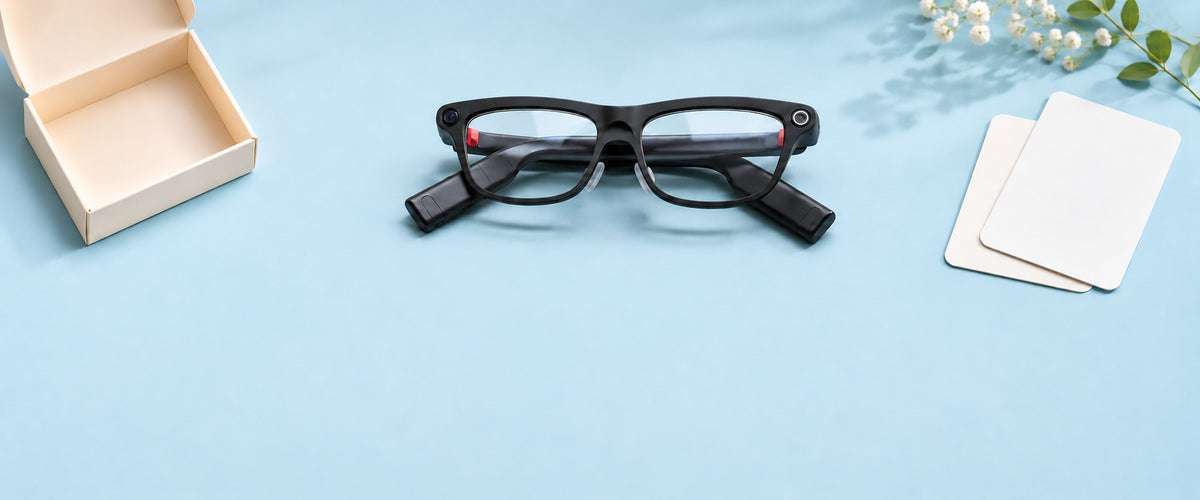
First-time buyers can read the whole setup of INMO GO3 before ordering: it takes four steps, from downloading the INMO Global app to connecting the glasses. The first time the glasses start, you choose the system language and then connect them to the app. Later glasses updates also run from the app, which shows a progress bar and a percentage while the update installs. Knowing these steps in advance shows what the first evening with the glasses involves.
Which translation glasses should a first-time user compare?
A first comparison of translation glasses usually starts with where the subtitles appear, how many languages each conversation mode covers, how the controls work, how the battery lasts through a full day, and how the frame sits on the face.
| What to check | INMO GO3 |
|---|---|
| Where subtitles appear | On both lenses at eye level, through a binocular green Micro LED display with a 30° field of view and 640×480 resolution |
| Language coverage | Real-time translation: 127 online languages. Two-way dialogue: 78 languages on Android, 82 on iOS. Offline translation: 9 languages on both Android and iOS |
| How you control it | A touchpad on the temple, a power button and a GO button |
| Battery plan | Two swappable batteries and a portable charging case support all-day use, with up to 24 hours of total use and swaps of about 5 seconds |
| Weight and fit | About 58g, 8mm ultra-slim temples, air cushion nose pads |
Language coverage is organized around three distinct use cases. Real-time translation handles live listening, lectures, and presentations. Two-way dialogue translation supports interactive discussions with another speaker. Offline translation covers travel without cellular service or Wi-Fi. Display brightness on GO3 is adjustable up to 1500 nits.
In two-way dialogue translation, you read the other person's words on your lenses in your own language, and your reply is voiced in theirs through your phone speaker, so they hear it directly.

If you are still deciding between dedicated glasses and a phone, the comparison of translation glasses and phone translation apps looks at that choice in more depth.
Setup and Support Resources You Can Read Before Buying
The official GO3 user manual details the initial setup steps, touchpad gestures, button functions, battery replacement, and charging. Keeping the manual open on a laptop or tablet during the first setup puts the gesture list in view while you try each control.
The INMO support center brings together the user manual, download links for the INMO Global app on iOS and Android, and answers to common questions about languages and battery life. Software updates for the app are delivered through the App Store and Google Play, while the support center remains the primary resource for user guides and troubleshooting.
Your First Day with INMO GO3, Step by Step
- Download the INMO Global app from the App Store or Google Play.
- Press and hold the power button on the glasses for about 3 seconds to turn them on.
- When the display lights up, swipe on the temple touchpad to select a system language for the glasses.
- Open the INMO Global app on your phone and follow the on-screen prompts to connect the glasses.
On first wear, check that the frame sits level, with both lenses at the same height in front of your eyes, so the display area lines up with your line of sight.
During translation sessions, INMO GO3 displays translated subtitles directly on the lenses. Subtitles can run in bilingual or translation-only display. Bilingual display presents the original speech alongside the translation, which helps with checking proper names and specialized vocabulary against what was said. Translation-only display keeps the view to the translated text.
A short first session at home is a good way to practice the touchpad gestures from the quick reference below and to switch between the two subtitle layouts before using translation in a meeting, at a lecture, or on a trip abroad. A video or podcast in another language played at home works as the source for this first practice session.
Touchpad and Button Quick Reference
| Control | Action | What it does |
|---|---|---|
| Touchpad | Tap | Confirm |
| Touchpad | Double tap | Go back |
| Touchpad | Swipe | Switch between options |
| Touchpad | Long press | Return to the home screen |
| Power button | Tap | Turn the screen off or back on |
| Power button | Hold about 1 second | Wake INMO AI |
| Power button | Hold about 3 seconds | Power on or off |
| GO button | Tap | Act on the on-screen prompt |
| GO button | Long press | Launch a customizable shortcut |
A quick tap on the power button turns the screen display off or back on while the glasses stay powered, which is useful when pausing the visual readout mid-conversation. Holding the power button for approximately 1 second activates INMO AI, while the GO button can be customized for quick access to preferred functions. Long press on the touchpad returns to the home screen, a simple way back to the start while you are still learning the menus.
What Comes in the Box and How Battery Swaps Work
Every INMO GO3 bundle includes the glasses, two swappable batteries, and a portable charging case, along with nine covers for the built-in camera, a glasses cloth, and a printed user manual. INMO Speaker and the INMO Ring4 are optional accessories available separately or in expanded bundles.
The portable charging case recharges the batteries. One battery powers the glasses while the spare rests in the 1300mAh case, which provides 3 to 4 full recharges. The magnetic battery swap takes about 5 seconds. Remove the battery from the back of the left temple, fit the charged one, and keep the power button pressed for about 3 seconds until the glasses start. Rotating the batteries through the charging case supports all-day use, with up to 24 hours of total operating time. Practicing one swap at home makes the movement familiar before a longer day out.
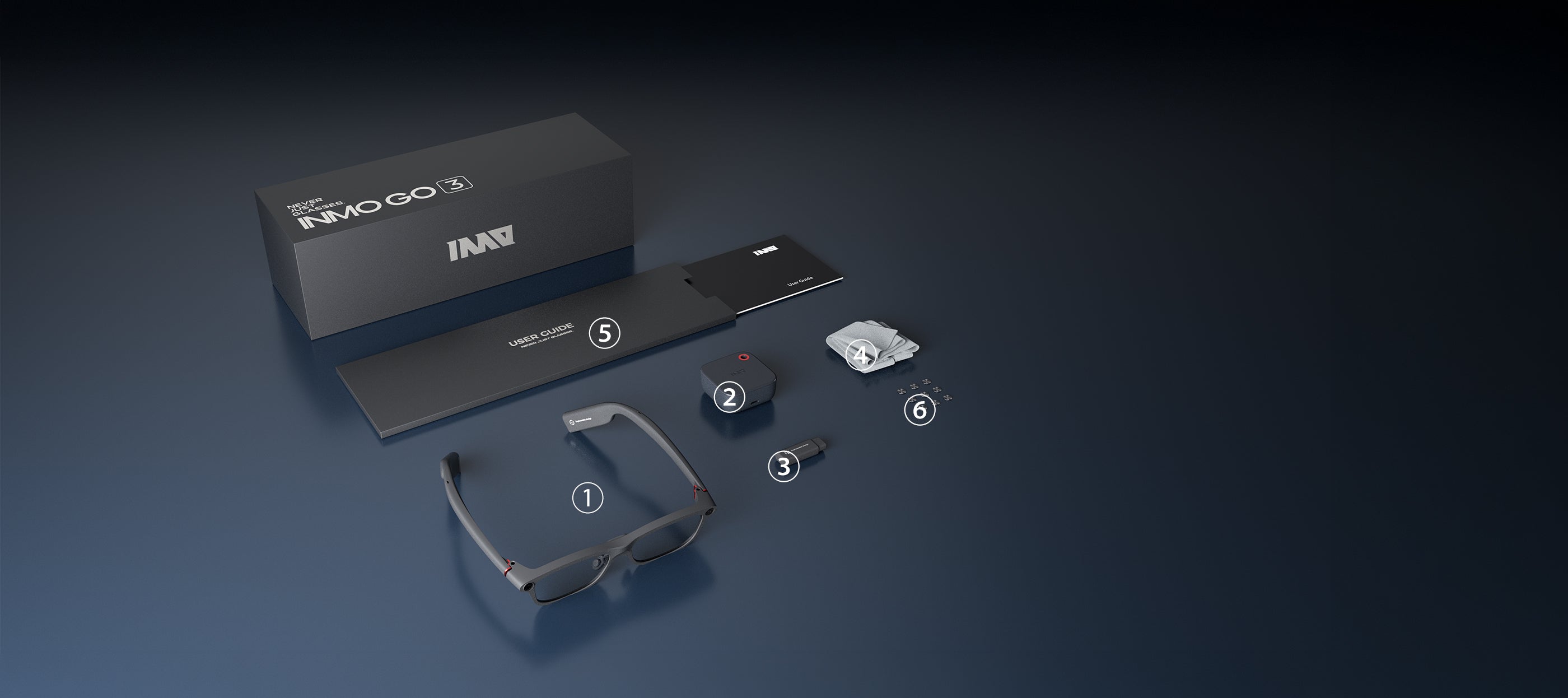
Before wiping the lenses, remove any dust particles first, then wipe gently with the supplied glasses cloth without pressing hard. Storing the glasses with the charging case and spare battery in one place keeps everything together for the next day.
Frequently Asked Questions
How does INMO GO3 save translation records for later review?
Translation history saves automatically and syncs to the INMO Global app for later review, so earlier conversations can be read back after a meeting, a lecture, or a trip.
How do you prepare offline translation for the first time?
Download the language packs in the INMO Global app in advance. Downloading the packs at home on a reliable connection, a day or two before a trip, keeps that preparation separate from the travel day itself. Offline translation supports 9 languages across both Android and iOS. During offline translation, the glasses stay paired with your phone.
What if I already wear prescription glasses?
Prescription wearers can use official custom prescription lenses made to fit the INMO GO3 frame. The frame itself has air cushion nose pads, and each temple can open outward by up to 15 degrees for different head widths.
What are the nine camera covers in the box for?
The covers are physical caps for the lens of the built-in camera, which takes photos and records videos of up to 60 seconds.
Share:
Standalone AR Glasses for Gaming: What to Compare on INMO AIR3
AR Glasses for Netflix and YouTube: How to Watch Streaming Video on INMO AIR3