

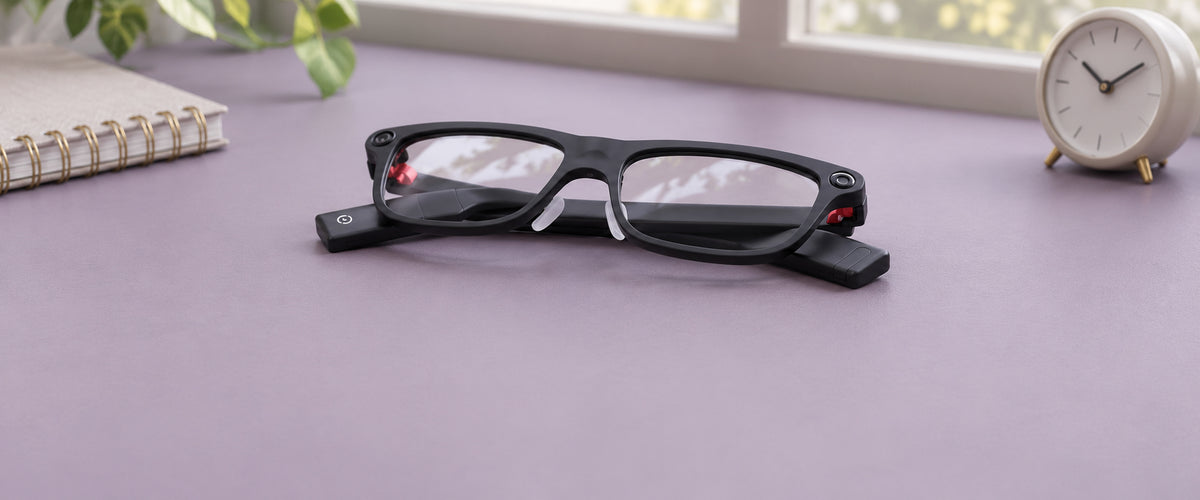
When you pause or change pace mid-talk, INMO GO3 advances the script with Voice-Following as you speak, and you can also turn pages yourself. The AI teleprompter places the script on both lenses in your line of sight while you face the audience. A swipe on the temple touchpad or a press of the GO key on the optional INMO Ring4 turns the page when you decide to move on, for example after a question from the floor. The script itself is written and edited in the INMO Global app before the talk.
How Does the Script Keep Up When You Pause or Speed Up?
Once the script is set up in the app, AI Smart Scrolling on GO3 moves the text forward page by page with your spoken delivery. Voice-Following works in seven languages.
Writing the pauses into the layout of the script, for example by ending a paragraph just before a line you want to land, and rehearsing the fast and slow sections with the glasses on, gives each change in pace a planned place. Sections you know well can be marked as places where a quicker delivery is fine, and lines with figures or names as places to slow down. An aside or a question from the floor is a moment to advance the script by hand, one page at a time, until the next passage you plan to deliver is on the lens.

Changes in Pace and How to Handle Each One
| Change in pace | During the talk |
|---|---|
| Deliberate pause for emphasis | Hold the pause, then continue with the next sentence of the script |
| Speeding up through familiar material | Carry on at the pace that suits the passage |
| Slowing down for a key point | Give the point the time you planned, then carry on |
| Repeating a line for emphasis | Say it once more, then continue with the next sentence of the script |
| Unplanned aside | Finish the aside, then turn the page by hand if the script needs to move forward |
| Skipping a planned section | Turn pages by hand until the next section you plan to deliver appears |
The first four rows stay inside the script and change only how it is spoken. The last two step outside the script or skip part of it, and those are the points where the touchpad on the frame or the GO key on the ring moves the text to where you want to continue.
Two Ways to Turn the Page by Hand
Every GO3 has a manual control built into the frame: a swipe on the temple touchpad turns the page, with no accessory needed. The optional INMO Ring4 adds a GO key for turning pages, and a press of the key moves the script forward. The ring is sold on its own and also comes with selected GO3 bundles.
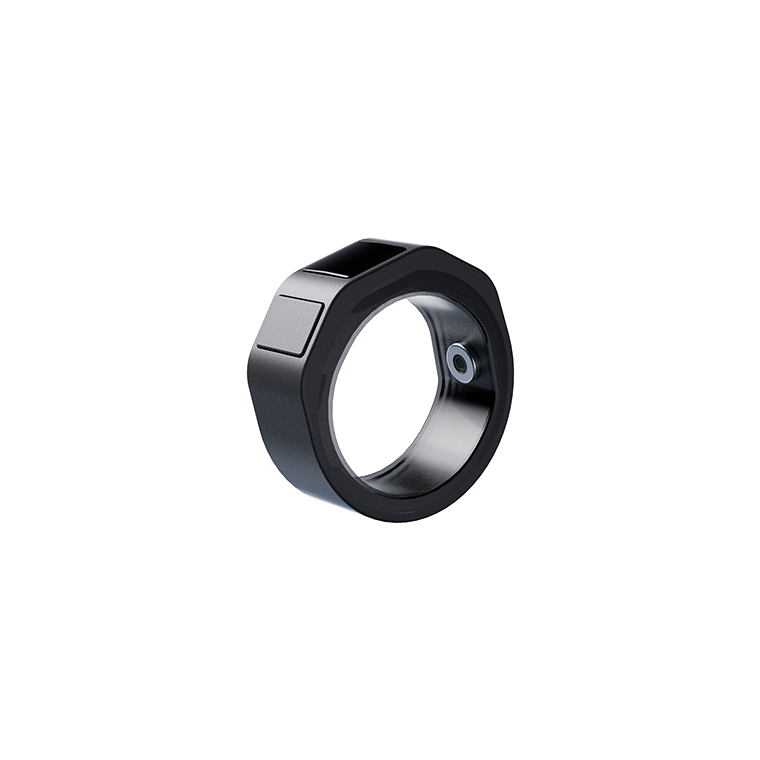
The two controls differ mainly in where your hand is when you turn the page. The touchpad sits on the temple of the frame, so a page turn there means a brief reach to the side of the head, while the ring stays on a finger and its GO key is pressed without lifting the hand. Practicing it at the points in the script where you expect to need it, such as the end of a section or the start of a question round, makes the movement part of the talk. Repeating these turns at the same points in each rehearsal fixes where they happen in the talk, so on the day each one arrives as an expected step in the running order.
Matching the Manual Control to the Kind of Talk
How often you turn pages by hand depends on how closely the talk follows the script. A training session or workshop with regular question breaks, or a panel slot where you speak in short turns between other speakers, gives you more points at which to choose where the script goes next. The built-in frame control covers every one of these formats with no extra device to bring. For workshop and panel formats, the optional ring keeps the GO key in your hand, and it can be added on its own to a GO3 you already own.
Rehearsing at Different Speeds
Running the same script in three different ways prepares you for the pace changes a live talk brings:
- Deliver the script slowly, holding every planned pause in full, and note where each pause falls in the text.
- Deliver the same script at a brisk tempo and mark any line that is hard to say at speed.
- Run the talk again with one unscripted remark and one practice question, then turn the page by hand to the section where you resume.
- Mark any spot where a run felt rushed or where you lost your place, then shorten those lines or add a paragraph break before the next run.
- Deliver the final version once at the pace you settled on, using the manual control you plan to bring on the day.
A script in the app can be edited there, so the changes marked during one rehearsal can go into the script before the next run-through, and the final run uses the version you will deliver on the day.
When you are still choosing between the frame control and the ring, run the third rehearsal once with each. Handling the same practice question with both shows which one suits the way you stand and gesture during that part of the talk.
Comparing the slow run with the brisk run shows how far the timing of the talk can stretch. During the brisk run, also note which section could be left out if the talk runs behind, so that decision is already made before you walk on stage.
Every GO3 includes a spare battery and a charging case, so one battery can charge in the case while you rehearse on the other. Rehearsal is also the time to practice the rhythm of looking out at the room and back at the lens, which matters for whether an audience can tell you are reading from teleprompter glasses.
FAQ
What should you do if you lose your place mid-sentence?
Glance at the lens and pick up from the first full sentence showing. Take a short pause while you find it; there is no need to fill the gap with extra words. Stopping mid-sentence on purpose once during rehearsal and finding your place again makes the move familiar before the day.
How can you keep planned pauses from disappearing when you are nervous?
During the slow rehearsal, hold each planned pause for a silent count of two before the next sentence. Recording a rehearsal on your phone and listening back shows whether the pauses also held up during the brisk run. If a pause is missing on the recording, mark that spot in the script and hold it deliberately in the next run.
What should you prepare on GO3 the day before a talk?
Charge both batteries in the charging case so the spare is ready, read through the final script on the lens once to confirm it is the version you rehearsed, and if you plan to use the optional ring, pack it with the glasses.
How do you find out where manual page turns will be needed?
Note each place where you turned a page by hand during the rehearsal run with the unscripted remark and practice question. Those places are where manual turns are likely on the day. Because the script can be edited in the app, a short marker at each of those points can go into the script before the final run.
Share:
AR Glasses That Work Without a Phone: How INMO AIR3 Runs on Its Own
Translation Glasses for Long Travel Days Without Frequent Charging Stops