


To keep a wedding speech under ten minutes, read your notes on INMO GO3 while a stopwatch on your phone or watch shows the elapsed time. The script appears on the green lens display, and voice-following turns the pages as you speak, in seven supported languages, so you can look toward the guests between lines. Planning starts with the word count, continues through timed rehearsals, and ends with a version that leaves room for laughter, applause, and the toast.
Planning a Ten-Minute Wedding Speech by Word Count
Word count gives you a consistent basis for estimating spoken length; fonts, margins, and line breaks change how full a page looks. For this planning example, assume a rate of 120 English words per minute, so estimated reading time equals your word count divided by 120. Treat that figure as a starting estimate; your own rehearsal time replaces it as soon as you have one.
Aiming for about eight minutes of reading leaves roughly two minutes for laughter, applause, and the pause before the toast. The example below spreads a 960-word script across an opening, a story, thanks and tribute, and a closing toast.
| Section | What it does | Example length | Example word count |
|---|---|---|---|
| Opening | Introduce the speech and its main theme | 1 minute | about 120 words |
| Story | Develop one central story or reflection | 3.5 minutes | about 420 words |
| Thanks and tribute | Express appreciation and personal wishes | 2.5 minutes | about 300 words |
| Toast | Bring the speech to its closing toast | 1 minute | about 120 words |
| Planned reading total | Reading time at 120 words per minute | 8 minutes | about 960 words |
| Buffer | Laughter, applause, and pauses | about 2 minutes | none |
These numbers are a planning example you can adapt to your speech. A best man speech built around stories can move a minute from the tribute into the story section, keeping the estimated reading total near eight minutes. For a speech in another language, time the full delivery directly in rehearsal and use that result to plan its length.
Writing a Speech That Reads Well on the Display
Write wedding speech notes in the language you use when speaking. Short sentences with one idea each are easier to pick up at a glance than sentences with several nested clauses, and sentence endings give you places to breathe. Read every line aloud while drafting, then simplify wording that makes you stop or restart.
Add cues inside the text to mark the pauses and actions you want to rehearse. A marker such as [PAUSE] between sections or [RAISE GLASS] before the toast gives you a written reminder alongside the speech. Adding the planned running time at the end of each section, for example [4:30] after the story, gives you checkpoints to compare against during rehearsal. Tag one passage as [OPTIONAL] so you have already chosen a cut if you need more time.
The INMO Global app is where the script is entered and edited, and an iPhone can also bring in a finished Word, PDF, or TXT file to edit there. Apply the cuts made during rehearsal to the version you will read on the day, keeping the section markers and closing toast easy to identify. The guide to preparing a speech script from your phone provides further guidance on script preparation.
Using GO3 With a Separate Timer in Rehearsal and on the Day
Time each full rehearsal with a stopwatch on your phone or watch, and use the same start and finish points every time so the results are comparable. Your written section markers show where to note the time as you go.
- Open the script on GO3 and have your phone or watch stopwatch ready. Start timing as you begin the first spoken line, then read at your intended delivery pace.
- Note the time at each section marker and stop after the final line of the toast. Include the pauses you have marked in the script.
- If the complete run-through exceeds your rehearsal target of about eight minutes, shorten or remove a passage, then update the script in the app.
- Complete two or three full rehearsals, recording the finish time each time. Use those results to decide whether another cut is needed before the speech.
During these run-throughs, keep the pauses you intend to use on the day; rushing through them changes what the stopwatch measures. On the day, start the same stopwatch as you begin the first spoken line, and glance at it at each section marker to compare the elapsed time with your rehearsal notes. The two-minute buffer and the passage you marked [OPTIONAL] give you room for a longer laugh or an extra thank-you.
Preparing GO3 for the Reception
Include the final rehearsal in your battery preparations. Every GO3 bundle includes two swappable batteries and a portable charging case, and the two batteries with the case support all-day use. Charge the batteries in the case before the event, charge your phone, and pack the spare battery with the charging case. If the speech comes late in the evening, fit the charged spare before the meal; the magnetic swap takes about 5 seconds.
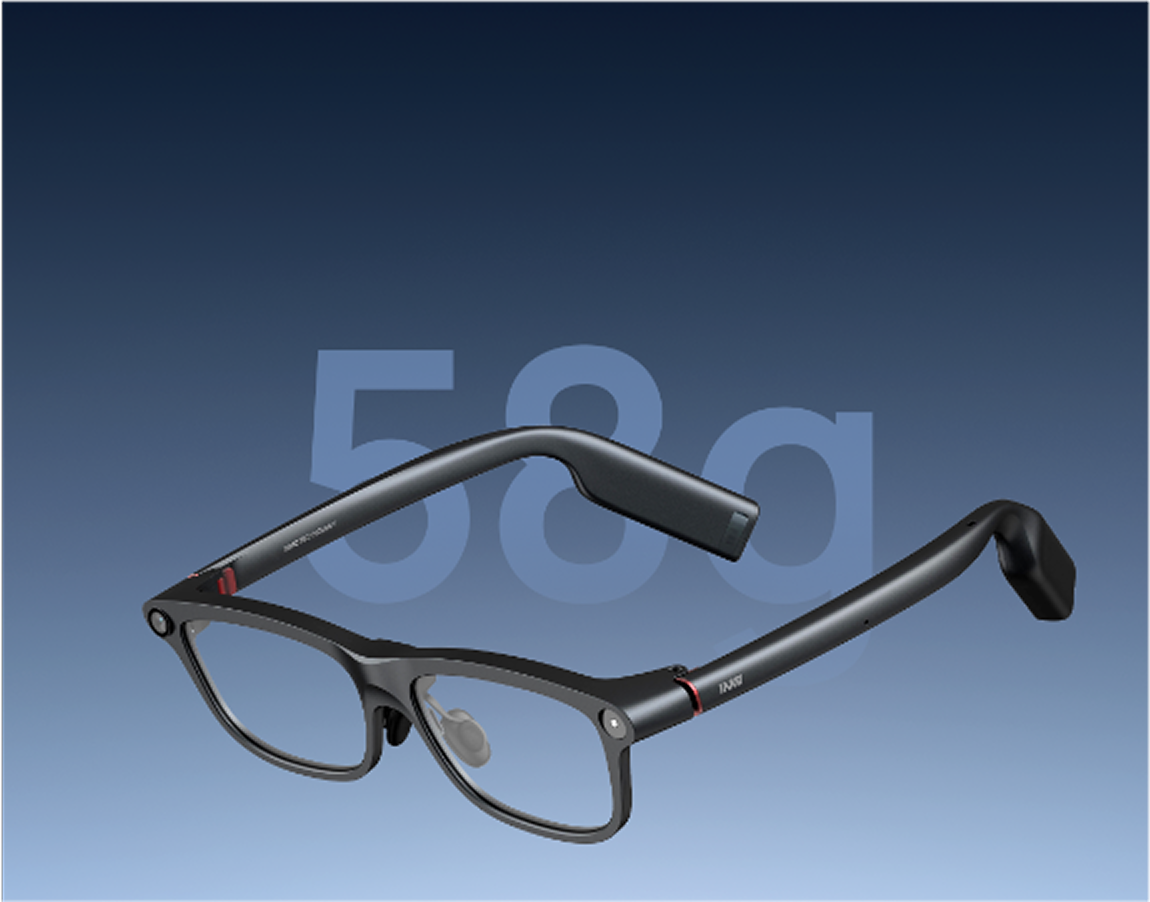
Wear the glasses for the complete rehearsal so that reading the displayed text is part of the same practice; the frame weighs approximately 58g and has 8mm ultra-slim temples. Adjust the display brightness for the room's lighting before the speech, then read through your opening lines at that setting. Once the glasses are on for the evening, check that the first page on the lens begins with the opening you rehearsed.
The article on whether people can tell you are reading from teleprompter glasses addresses how reading from the display looks to an audience. For manual page turns, swipe the temple touchpad or use the GO key on the optional INMO Ring4. Choose your preferred control during rehearsal and include it in the final run-through. Ring4 is sold separately or included in selected bundles.
FAQ
What if I want to add a line that is not in the script?
Keep the addition brief, then continue reading your prepared text, turning pages as needed with the temple touchpad or the optional Ring4 GO key. At the next section marker, check the elapsed time on your stopwatch and count any added speaking time against the buffer you planned for laughter and applause. The passage marked [OPTIONAL] gives you a prepared cut if the addition uses more of your remaining time than planned; preserve the closing toast when shortening the speech.
What wording works for the toast itself?
Write the toast as one or two short sentences on their own lines after the [RAISE GLASS] cue, with the couple's names spelled out. Keep that wording unchanged from the first rehearsal onward, so the last words of the speech are the ones you have practiced most. If you edit anything else in the INMO Global app late in the week, read the closing section aloud once more afterward.
What should change for an outdoor reception?
Before an outdoor speech, choose a brightness setting under lighting similar to what you expect at the event and read through the opening at that setting. The display is adjustable up to 1500 nits. If the speech moves indoors, adjust the brightness for the indoor lighting before you begin.
How do you handle names you rarely say aloud?
Write every name in full, with a short pronunciation note in brackets for any name you rarely say aloud. Seeing the names on the lens when you introduce the couple, their families, and the wedding party helps you say each one the way you rehearsed it.
Share:
Seeing the Whole Screen on AR Glasses: AIR3 FOV and Fit
Teleprompter Glasses: Notification Settings Before a Presentation